
Software development agencies and developers can gain a lot by using time tracking software.
It’ll help you improve your development team’s productivity and bill clients accurately. However, to maximize the benefits, you must invest in the right time tracking software.
In this article, we’ll check out the 10 best time tracking software for developers and why you should use one.
Table of Contents
- Top 10 time tracking software for developers
- 2. Tempo Timesheets
- 3. Clockify
- 4. 7pace
- 5. Zoho Projects
- 6. Toggl Track
- 7. TimeCamp
- 8. Hubstaff
- 9. Harvest
- 10. QuickBooks Time
Let’s get started.
Top 10 time tracking software for developers
Let’s look at 10 time tracking apps that developers can use to boost their productivity.
1. Time Doctor

Time Doctor is a workforce analytics platform that empowers managers with the visibility to lead with trust, not control. Mid-market companies and growing SMBs use it to gain real-time visibility into work, support employee well-being, and continuously improve productivity across remote, hybrid, and in-office teams.
It supports major platforms like Windows, macOS, Linux, and Android. Time Doctor also offers a Chrome extension for integration with third-party software.
Key features
Let’s check out some of Time Doctor’s key features that make it a valuable tool for software developers and programmers:
A. Time tracking
Time Doctor is a workforce analytics platform that gives you flexible time tracking so employees can record their hours in a way that fits how they work. The platform captures work activity in real time and transforms it into clear visibility for teams, helping leaders understand how work happens while keeping the experience simple for employees.
In manual/interactive mode, employees simply open the app, select their current task, and start the timer. Time Doctor runs in the background and tracks the apps and websites used during work. When they’re finished or want to take a break, they can stop the timer with a single click.

In automatic mode, Time Doctor can start tracking time when employees turn on or log into their work devices. This mode helps improve accuracy and reduces the need for manual edits or forgotten time entries.
Both modes are designed to provide clear visibility for managers and employees while minimizing disruption to the workday.
B. Idle time tracking
Time Doctor measures idle time (periods without keyboard or mouse activity) to help teams understand focus patterns and potential productivity blockers.
- Idle time is measured in idle seconds and idle minutes
- You can configure when idle time should start counting and set limits that make sense for different roles
Instead of silently recording behavior, Time Doctor can display a gentle idle time pop-up when someone has been inactive for too long—nudging them to either refocus or take a break. This helps reduce unintentional time drift and supports more accurate timesheets.
This design helps organizations balance accountability with privacy and trust.Moreover, you can set how long the timer can run without any activity. Once it reaches the limit, the tracker automatically stops tracking time and displays an idle time pop-up. This pop-up alerts employees to focus on their tasks.
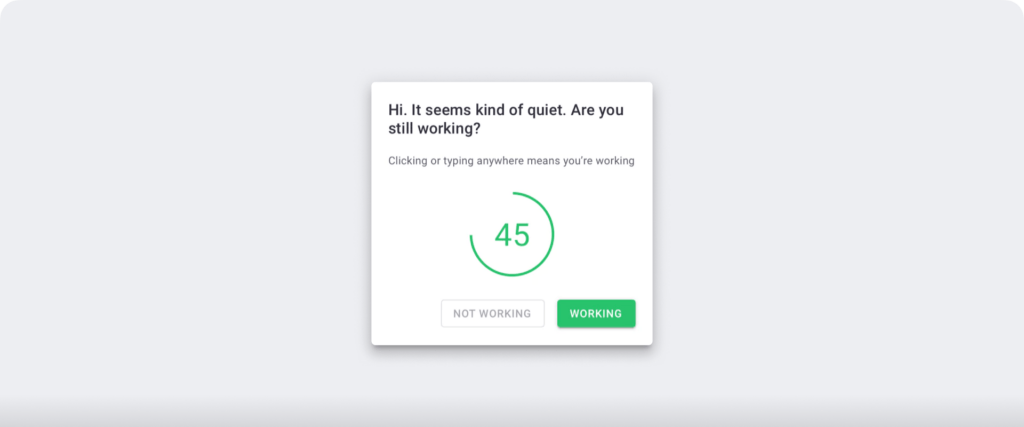
Note: Time Doctor isn’t a keystroke logger. This time tracking software only checks if a user pressed any keys or mouse buttons to determine idle time.
C. Screencasts (Optional)
Time Doctor’s screencasts feature helps you check whether employees in your development team are working on a specific task or not.
Additionally, since your developers are aware that their screen activities are being monitored, they would avoid taking part in distracting activities.
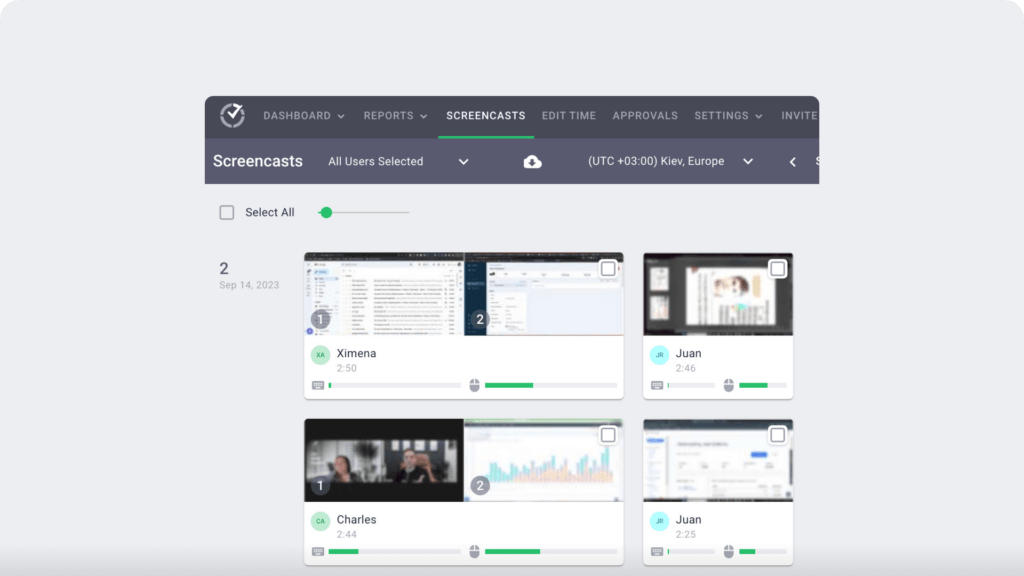
Note: Screenshots are only taken when a team member indicates they’re working and can be deleted or blurred to maintain privacy. This feature is optional and can be enabled or disabled for each user.
D. Productivity ratings
With this feature, managers can see if their employees are working productively.
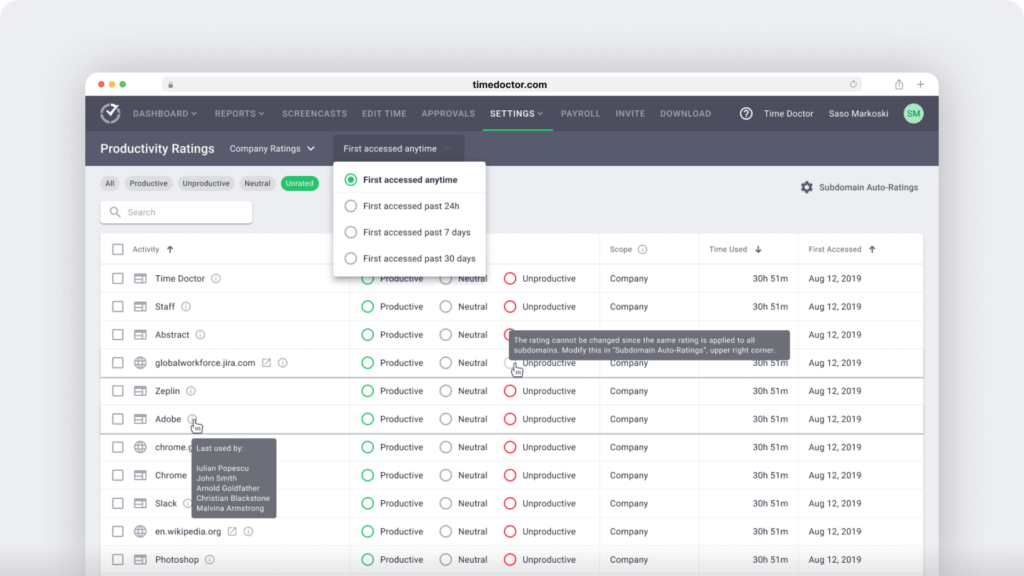
The app allows you to set different productivity ratings for different sites, depending on the nature of your work.
The different productivity ratings are:
- Productive.
- Unproductive.
- Neutral.
- Unrated.
For example, if your developers regularly visit Stack Overflow to find coding-related solutions, you can rate the website as productive.
E. Extensive productivity reports
C. Productivity reports
Time Doctor tracks several data points related to employees activity. You can access a wide range of reports generated in real-time.
Here’s a quick look at these reports :
- Activity summary report: See active seconds, minutes, unproductive, manual, and mobile time for each employee over a selected time period.
- Attendance report: See if an employee is present, absent, partially absent, or late in real-time.
- Hours tracked report: View the total number of hours tracked by employees for any date range.
- Projects & tasks report: See the time spent on projects as well as individual tasks.
- Timeline report: Look at the time spent on tasks and breaks in a day or the whole week.
- Custom export report: Customize the fields you’d like to include in one single report.
- Web and app usage report: View the time spent by an employee on each app and website during work hours.

F. Payroll management
Time Doctor provides powerful payroll management features along with time tracking.
It allows you to charge your clients’ billable hours without using any manual timesheet if you’re a freelance software developer. And to avoid any miscalculation, you can set hourly bill rates for your work hours and add up the total hours worked.
On top of that, you can integrate Time Doctor with a payment gateway like Gusto, Paypal, ADP, or Wise.
You can also customize payroll details, such as the following:
- Pay period.
- Payment currency.
- Payment method.

E. Chrome extension and integrations
Time Doctor’s powerful Chrome Extension integrates with 60+ tools that include project management, helpdesk, accounting software, and more.
For example, Time Doctor integrates easily with tools like Asana and Jira.
You can even add time tracking to tasks you’ve created on tools like ClickUp. As a result, you can help your team avoid wasting time and work more efficiently.
Pricing
Time Doctor offers a 14-day free trial (no credit card info required). Its paid plan starts at $6.70/user per month.
Customer ratings
- G2: 4.4/5 (420+ reviews)
- Capterra: 4.5/5 (540+ reviews)
Explore Time Doctor’s features page for more details.
2. Tempo Timesheets
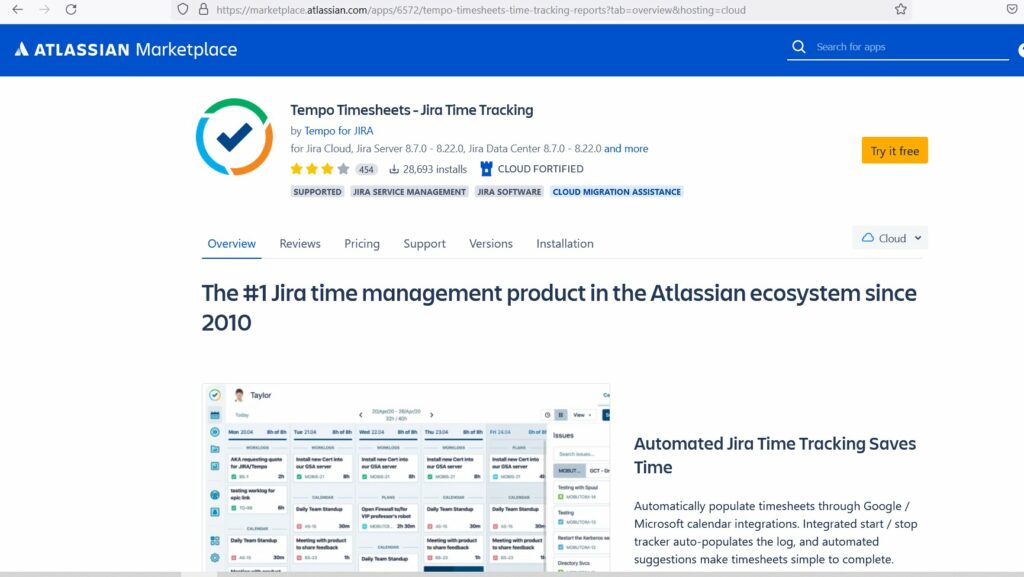
Tempo Timesheets is an automated time tracking solution for developers using Jira. It gives businesses the insights they need to stay on top of project estimates and deadlines.
Key features
- Provides a real-time time tracker to keep track of your work across the day.
- Offers timesheets that populate log time automatically through Google calendar integration.
- Gives custom account labels to show how time is spread across teams and for invoicing.
- Provides integrations with apps like Clerk Invoices and Xapps to increase workflow automation.
Pricing
Tempo Timesheets offers a free trial. Its paid plans start at $10/user per month.
Customer ratings
- G2: 4.5/5 (90+ reviews)
- Capterra: 4.3/5 (180+ reviews)
3. Clockify

Clockify is a time tracking tool for software developers and programmers. It allows you to monitor the billable time spent by your developers on various tasks and projects.
Key features
- Allows you to create tasks and projects for your developers, and categorize them by clients.
- Provides hourly rates set up for every task, project, or employee.
- Helps you separate billable and non-billable tasks.
- Offers a detailed report on billing breakdown that can be exported as PDF, Excel, or CSV.
Pricing
Clockify offers a free plan with unlimited users. Paid plan starts at $4.99/user per month.
Customer ratings
- G2: 4.5/5 (100+ reviews)
- Capterra: 4.7/5 (2900+ reviews)
4. 7pace

7pace is a time tracking and task management software for devs working on platforms like Azure, GitHub, Visual Studio, etc. It provides developers with integrated planning, reporting, and insights. The software is a combination of time clock and task manager for programmers.
Key features
- Offers offline and online time tracking.
- Provides payroll and reimbursement management.
- Enables resource allocation and planning.
- Available on desktop and mobile apps.
Pricing
7pace provides a 28-day free trial. Its paid plans start at $5/user per month for up to 20 users.
Customer ratings
- G2: NA
- Capterra: 4.4/5 (5+ reviews)
5. Zoho Projects

Zoho Projects is a cloud-based time tracking and project management software that allows you to track work efficiently and collaborate with your team effectively.
Key features
- Provides task timers to log hours automatically.
- Lets you break your projects into simpler work items, such as milestones, tasks, and sub-tasks to organize your work efficiently.
- Allows you to import data from Microsoft Projects and Jira cloud to Zoho Projects easily.
- Helps you track project progress and shows detailed reports on status, ownership, client, and budget health of projects.
Pricing
Zoho Projects offers its services at the starting price of $5/user per month.
Customer ratings
- G2: 4.2/5 (250+ reviews)
- Capterra: 4.2/5 (240+ reviews)
6. Toggl Track
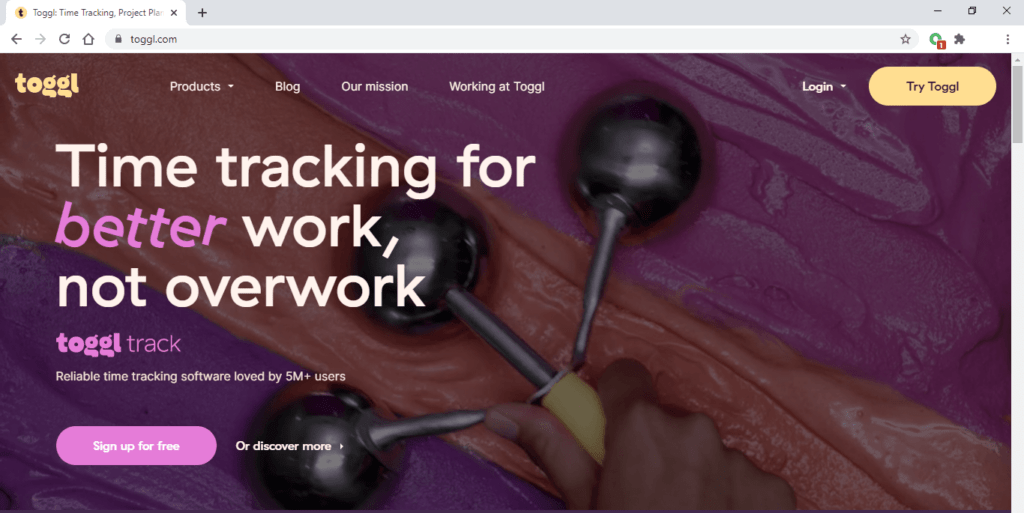
Toggl Track is an employee time tracking software that lets you track time across your organization. It can provide developers with detailed productivity insights across multiple platforms.
Key features
- Offers time tracking through its web app, desktop app, mobile app, and browser extension.
- Create simple, client-ready visuals and reports in CSV or PDF formats.
- Forecast timelines, project budgets, and track progress as you go.
- Provides actionable insights on your profitability with the Insights feature.
Pricing
Toggl Track offers a limited free plan. The paid plans start at $10/user per month.
Customer ratings
- G2: 4.6/5 (1490+ reviews)
- Capterra: 4.7/5 (1770+ reviews)
7. TimeCamp

TimeCamp is a simple time tracking app that monitors your developers’ actions on their desktops. It’s available on Windows, Mac, Linux, and mobile applications (iOS, Android).
Key features
- Shows billable client work, especially for developers who charge on an hourly basis.
- Lets you enable GPS tracking if your team works remotely.
- Offers payroll management functionality.
- Provides integrations with other development tools like Gitlab and Axure DevOps.
Pricing
TimeCamp offers a free limited plan. Its paid plans start at $7/user per month.
Customer ratings
- G2: 4.7/5 (170+ reviews)
- Capterra: 4.7/5 (540+ reviews)
8. Hubstaff

Hubstaff provides time tracking for distributed, hybrid, and field teams, with productivity metrics, GPS-based location features, and payroll capabilities.
Key features
- Time tracking and online timesheets for projects and tasks.
- Screenshots while tracking time.
- Activity levels based on keyboard and mouse movement, with idle-time prompts and handling.
- GPS and geofenced time tracking.
- Payroll automation with manual or automatic payments.
- Integrations with 30-plus tools.
- Cross-platform apps for Windows, Mac, Linux, iOS, Android, and a browser extension.
- Reports and filters for applications, URLs, activity, idle time, and work sessions.
Pricing
Hubstaff offers a free plan for a single user. Its paid plan starts from $4.99/user per month.
Customer ratings
- G2: 4.5/5 (1496+ reviews)
- Capterra: 4.6/5 (1580+ reviews)
9. Harvest
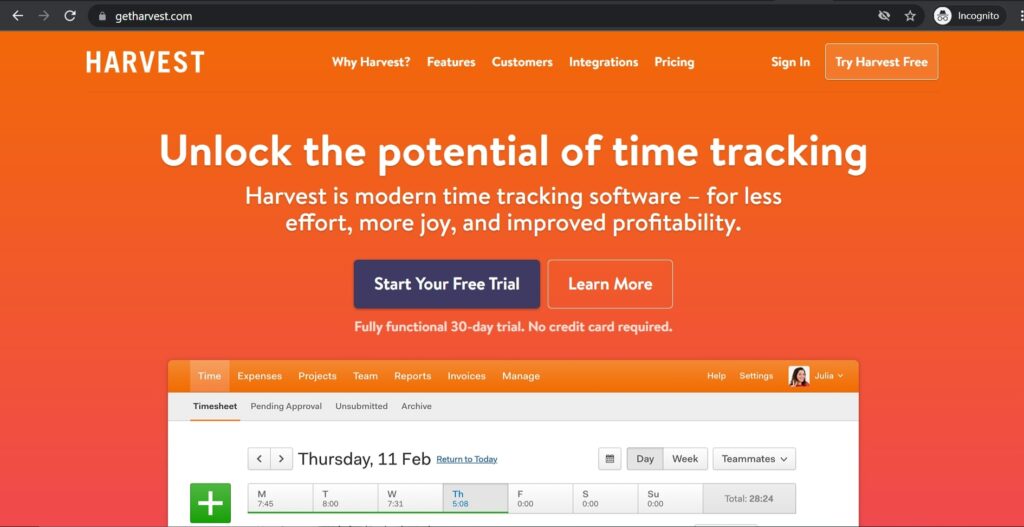
Harvest is a simple time tracking application for software developers and freelancers that also includes budgeting, invoicing, and other team management features.
Key features
- Harvest lets you start and stop timers as you work or fill in your timesheet at the end of the workday.
- Provides automated reminders to encourage you to track time consistently.
- Offers live visual reports to help you stay on top of budgets and internal costs.
- Helps you optimize your entire workflow by saving time and working more efficiently with dozens of integrations.
Pricing
Harvest offers a free plan with one seat for two projects. The app’s paid plan starts at $12/user per month.
Customer ratings
- G2: 4.3/5 (730+ reviews)
- Capterra: 4.5/5 (460+ reviews)
10. QuickBooks Time
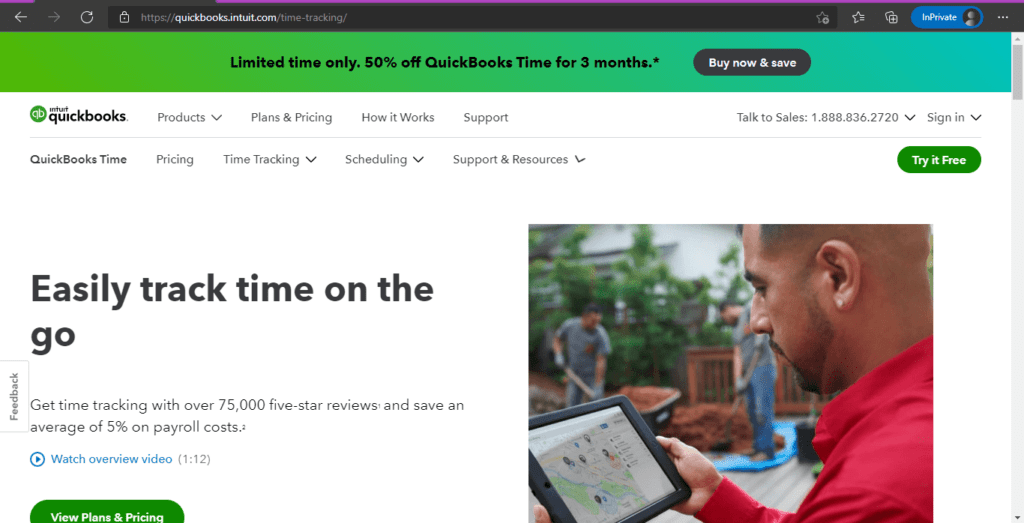
QuickBooks Time (formerly known as TSheets) is a time and expense tracking software used by developers all over the world. Developers can simplify payroll, invoicing, and labor costs using this tool.
Key features
- Provides tracking of billable hours by client or employee and automatically adds them to invoices.
- Gives you the option to create custom and professional invoices, sales receipts, and estimates that you can send in minutes.
- Allows you to check how your business is doing with a 90-day forecast.
- Offers integrations with other payroll management solutions like ADP, Gusto, Square Payroll, etc.
Pricing
Quickbooks Time offers a 30-day free trial. Paid plans start at $10/user per month.
Customer ratings
- G2: 4.5/5 (1390+ reviews)
- Capterra: 4.7/5 (5520+ reviews)
Next, let’s examine the benefits of using time tracking software for developers.
3 reasons developers should use time tracking software
Time tracking software can help a developer in multiple ways. Here are some of them.
1. Improved productivity
Time tracking software helps you track and store the productivity data of your web development team. And during an annual or monthly performance review, you can pull out the data and discuss it with your team.
It’s useful for your development team to check how their performance stacks up. Time tracking tools can also help them identify their weaknesses and improve their productivity.
For example, if a developer is spending too much time on social media platforms, you can point that out to increase their focus on work.
2. Setting accurate project deadlines
If you have several high-profile clients, it’s a good idea to prioritize projects accordingly.
By using previous time tracking data, you can create accurate time estimates and plan your future projects better. This could help set more realistic deadlines.
You can also check the estimated number of hours projected for each project and where exactly the project is in the pipeline.
Explore some effective strategies for time management in project management here.
3. Bill clients accurately
Trust is one of the major factors when it comes to client retention and acquiring new ones. That’s why you need to ensure better invoice accuracy in your business.
By using excellent time tracking software like Time Doctor, you can automate timesheets and calculate the actual billable hours. This way, you can effortlessly and accurately bill your clients with maximum transparency and efficiency.
Wrapping up
Software development and programming are highly demanding professions since development projects usually have tight deadlines. The right time tracking software can certainly make a developer’s journey easier and more productive.
You can improve your overall productivity, meet project deadlines, and bill clients accurately with the help of a powerful time tracking tool.
While the tools that we’ve covered are convenient and functional, Time Doctor is the best time tracking app due to its extensive productivity reports and other advanced time tracking features.
So, why not Sign-up for Time Doctor’s 14-day free trial to track your employee’s every billable hour?

