Move from reactive workload management to proactive workforce planning using real-time, benchmark-driven visibility
Quick overview
Workload balancing means assigning work based on real capacity using productivity benchmarks, so you can optimize performance, support team well-being, and improve capacity planning and project management decisions.
Busy does not always mean balanced.
It is like pouring water into uneven cups. Some team members are already overflowing, quietly carrying more than they should. Others are still half full, waiting for direction. From the outside, everything looks fine. But you know it is not.
As an HR leader, you feel that weight across the organization. You want to plan ahead, support managers, prioritize what matters most, and get forecasting right.
But without clear visibility into how work is actually distributed across workflows and dependencies, decisions rely on what is visible rather than what is really happening.
It is not a lack of care.
It is a lack of clarity.
Table of Contents
- What does it mean to balance your workload?
- Why are burnout and underutilization two sides of the same problem?
- What are productivity benchmarks and why do they matter?
- What metrics should you track to balance workload?
- How do you balance workload using productivity benchmarks?
- Real-time visibility enables proactive workload management
- How Time Doctor supports proactive workload balancing
- Best practices for balancing workload across teams
- What effective workload balancing looks like
- Final takeaway
- Frequently asked questions (FAQs)
What does it mean to balance your workload?
Workload balancing means distributing work across individuals or teams based on capacity, skills, and priorities to support performance and well-being.
In practice, many organizations struggle because they lack clear visibility into the distribution of tasks across available resources.
It also becomes harder to track workloads, spot missed deadlines, and see who is overworked or underused.
As a result, decisions often become reactive.
Hiring happens when team capacity is already stretched, and adjustments come after performance starts to drop, instead of being guided by proactive resource planning.
Without the right visibility, maintaining balance becomes a constant challenge instead of a proactive strategy.
Why are burnout and underutilization two sides of the same problem?
Burnout and underutilization seem like opposites.
But they come from the same root issue: lack of workload visibility.
Burnout and underutilization are not separate problems. They are signals of the same imbalance in how work is distributed.
| Burnout (Overutilization) | Underutilization (Disengagement Risk) |
| Sustained high workload | High idle time |
| Frequent overtime | Low task ownership |
| Missed deadlines and delayed deliverables | Slow project progress |
| Bottlenecks from dependencies | Underused capacity |
| Declining engagement and performance | Decreasing motivation |
Both sides affect your organization in different ways.
- Burnout leads to fatigue, mistakes, and eventually turnover.
- Underutilization leads to disengagement, wasted capacity, and missed opportunities.
At the same time, performance becomes inconsistent, and teams struggle to maintain momentum.
Without clear data, these patterns are easy to miss and difficult to fix early.
What are productivity benchmarks and why do they matter?
Productivity benchmarks are reference points that define what “normal” or “healthy” performance looks like based on real work data.
They give you the context to understand whether team’s workloads are balanced, overloaded, or underutilized across your teams.
Instead of relying on assumptions, you can compare:
- Individuals against similar roles
- Teams against internal averages
- Performance against relevant peer groups
This is what shifts workload balancing from reactive fixes to proactive workforce planning.
Because once you know what “good” looks like, you can spot gaps early, adjust workloads with confidence, and support both performance and well-being at the same time.

What metrics should you track to balance workload?
To balance workload effectively, you need visibility into both capacity and engagement.
These are the key metrics that help you understand how work is actually distributed:
1. Utilization rate
The percentage of time spent on productive work.
- Consistently high → risk of burnout
- Consistently low → risk of underutilization
Example:
If one team consistently shows higher utilization than others, you can flag it for workforce planning discussions, support managers with capacity adjustments, or justify hiring before burnout impacts retention.
2. Active vs idle time
Shows how engaged employees are during work hours.
- High idle time → potential disengagement or blockers
- Balanced activity → healthy workload
Example:
If certain roles show high idle time, it may signal unclear expectations or role misalignment. You can partner with managers to use regular check-ins to provide better performance support.
3. Overtime frequency
Indicates sustained pressure on individuals or teams.
- Frequent overtime → clear signal of overload
Example:
If overtime becomes a pattern across teams, you can use it as data to support workload redistribution, policy changes, or hiring decisions before it leads to burnout and turnover.
4. Task and workload distribution
Reveals how work is spread across the team and whether tasks and deliverables align with the right skill sets.
- Uneven distribution → hidden imbalance
Example:
If work consistently concentrates on a few individuals, you can identify potential single points of failure and support managers in building more balanced, resilient teams.
5. Trends over time
Shows whether workload patterns and overall throughput are improving or worsening.
- Sudden spikes or drops → early warning signs
Example:
If engagement or productivity drops during certain periods, you can identify patterns across teams and proactively adjust workforce planning, schedules, or support strategies.

How do you balance workload using productivity benchmarks?
You can apply a simple four-step framework for managing workloads more effectively:

Step 1: Establish your benchmarks
Start with internal data, then validate it with external benchmarks.
Segment by:
- Role
- Team
- Function
This gives you a clear baseline for what a healthy workload looks like across the organization.
Step 2: Compare performance
Evaluate individuals and teams against those benchmarks to understand how their current workload and priority tasks compare.
Focus on:
- Patterns over time, not one-time spikes
- Consistent overperformance or underperformance
This helps you identify imbalances early, before they impact performance or well-being.
Step 3: Detect early risk signals
Burnout signals:
- Sustained high utilization
- Frequent overtime
- Declining engagement or productivity
Underutilization signals:
- Low active time
- High idle time
- Lower output compared to peers
This is where proactive intervention begins.
Step 4: Act through workforce planning
At this stage, you focus on enabling better decisions across teams.
You can:
- Support managers with data to rebalance workloads
- Identify teams that may need additional headcount
- Improve resource management based on real workload trends
- Guide leadership decisions with benchmark-driven insights
- Improve role alignment and resource allocation
This is proactive workforce planning powered by real data.
Real-time visibility enables proactive workload management
Real-time visibility helps automate how data turns into action as work happens. While, static reports only show what has already happened.
With real-time workforce analytics, HR leaders can:
- Detect early signs of burnout, disengagement, and rising absenteeism
- Identify inefficiencies and workload imbalances in real time
- Support managers with real-time notifications that highlight when attention is needed
- Make faster, more confident workforce planning decisions
Instead of reacting to issues after they impact performance, you can address them early and consistently.
How Time Doctor supports proactive workload balancing
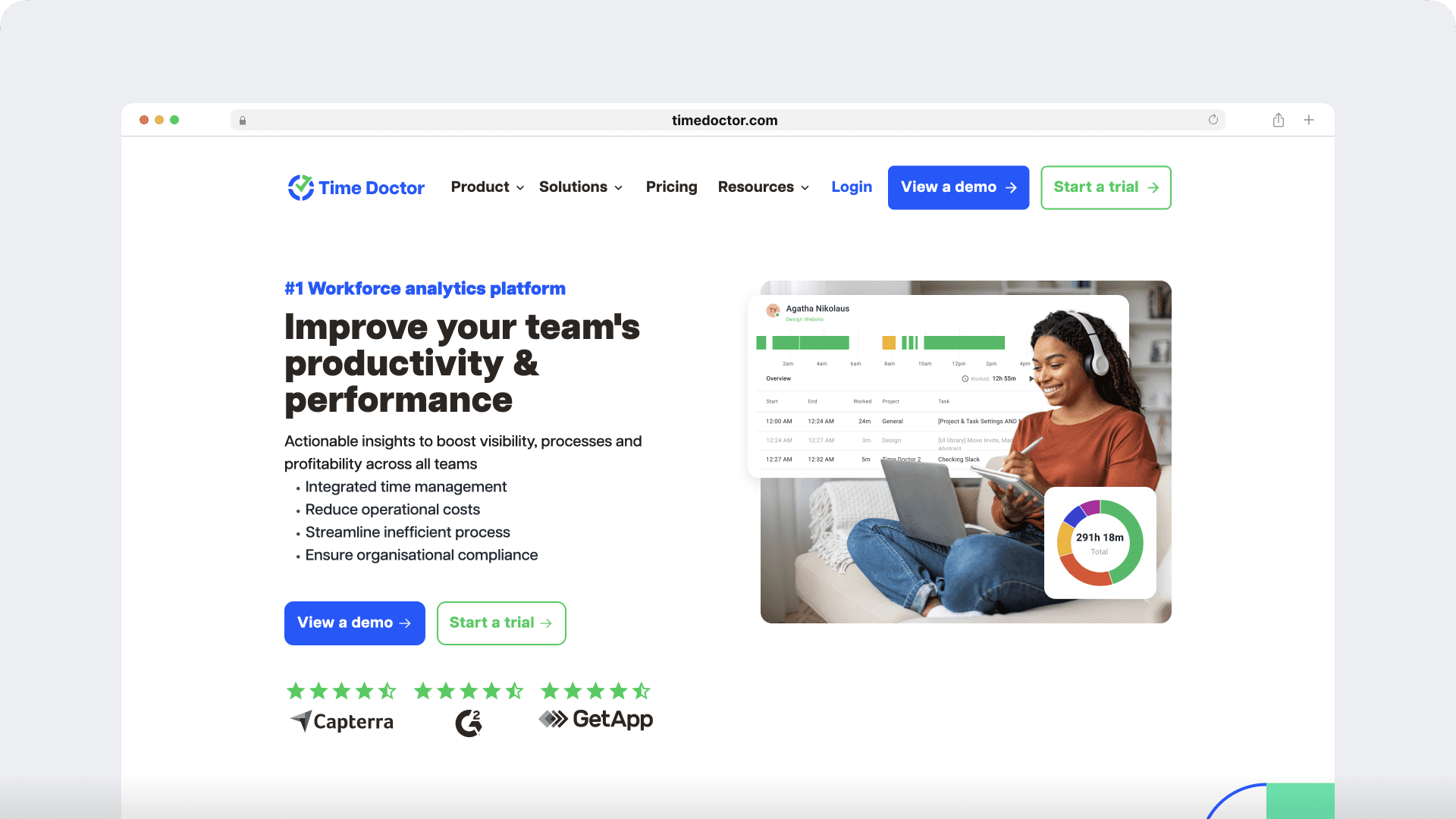
Time Doctor is a workforce analytics platform and one of the leading workload management tools that gives you real-time, actionable insights into how work actually happens, so you can move from reactive fixes to proactive planning.
Here is how it supports workload balancing:
Workforce analytics and productivity insights
- Understand where time goes across tasks and tools
- Identify inefficiencies and bottlenecks
- Improve resource allocation
Benchmarks AI
- Compare your team against similar users and teams
- Identify overutilization and underutilization
- Set realistic, data-driven goals
Time tracking and activity data
- Track productive, idle, and active time
- Monitor workload trends over time
- Detect early warning signs
Meeting Insights
- See how meetings affect productivity and focus
- Identify meeting-heavy teams
- Rebalance collaboration and deep work
Example: If a team spends a large portion of their time in meetings with low engagement, you can reduce meeting load and free up capacity immediately.
Work-life balance and attendance data
- Surface early burnout signals
- Monitor patterns across schedules
- Support healthier workload distribution

Best practices for balancing workload across teams
To balance workload effectively, HR leaders should:
- Use productivity benchmarks to set realistic workload expectations
- Align workload decisions with role, capacity, and business priorities
- Combine data insights with manager context for better decisions
- Use visibility to support coaching and workforce planning
The goal is to create clarity, consistency, and sustainable performance across teams.
What effective workload balancing looks like
When workload is balanced using benchmarks and real-time visibility, teams operate with greater clarity and consistency.
You start to see:
- Lower burnout and turnover risk
- Better workforce utilization
- Stronger engagement across teams
- More predictable and stable performance
- More confident workforce planning decisions
Instead of reacting to issues, you guide performance with data.
Final takeaway
Workload balancing is not about assigning work evenly.
It is about understanding how work happens and making better decisions because of it.
When you combine productivity benchmarks with real-time visibility, you can:
- Enable more effective workload management
- Detect imbalance early
- Support teams more effectively
- Plan your workforce with confidence
- Align work with available capacity
Instead of reacting to burnout, you create the conditions to prevent it.
Ready to move from reactive fixes to proactive workforce planning?
Frequently asked questions (FAQs)
Workload balancing tools like Time Doctor provide real-time visibility into how work is distributed, along with productivity benchmarks and workforce analytics to help teams make data-driven decisions.
Organizations can address workload imbalances by using data to identify overutilization and underutilization early, then adjusting capacity, priorities, or staffing based on benchmark insights.
Effective strategies include using productivity benchmarks, monitoring workload trends, aligning work with capacity, and enabling managers with real-time visibility into team performance.
Balancing a heavy workload starts with identifying overload early using data, then redistributing work, adjusting priorities, or planning additional capacity where needed.
Workload management improves performance, supports employee well-being, and enables proactive workforce planning by ensuring work is distributed effectively.
Tools that combine time tracking, workforce analytics, and benchmarking help organizations understand how work happens and make better workload decisions at scale.
Workload balancing supports project management by ensuring tasks and deliverables are assigned based on available capacity, skill sets, and priorities, helping teams maintain steady progress and avoid delays.

