Intervals is an all-in-one project management system offering time tracking and task management features in one software solution.
It features a native time tracker, which you can use to create detailed productivity reports regarding your employees’ work hours.
However, there are some significant drawbacks to Intervals time tracking, such as a lack of payroll management feature, few third-party integrations, and high price point.
In this article, we’ll discuss the benefits and drawbacks of Intervals time tracking. We’ll also provide you with five fantastic tools you can use in place of Intervals for employee time tracking.
Table of Contents
- 5 key Intervals time tracking features
- 3 disadvantages of Intervals time tracking
- 5 alternatives to Intervals time tracking
Let’s get started.
5 key Intervals time tracking features
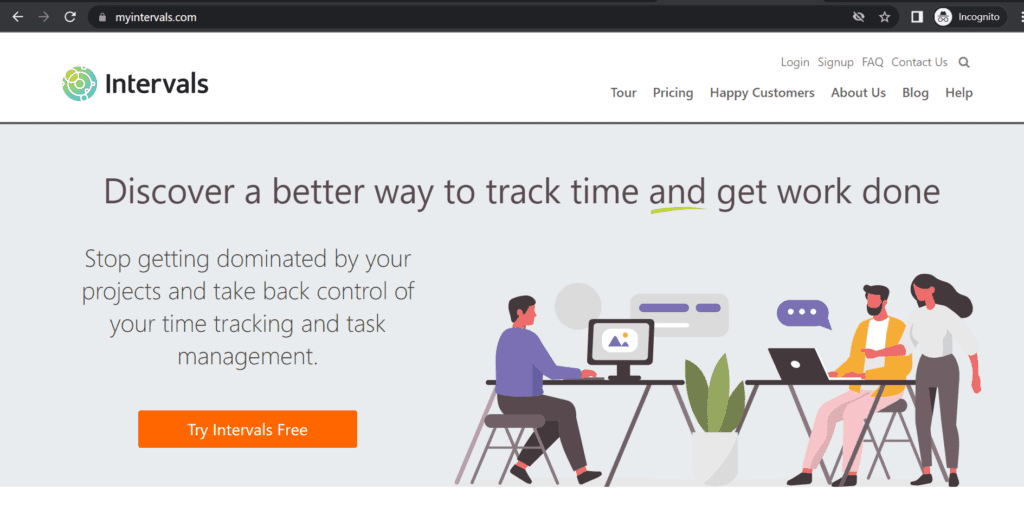
Intervals is a project management tool that’s built specifically for small teams. It hosts task management features with a fully integrated time tracker and productivity reporting.
The project management app allows you to incorporate all your Intervals data into your personal applications. You can use the Intervals API to create custom workflows and manage client work the way your business needs.
In addition to this, Intervals offers many other time tracking features, which have been detailed below.
1. Time tracking reports
In Intervals, you can keep all your tasks and projects under one central time reporting tool. This feature combines with task management features to make tracking time more natural for employers and employees.
It includes an option for you to manually add time or import time data to any project or task. Additionally, it allows employees to track time with a general timer or at a project level.
Employees can simply start the timer and leave it running while they work. All this data gets converted into a timesheet with accurate time entries.
Some other features of this time tracking system include:
- Weekly timesheets submission and approval.
- Integrated task timers.
- System-generated notifications for due timesheets.
- Mobile apps for Android and iOS.
2. Task management
You can analyze your task workflows using Intervals’ task management features.
For instance, if you need to reschedule a project milestone, you can drag and drop it, and all other subsequent milestones will automatically reschedule.
Highlights of this feature include:
- Receive daily task assignments through email.
- Drag and drop rescheduling.
- Email update on project status changes.
- Set milestones for project deliverables.
3. Project management
While managing your team and projects can be difficult, Intervals makes it easy by providing tools like real-time graphs, visual dashboards, project budgets, and estimates.
The software follows a three-step system of predicting a project estimate, tracking the time spent on it, and finally learning how to improve by comparing time tracking reports against your original estimate.
All of these in one solution can helo you:
- Improve your existing workflows.
- Empower your team members with accurate information.
- Stay up to date with trends in employee work time with real-time data.
4. Detailed reports
Intervals provides detailed time tracking reports in both visual and tabular forms. These can further be highlighted and expanded upon using your chosen spreadsheet software.
Here are some of the highlights of this feature:
- Gantt charts.
- Real-time graphing.
- Weekly trend reports.
- Data export via CSV or XML.
- Determine billable and unbillable time.
- Scheduling reports for automated delivery.
- Figure out which clients and projects take the most time.
5. Invoice generation
Invoice generation is seamlessly integrated with time tracking to make billing clients easy.
Just select a start and end date, and the software will automatically pull all the billable hours for that in one invoice. You can then export this invoice as a PDF or email directly to your client.
Here are some key features of invoice generation with Intervals:
- Overdue invoice alerts sent through email.
- Break down detailed invoices to show the amount billed per task.
- Create invoices based on actual time worked.
Even with all these features, the Intervals has some drawbacks.
3 disadvantages of Intervals time tracking
Intervals is a fantastic tool for project management, but it has a few shortcomings.
1. No payroll management features
Intervals provides many capabilities for you to easily invoice and bill clients, yet it has no facilities to automate employee payroll.
You have to use third-party software and integrate it with Intervals to pay your employees accurately. But this can be difficult as Intervals integrates with very few applications.
2. Few third-party integrations
While Intervals excels at project management functionalities, it offers a limited number of integrations to third-party tools that you may use for work.
Intervals only integrates with:
- QuickBooks.
- Xero.
- FreshBooks.
- Slack.
- Google Drive.
- Basecamp.
- Swagger.
If your employees need to track time on any app other than the ones mentioned above, the Intervals timer might have a problem with the integration.
3. High pricing plans
Intervals has high pricing plans, with the lite version for only three active projects and users and 3GB document storage at $29/month.
If you want extra storage space, have more users, or work on more active projects, you need to select anything from the basic plan starting at $49/month to the unlimited plan at $299/month.
Such high Intervals pricing can quickly reduce your profit margin.
Let’s now look at some alternatives to Intervals time tracker.
5 alternatives to Intervals time tracking
While the Intervals time tracking software has many capabilities, its drawbacks are impossible to ignore. Instead, you can go for any of the software solutions detailed below.
1. Time Doctor

Time Doctor is a workforce analytics platform that empowers managers with the visibility to lead with trust, not control. Mid-market companies and growing SMBs use it to gain real-time visibility into work, support employee well-being, and continuously improve productivity across remote, hybrid, and in-office teams.
With Time Doctor, you can:
- Track how long employees spend on tasks and projects with accurate, down-to-the-second time tracking
- Give managers clear, real-time visibility into work patterns without hovering or micromanaging
- Surface productivity, focus, and work-life balance trends to prevent burnout and capacity issues
- Generate audit-ready timesheets and automate payroll and client billing
- Empower employees with transparency into their own time data so they can self-manage and improve
How to track time on Intervals with Time Doctor
Your employees can experience better time tracking and project management capabilities while using Intervals through Time Doctor’s Chrome extension.
The extension is available for free from the Chrome Web Store but only works in the manual/interactive mode. So your employees will need to download the Time Doctor desktop app on their Windows, Mac, or Linux computers.
Once they do, they’ll receive a notification asking them to install the extension. After this, all they have to do is click the Start/Stop button to start or stop tracking time.
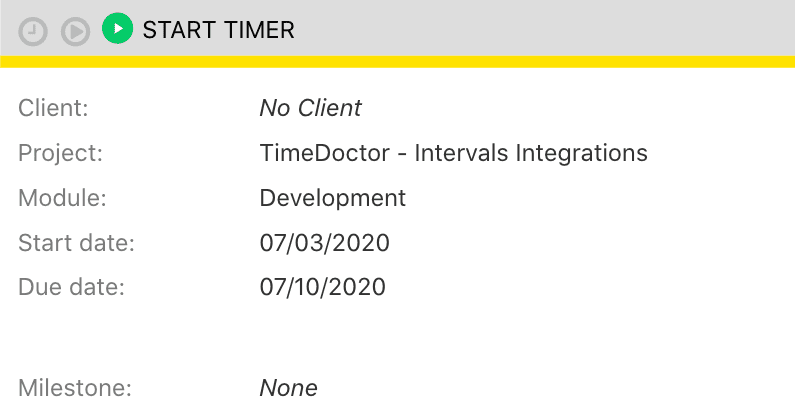
Simply follow the steps outlined below:
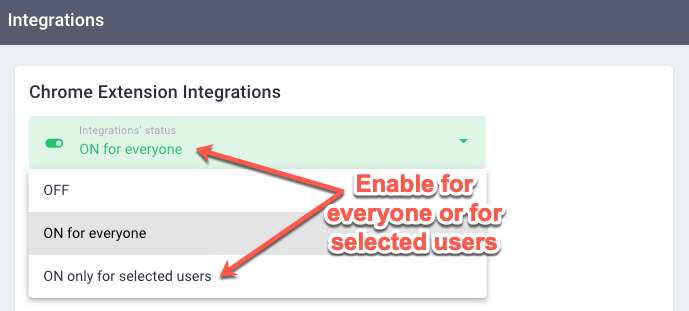
- Enable the Project & Tasks feature under Company Settings.
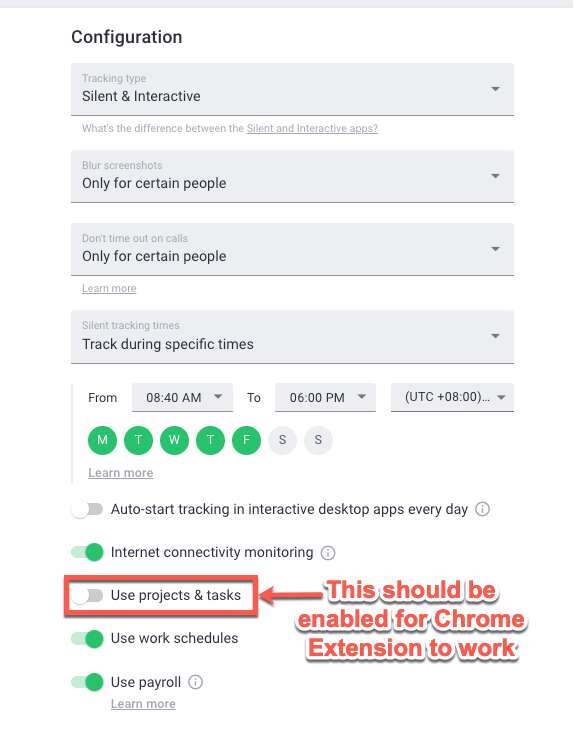
- Select which employees can install the extension or if all employees can.
It’s as simple as that!
Whether you’re a small business owner or the CEO of a Fortune 500, this extension can help you track time on all active projects.
Let’s now explore some other time management features Time Doctor has to offer.
Key features
Here are some of Time Doctor’s best features:
A) Interactive and silent time tracking
Time Doctor is a workforce analytics platform that gives you flexible time tracking so employees can record their hours in a way that fits how they work. The platform captures work activity in real time and transforms it into clear visibility for teams, helping leaders understand how work happens while keeping the experience simple for employees.
In manual/interactive mode, employees simply open the app, select their current task, and start the timer. Time Doctor runs in the background and tracks the apps and websites used during work. When they’re finished or want to take a break, they can stop the timer with a single click.

In automatic mode, Time Doctor can start tracking time when employees turn on or log into their work devices. This mode helps improve accuracy and reduces the need for manual edits or forgotten time entries.
Both modes are designed to provide clear visibility for managers and employees while minimizing disruption to the workday.
B) Idle time tracking
Time Doctor measures idle time (periods without keyboard or mouse activity) to help teams understand focus patterns and potential productivity blockers.
- Idle time is measured in idle seconds and idle minutes
- You can configure when idle time should start counting and set limits that make sense for different roles
Instead of silently recording behavior, Time Doctor can display a gentle idle time pop-up when someone has been inactive for too long—nudging them to either refocus or take a break. This helps reduce unintentional time drift and supports more accurate timesheets.
This design helps organizations balance accountability with privacy and trust.Moreover, you can set how long the timer can run without any activity. Once it reaches the limit, the tracker automatically stops tracking time and displays an idle time pop-up. This pop-up alerts employees to focus on their tasks.

Please Note: Time Doctor is not a keylogger; it simply detects if there’s any mouse or keyboard activity.
C) Productivity reports
Time Doctor tracks several data points related to employees activity. You can access a wide range of reports generated in real-time.
Here’s a quick look at these reports :
- Activity summary report: See active seconds, minutes, unproductive, manual, and mobile time for each employee over a selected time period.
- Attendance report: See if an employee is present, absent, partially absent, or late in real-time.
- Hours tracked report: View the total number of hours tracked by employees for any date range.
- Projects & tasks report: See the time spent on projects as well as individual tasks.
- Timeline report: Look at the time spent on tasks and breaks in a day or the whole week.
- Custom export report: Customize the fields you’d like to include in one single report.
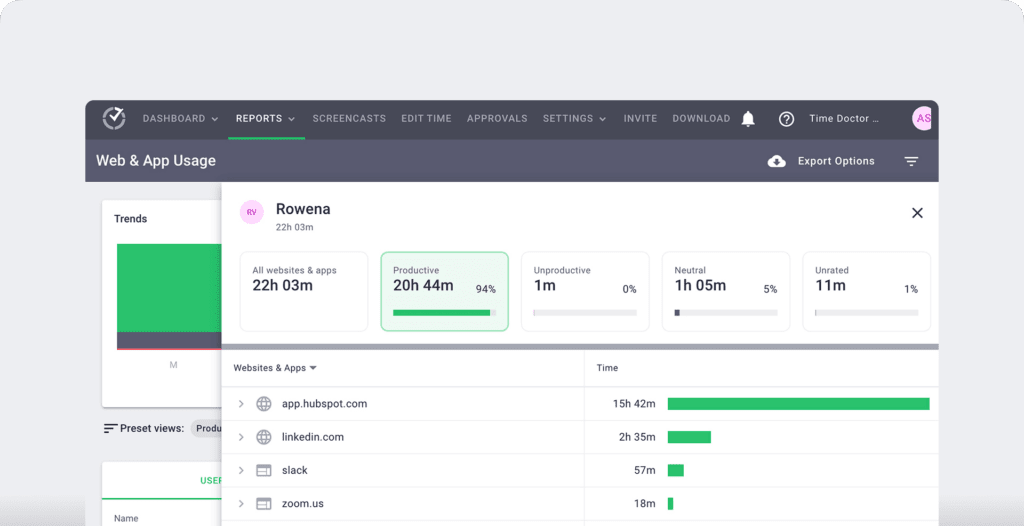
- Web and app usage report: View the time spent by an employee on each app and website during work hours.
D) Work schedules
Through Time Doctor, you can easily set up work schedules and shifts for your employees.
To create a work schedule, simply:
- Go to Settings / Work Schedules and export a CSV file with the users and the date range that you want to add schedules for.
- Add shifts to the exported CSV file with the following columns filled out: name, email, employee ID, unique identifier, and date.
- Upload the edited CSV file to Time Doctor.

E) Payroll management
In addition to the time tracking functionality, Time Doctor offers a payroll management feature for easy invoicing and payments.
You can use the existing time data to calculate billable hours and invoice clients or pay freelancers. You can also help up hourly rates for freelancers to avoid miscalculation or time theft.
Time Doctor integrates with popular payment gateways like PayPal, Gusto, Wise, etc. It also accounts for multiple currencies, so you can pay your employees in the currency that works best for you.
You can also export all this payroll data in CSV, Excel, and PDF formats to upload it to a payment platform of your choice.

E. Chrome extension and integrations
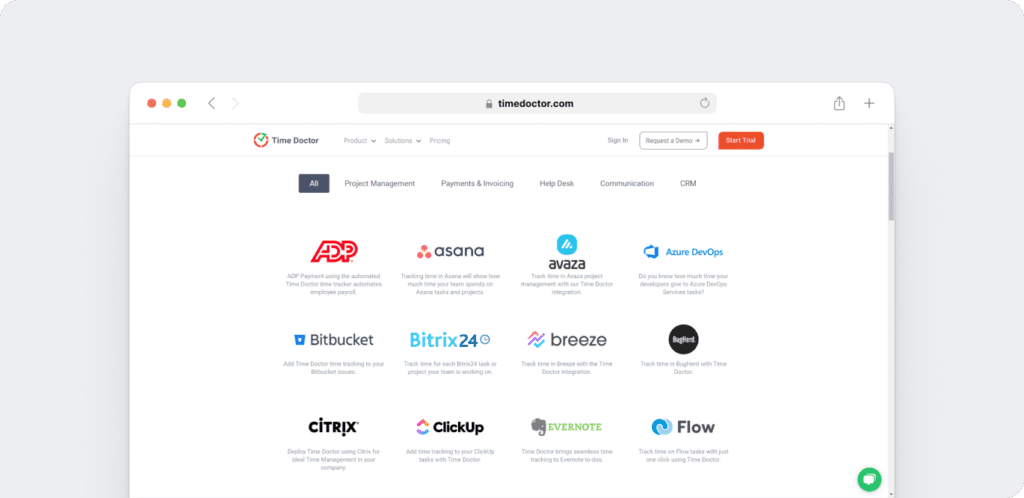
Time Doctor’s powerful Chrome Extension integrates with 60+ tools that include project management, helpdesk, accounting software, and more.
For example, Time Doctor integrates easily with tools like Asana and Jira.
You can even add time tracking to tasks you’ve created on tools like ClickUp. As a result, you can help your team avoid wasting time and work more efficiently.
Pricing
Time Doctor offers a free 14 day trial with no credit card details required. After this, you can go for a paid plan starting at $6.70/user per month.
Customer ratings
- G2: 4.4/5 (420+ reviews)
- Capterra: 4.5/5 (540+ reviews)
2. Clockify
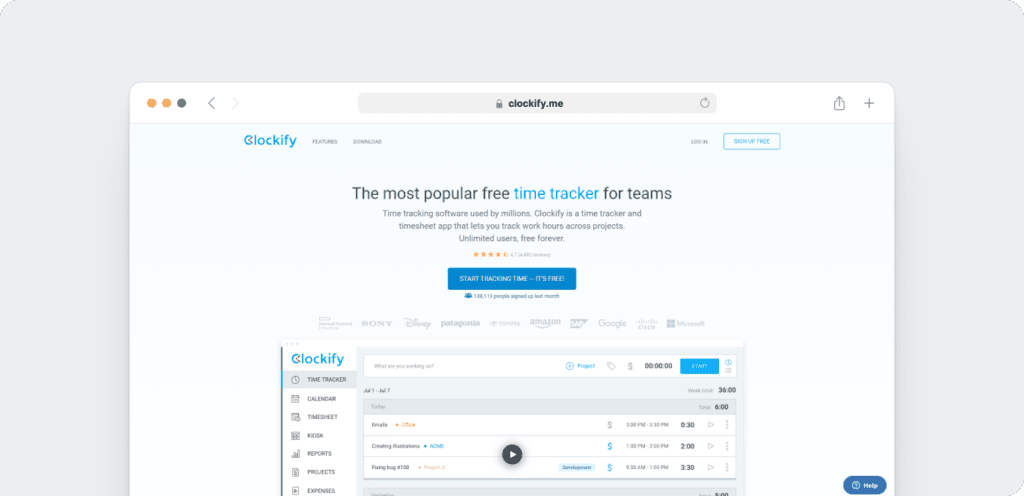
Clockify is a free time tracking app offering a variety of customizable features so you can track all employee time efficiently.
It offered a desktop app for Windows, Mac, and Linux with mobile apps for iOS and Android.
Key features
- Tracks all employee time spent on a project or task, so reporting progress to clients is easy.
- Generates invoices automatically based on tracked time for billing clients.
- Features client management capabilities so you can easily add and manage clients, track project milestones, and view invoices.
- Sets reminders so employees can submit their daily or weekly timesheets on time.
Pricing
Clocikfy offers many of its features for free. If you want any advanced features such as unlimited tracking for unlimited users, you can opt for their paid plans starting at $4.99/user per month.
Customer ratings
- G2: 4.5/5 (110+ reviews)
- Capterra: 4.7/5 (2910+ reviews)
Check out our detailed review of Clockify here.
3. Hubstaff
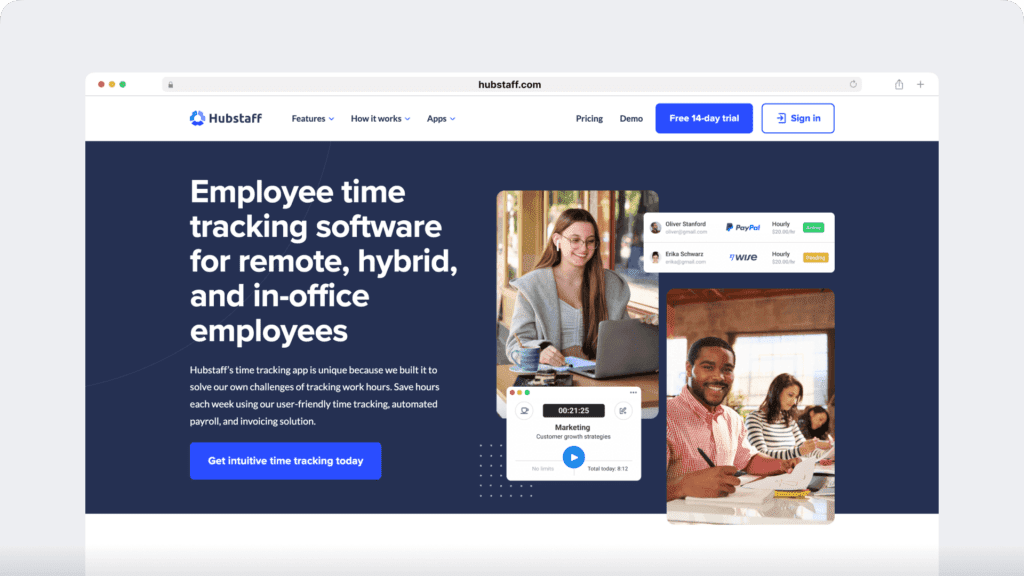
Hubstaff provides time tracking for distributed, hybrid, and field teams, with productivity metrics, GPS-based location features, and payroll capabilities.
It’s available for Mac, Windows, and Linux operating systems with a mobile app for iOS.
Key features
- Time tracking and online timesheets for projects and tasks.
- Screenshots while tracking time.
- Activity levels based on keyboard and mouse movement, with idle-time prompts and handling.
- GPS and geofenced time tracking.
- Payroll automation with manual or automatic payments.
- Integrations with 30-plus tools.
- Cross-platform apps for Windows, Mac, Linux, iOS, Android, and a browser extension.
- Reports and filters for applications, URLs, activity, idle time, and work sessions.
Pricing
Hubstaff offers a 14-day free trial, following which paid plans to start at $4.99/user per month.
Customer ratings
- G2: 4.5/5 (1496+ reviews)
- Capterra: 4.6/ 5 (1580+ reviews)
We’ve reviewed Hubstaff. Read here!
4. Toggl Track
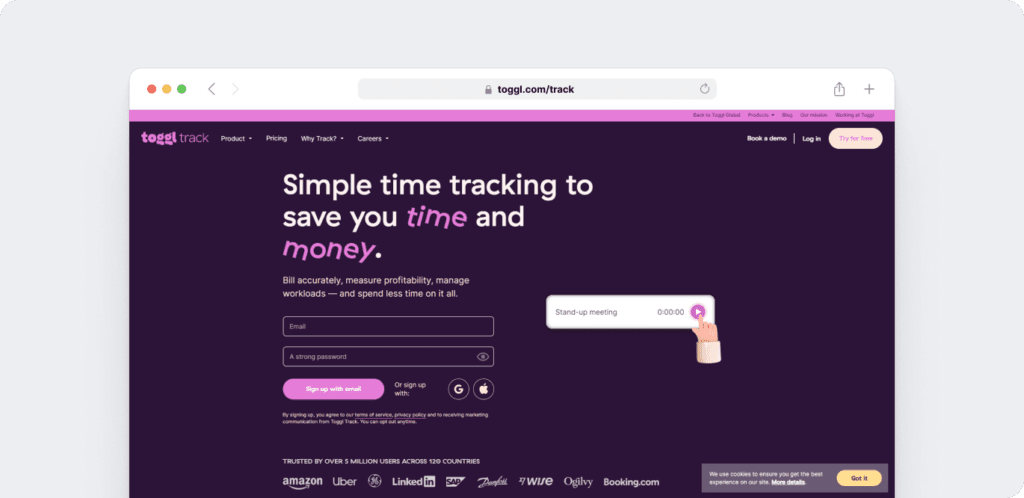
Toggl Track is a flexible time tracking and project management app that allows employees to track time across multiple devices.
It offers a web app for Mac, Windows, and Linux and a mobile app for Android and iOS.
Key features
- Rounds off all tracked time to the nearest interval of your choosing, i.e., minute or hour.
- Tracks time for every app or site that employees spend more than 10 seconds on.
- Provides a Pomodoro Timer as created by Francesco Cirillo to boost employee productivity by helping them work for 2 hours with a 15 minute interval after.
- Emails your chosen productivity reports to you don’t have to log in to Toggl Track.
Pricing
Toggl Track offers a 30-day free trial of all their features, while paid plans start at $9/user per month.
Customer ratings
- G2: 4.6/5 (1490+ reviews)
- Capterra: 4.7/5 (1770+ reviews)
Check out our dedicated Toggl Track review here.
5. TimeCamp
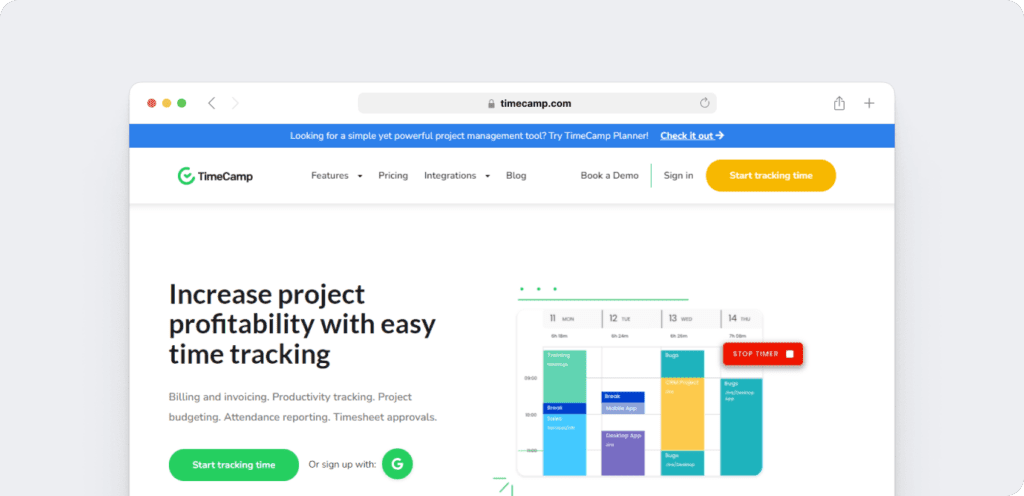
TimeCamp is a free time tracker applicable for both large and small teams. It’s suitable for creative agencies that hire web designers and web developers.
Key features
- Helps employees focus on work by automatically sorting sites into pre-defined categories.
- Provides multiple reports so you can stay on top of your project budget and due date.
- Allows you to mark all tracked time as billable and non-billable for easy billing.
- Lets you approve all employee timesheets with one click.
Pricing
TimeCamp gives a free 14-day trial and a free plan, while paid plans with additional features start at $7/user per month.
Customer ratings
- G2: 4.7/5 (170+ reviews)
- Capterra: 4.7/5 (540+ reviews)
Wrapping up
Intervals is a fantastic project management software.
However, it doesn’t integrate with many other third-party software solutions on the market and is more expensive than other reasonably priced competitors.
It has a comprehensive invoicing feature yet no employee payroll functionality.
For this reason, we recommend going with Time Doctor as it provides all the features you would expect from a time tracker with added functionalities of payroll management, work schedules, and a robust Chrome extension.