The right time tracking software can turn your business around with enhanced productivity, workflow optimization, and powerful automation.
Insightful and Time Doctor are examples of such robust productivity tracking tools. Both tools offer time tracking, productivity management, and reporting features to help transform your business.
But which one is better?
Find all the answers in this Time Doctor vs Insightful review.
In this article, we’ll compare Insightful vs Time Doctor in detail to help you choose the appropriate tool. We’ll do a feature-by-feature analysis so that you can make an informed decision.
Table of Contents
- Insightful vs Time Doctor: An in-depth comparison
- 2. Productivity management
- 3. Project management
- 4. Distraction management
- 5. Comprehensive reports
- 6. Integrations
- 7. Pricing plans
Let’s dive right in!
Insightful vs Time Doctor: An in-depth comparison
Here’s an in-depth comparison of Insightful and Time Doctor to help you choose the best tool.
Tool overview
Let’s first check out what each tool does and its basic features.
What is Insightful?
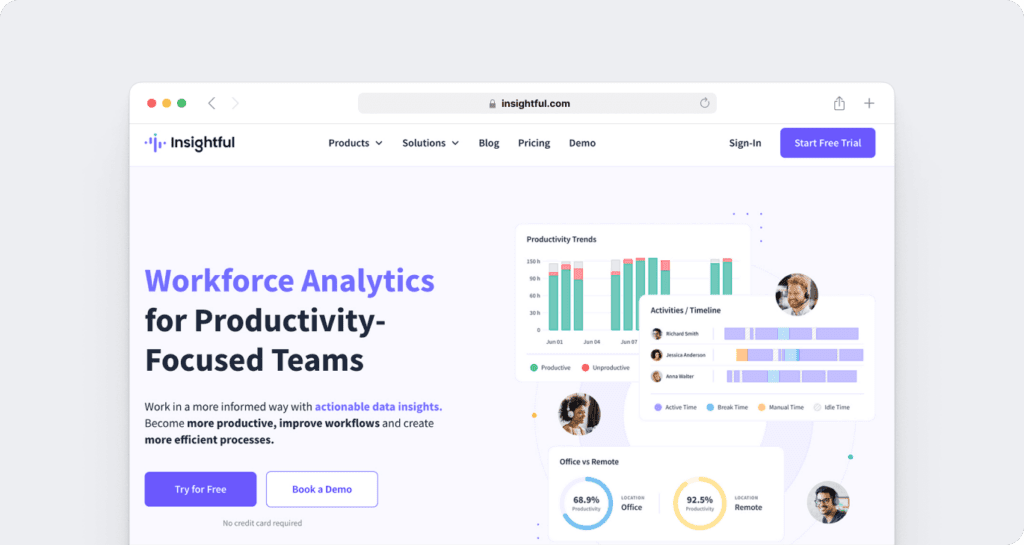
Insightful, formerly known as Workpuls, is a workforce analytics, productivity management, and employee monitoring platform designed to help organizations understand how work gets done across remote, hybrid, and in-office teams. The platform combines workforce analytics, time tracking, activity monitoring, attendance management, and productivity insights to improve operational efficiency, workload distribution, capacity planning, compliance, and overall business performance.
Here are some of Insightful’s key capabilities:
- Workforce Analytics
- Time Tracking and Auditing
- Screen Monitoring
- Location Insights
- Productivity Trends
- Apps and Website Usage Analytics
- Audit Logs
- Attendance Management
What is Time Doctor?

Time Doctor is an AI-powered workforce analytics software that combines employee monitoring and time tracking to transform everyday work data into clear, actionable insights.
This time tracker is compatible with Windows, Linux, macOS, and Android operating systems.
It helps you:
- Track work hours manually, automatically, and on online timesheets.
- Alert employees with notifications if they’re idle for an extended period.
- Automate invoicing and payroll processes.
- Sync data with popular apps like Jira, Trello, and Asana.
With the basics out of the way, let’s do a feature-by-feature analysis of the two tools.
1. Time tracking
Here’s how Insightful and Time Doctor track employee working hours.
A. Insightful
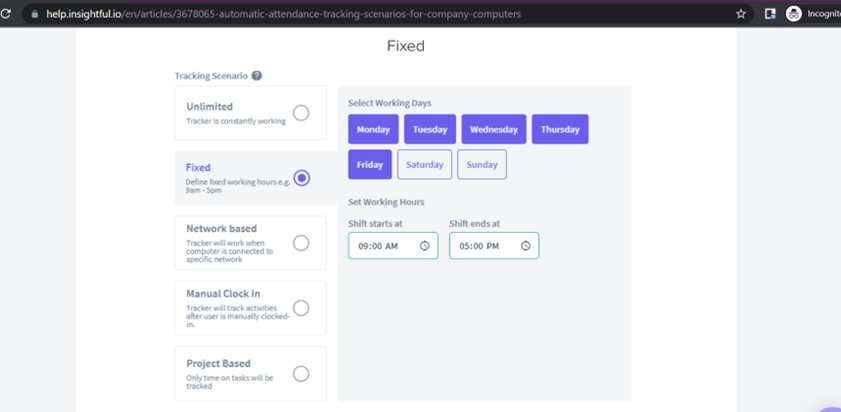
Insightful offers three ways to track time.
Automatic time tracking
Runs silently to capture granular work data in deep context.
Time tracking with privacy
Customizable settings, role-based views, configurable access control.
Flexible real-time reporting
Track by project, task, role, work-type, location, department, billable hours.
B. Time Doctor
With Time Doctor, you can track time in three different ways.
a. Interactive time tracking
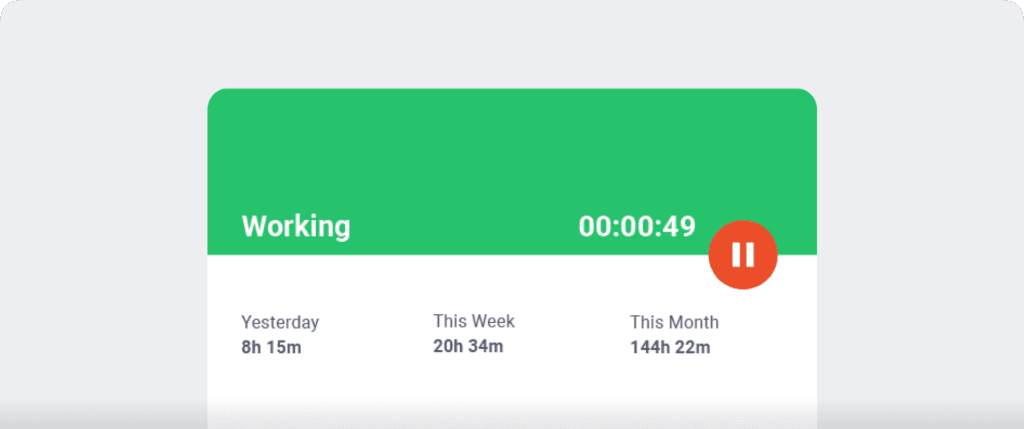
Time Doctor offers a manual time tracking option called interactive time tracking. This gives employees total control over what’s being tracked.
With this time tracker, recording time is only a matter of clicking on ‘Start’ and ‘Stop.’
Here’s how:
- Open Time Doctor, enter the task’s name, or select an existing task.
- Employees can click Start when they’re ready to begin and Stop when done or need to pause.
b. Automatic time tracker
Automatic time tracking feature tracks employees as soon as they start their computers.
This means employees don’t have to worry about forgetting to track time. The automatic time tracker runs silently in the background without disturbing employees’ workflow.
c. Offline time tracking
Time Doctor’s offline time tracking functionality lets you record time even when there’s no internet connection. The app tracks time and stores time data in its cache.
When the internet connection is restored, it’ll sync the data for your use.
Quick summary
Time Doctor’s time tracking features not only focus on work hours time but also checks if employees are taking breaks. This makes it a more employee-friendly tool.
2. Productivity management
Productivity management is essential for any business looking to optimize its operations and improve its profitability.
Let’s compare Insightful and Time Doctor’s employee productivity management features.
A. Insightful
Insightful helps organizations measure productivity through workforce analytics, screen monitoring, productivity trends, application usage insights, and operational performance reporting.
a. Activity dashboard
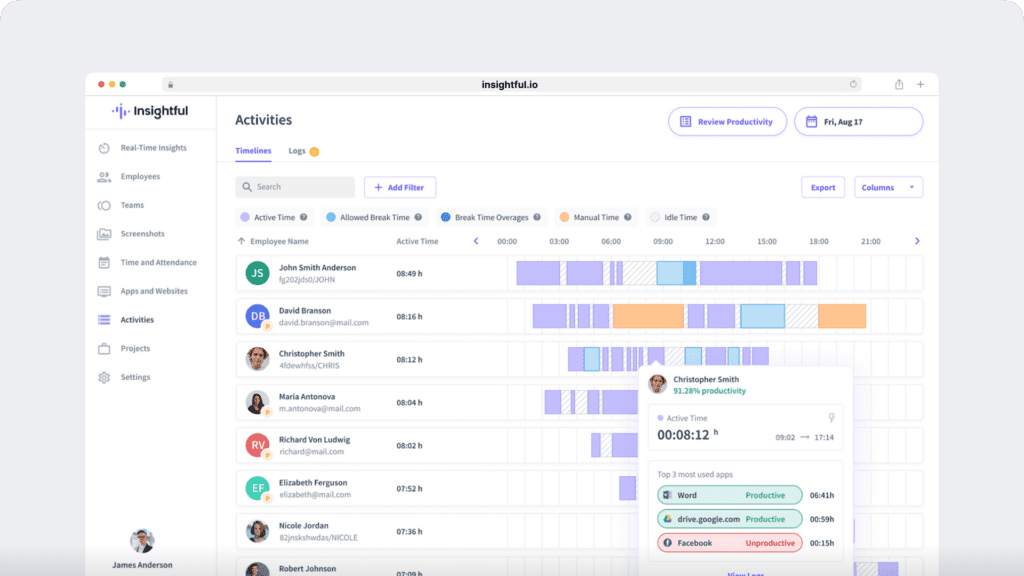
The employee monitoring software has a user-friendly activity timeline dashboard, which gives an insight into your employees’ activity levels.
These are some of the summary report metrics you can view:
- Active time: Tracks employee active time on the computer.
- Manual time: Manual time entries will have an unreviewed status until a manager approves.
- Idle time: Monitors employees’ unproductive time. Idle time is detected when there are no keyboard/mouse movements for a while.
b. Screenshot
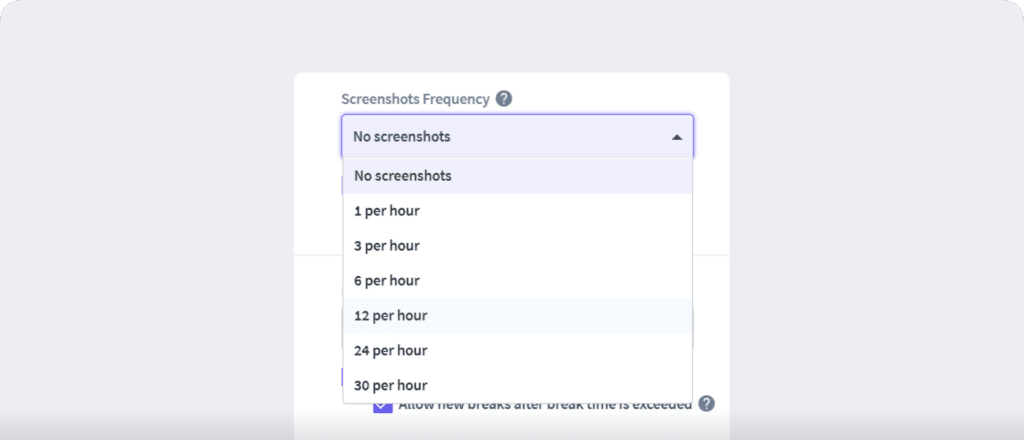
Insightful tracks employee productivity in real-time with its screenshot feature. It takes random automatic screenshots up to 30 shots in an hour.
The project manager can choose at what frequency they want the screenshot to be taken.
c. Productivity score
This feature measures your employees’ activity levels based on the rules you set and the websites or apps you list as:
- Productive.
- Unproductive.
- Leave for review.
B. Time Doctor
Here are a few features Time Doctor offers to track productivity.
a. Web and app tracking
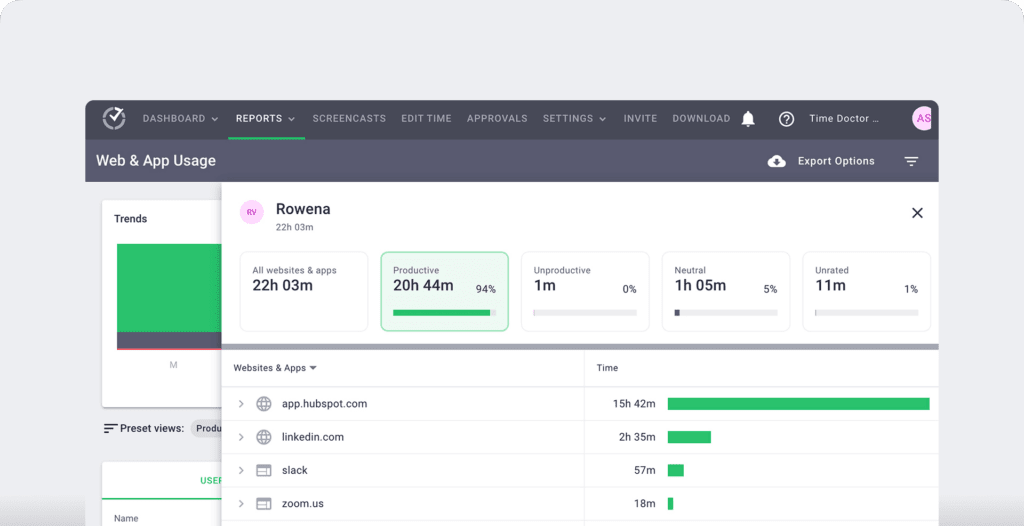
You can use the web and app tracking feature to see what websites and applications your employees use during their working hours.
b. Productivity ratings
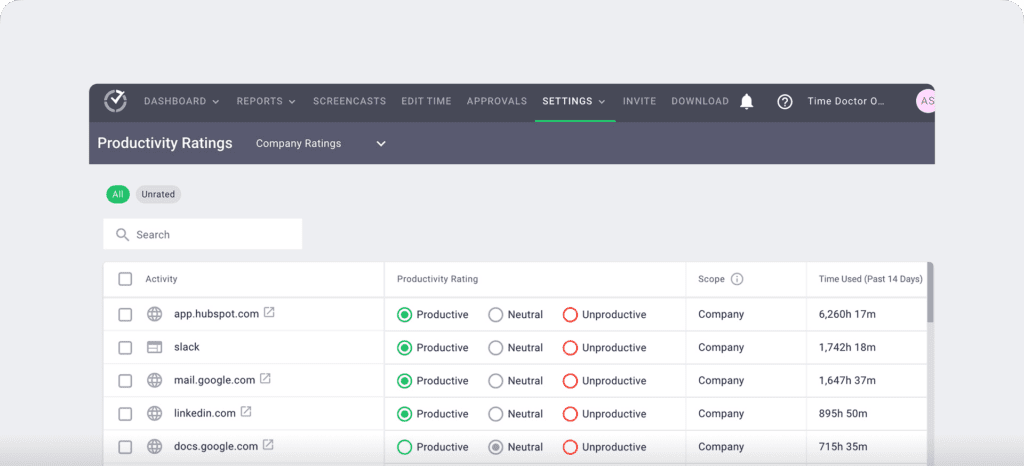
Time Doctor’s enhanced functionality, called productivity ratings, enables you to rate different websites and applications according to their relevance to your project workflows.
These ratings are:
- Productive.
- Unproductive.
- Neutral.
- Unrated.
For example, you can categorize social media sites like Instagram as unproductive for your development teams but productive for marketing teams.
c. Screencasts
This time tracking software offers a real-time screencasts feature for an accurate insight into your employees’ work hours.
The app allows you to use the following settings:
- Off: No screenshot or video.
- Video: Continuous video that’s split into three-minute visuals.
- Screenshot: Choose a specific time interval to take random screenshots.
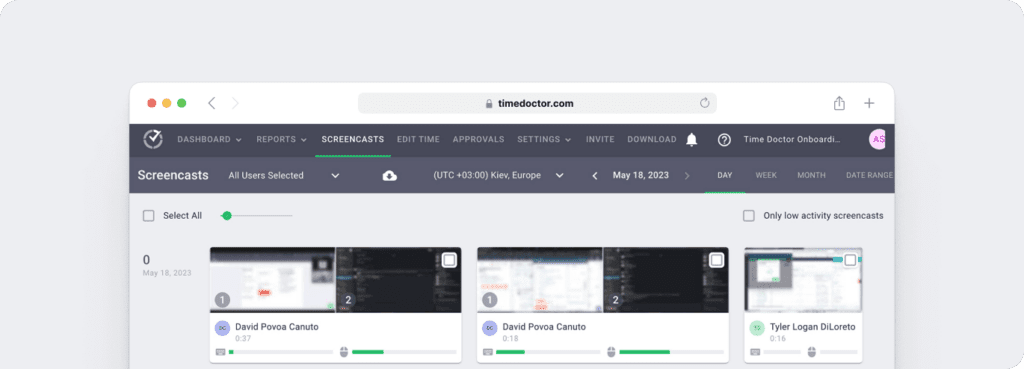
Note: You can also delete or blur the screenshots if they contain sensitive data like employees’ personal information to protect their privacy.
Quick summary
Both Insightful and Time Doctor use features like screenshots, project tracking, and employee activity logs to track productivity.
3. Project management
Let’s check out how Insightful and Time Doctor help with project management.
A. Insightful
Insightful lets you create multiple projects and assign members to each. You can then track each project’s progress on its project tracking dashboard.
To view specific projects, click on the project name, and you can see:
- Project overview page: Shows individual project time, income, budget, and productivity.
- Kanban-style tasks board: Brings all your projects together in one visual project management board.
B. Time Doctor
With Time Doctor, you can create a main project and break it down into simple tasks. The tool then lets you assign these tasks to your team members.
This lets you track individual tasks’ progress more efficiently while improving the overall workflow of your team.
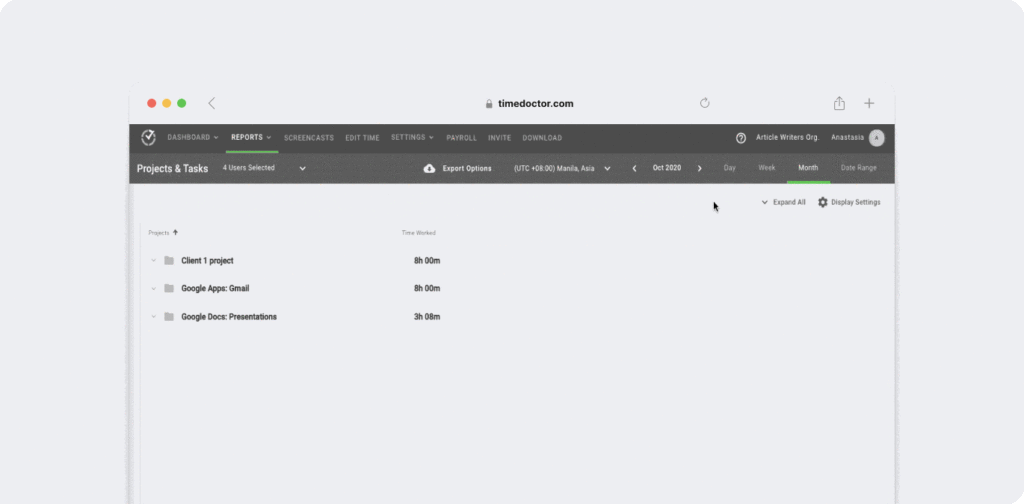
You can also view important project information, like:
- Total time spent on the project.
- Team Productivity levels.
- The most productive employees, and more.
Quick summary
You can track your team’s productivity on a project tracking dashboard in Insightful. In contrast, Time Doctor lets you create projects, and view critical project information, such as the most productive employee – making it a superior tool.
4. Distraction management
Distraction management helps employees identify, minimize, and remove distractions interrupting employee productivity.
Here’s how the tools fare in distraction management:
A. Insightful
To remind employees to stay productive and focused on their tasks, the employee monitoring software sends alerts during the following situations:
- When employees exceed their break time.
- When they’ve been inactive for a predetermined time.
When an employee visits a new website, you’ll receive an alert asking you to categorize it as productive, neutral, or unproductive. Websites tagged as ‘don’t track time’ will be logged in as idle.
B. Time Doctor
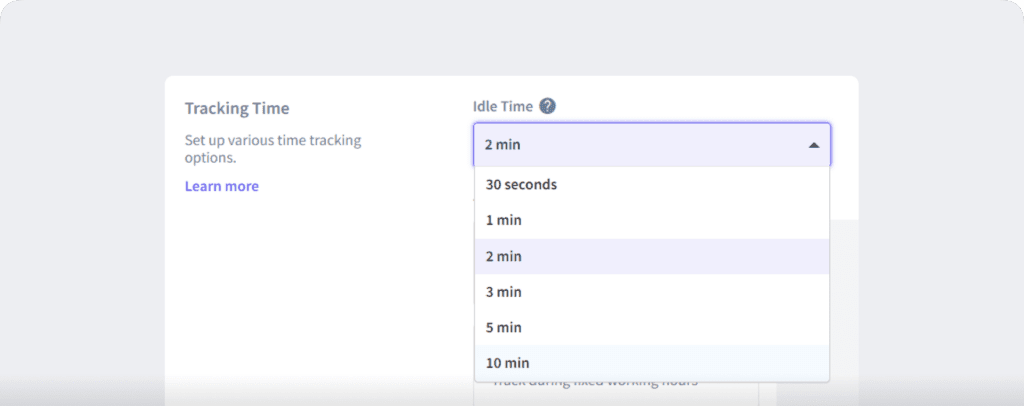
To prevent employees from logging in inactive time as productive, Time Doctor offers an idle time tracking feature.
When the tool detects zero mouse and keyboard movements for a predefined time, it sends a pop-up alert to the employee, asking them if they’re still working. If the employee ignores the alert, Time Doctor assumes that the employee is on a break and stops tracking time.
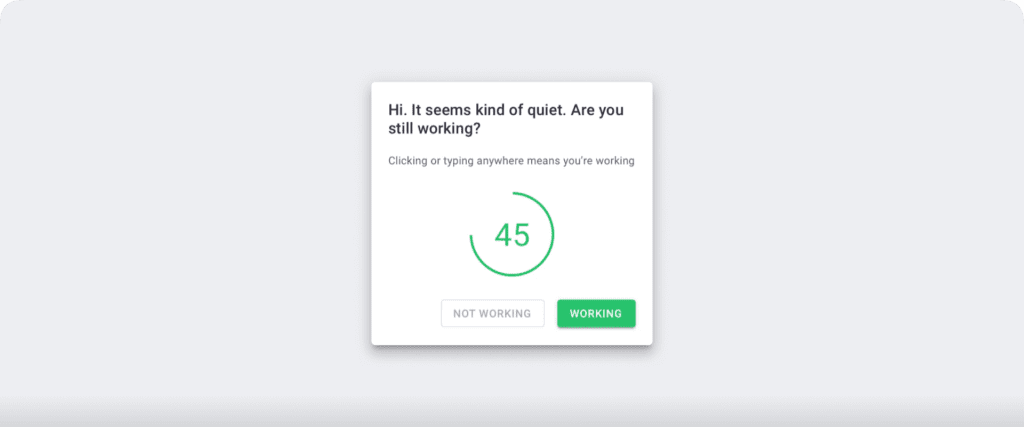
Note: To protect user privacy, Time Doctor doesn’t support keylogging. It only checks if the keys and mouse are used.
Quick summary
Insightful only alerts employees when they exceed break times or remain inactive for a period. Meanwhile, Time Doctor offers an excellent distraction management system with idle time tracking and pop-up alerts.
5. Comprehensive reports
The time tracking feature may not be useful if it doesn’t provide actionable insights into employee productivity and time use.
Let’s see how Insightful and Time Doctor perform in this aspect.
Insightful offers workforce analytics reporting capabilities that include:
- Apps and Website Usage Analytics
- Productivity Analysis
- Productivity Trends
- Location Insights
- Audit Logs
- Operational Performance Reporting
- Workforce Visibility and Capacity Insights
B. Time Doctor
Time Doctor’s detailed reports give you an insight into employee productivity patterns.
Here are a few Time Doctor reports:
- Timeline report: Track the start and end times of your employee’s daily and weekly tasks.
- Web & app usage report: Track the trends for an employee’s unproductive and productive time based on their time spent on different websites and apps.
- Attendance report: Check when an employee is present, absent, late, etc., based on their schedule and time tracking information.
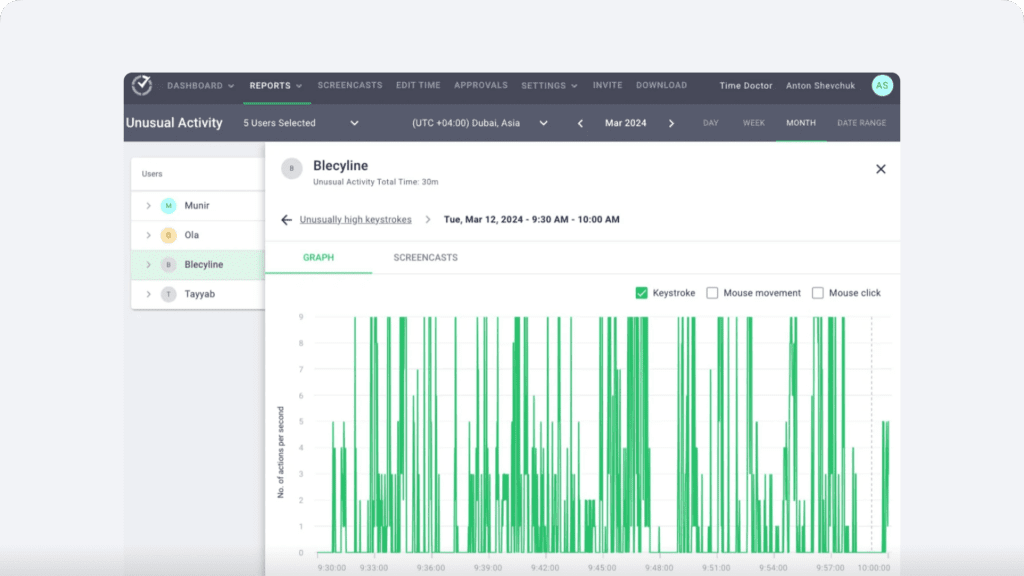
- Unusual Activity Report: Flags inconsistencies, detects irregular work patterns, and ensures accurate reporting. Get clear, verifiable insights to prevent errors, maintain accountability, and make confident decisions—no more second-guessing.
Quick summary
Insightful offers a broader workforce analytics reporting suite that includes productivity analysis, location insights, productivity trends, application and website usage analytics, audit logs, and operational performance reporting. Time Doctor also provides detailed reporting through attendance reports, timeline reports, web and app usage reports, unusual activity reports, and productivity insights.
6. Integrations
Powerful integrations will save you the trouble of tracking time and syncing data manually from multiple platforms.
Let’s check out how both these apps fare in terms of integrations.
A. Insightful
This time tracking software integrates with apps via its REST API. This lets it connect with any tech stack and workforce management tool.
B. Time Doctor
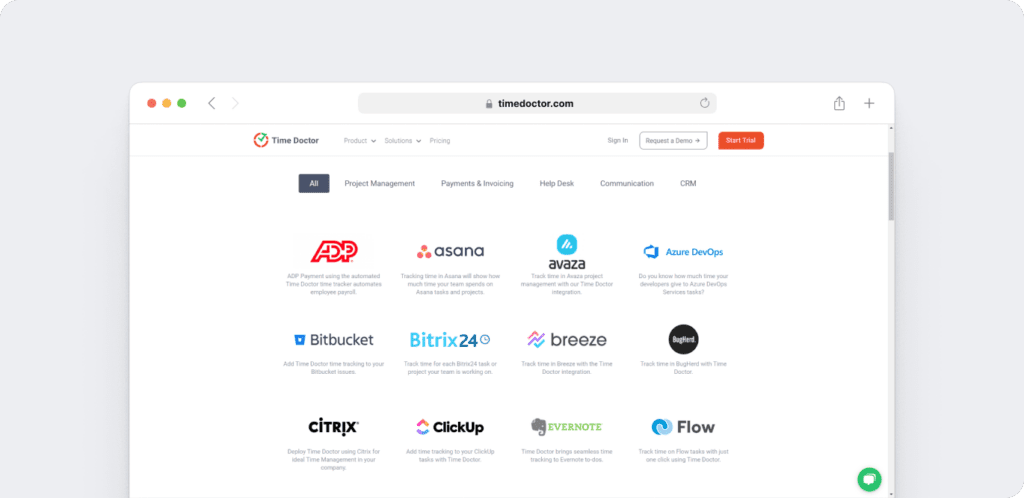
Time Doctor also offers an API and integrates with around 60+ apps via the Chrome extension, such as:
- Project Management: Zendesk, Salesforce
- Payroll And Invoicing: Gusto, Paypal.
Quick summary
Insightful integrates with tools via REST API, while Time Doctor offers an API as well as several native integration options with popular tools like Trello and Microsoft.
7. Pricing plans
Here are the pricing plans of Insightful and Time Doctor.
A. Insightful pricing
Insightful offers a 7-day free trial and several pricing options:
- Workforce Analytics: $8/user/month (billed annually)
- Workflow Optimization: $12/user/month (billed annually)
- Combo Plan (Analytics + Optimization): $16/user/month (billed annually)
- Enterprise: Custom pricing
B. Time Doctor pricing
Time Doctor offers a 14-day free trial (no credit card information needed).
The app’s paid plans start from $6.67/user per month.
- Basic:$6.67 per user / month
- Standard:$11.67 per user / month
- Premium:$16.70 per user / month
- Enterprise: Custom pricing
Quick summary
Insightful offers a free seven-day trial with paid plans starting at $8/user per month. Time Doctor offers a longer 14-day free trial, and its paid plans start at $6.67/user per month.
Insightful vs Time Doctor: Final verdict
At a glance, both tools share similar features. But if you look closely, Time Doctor has a definite edge over the Insightful time tracking tool.
Powerful Time Doctor features like superior reporting, time tracking, customer support, and productivity management make it the better time tracking tool.
Moreover, Time Doctor’s 60-plus integration options and clearer paid plans can help make productivity and workplace management a breeze!
View a demo of Time Doctor and elevate your business today.

