
Small business owners often fall short of time to attend to every task or closely monitor their employees’ performance.
But with the right time tracking app at your disposal, you can skyrocket your productivity and profits!
From recording employee work hours to streamlining timesheet management, investing in the best time tracking app for small business can work wonders for you.
In this article, we’ll explore the 10 best time tracking apps in the market today. We’ll also highlight the four significant benefits of using an effective time tracking software and four factors to consider while choosing the tool.
Let’s get started!
Table of Contents
- 11 best time tracking apps for small businesses
- 4 major benefits of time tracking apps for a small business
- 4 key considerations to pick the best time tracking software
11 best time tracking apps for small businesses
Here are some of the best time tracking apps that can help small businesses manage their time and get more things done:
1. Time Doctor

Time Doctor is a workforce analytics platform that empowers managers with the visibility to lead with trust, not control. Mid-market companies and growing SMBs use it to gain real-time visibility into work, support employee well-being, and continuously improve productivity across remote, hybrid, and in-office teams.
The tool helps you track employee productivity and the total billable hours.
The Time Doctor app is available on several platforms and devices, like:
- Desktop app for Windows, Mac, and Linux.
- Mobile app for Android mobile devices.
Using this time tracking software, you can get insights into where and how your employees spend their time on any typical workday.
This way, it makes employee management a total breeze so that you can focus more on your company’s growth strategies and long-term goals.
Let’s check out some other valuable features of Time Doctor:
Key features
Here are some notable features of this powerful time tracking app:
A. Time tracking
Time Doctor is a workforce analytics platform that gives you flexible time tracking so employees can record their hours in a way that fits how they work. The platform captures work activity in real time and transforms it into clear visibility for teams, helping leaders understand how work happens while keeping the experience simple for employees.
In manual/interactive mode, employees simply open the app, select their current task, and start the timer. Time Doctor runs in the background and tracks the apps and websites used during work. When they’re finished or want to take a break, they can stop the timer with a single click.

In automatic mode, Time Doctor can start tracking time when employees turn on or log into their work devices. This mode helps improve accuracy and reduces the need for manual edits or forgotten time entries.
Both modes are designed to provide clear visibility for managers and employees while minimizing disruption to the workday.
B. Idle time tracking
Time Doctor measures idle time (periods without keyboard or mouse activity) to help teams understand focus patterns and potential productivity blockers.
- Idle time is measured in idle seconds and idle minutes
- You can configure when idle time should start counting and set limits that make sense for different roles
Instead of silently recording behavior, Time Doctor can display a gentle idle time pop-up when someone has been inactive for too long—nudging them to either refocus or take a break. This helps reduce unintentional time drift and supports more accurate timesheets.
This design helps organizations balance accountability with privacy and trust.Moreover, you can set how long the timer can run without any activity. Once it reaches the limit, the tracker automatically stops tracking time and displays an idle time pop-up. This pop-up alerts employees to focus on their tasks.
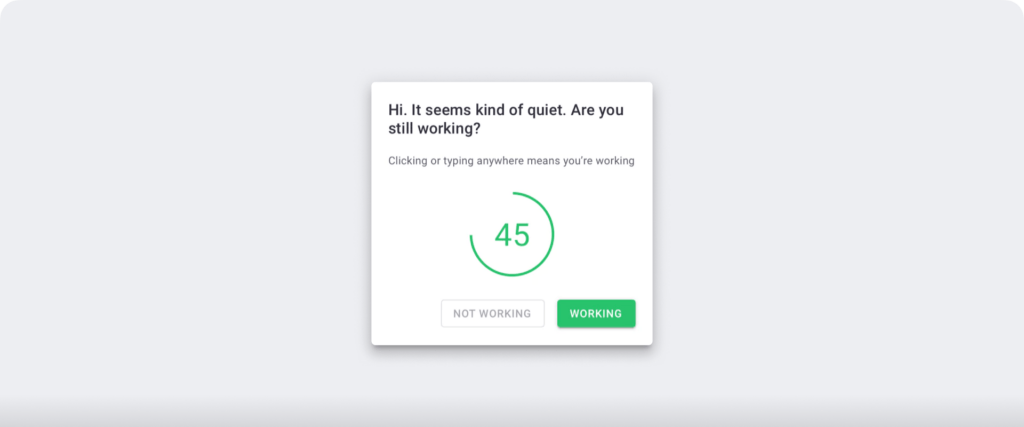
Note: Time Doctor isn’t a keylogger. It only checks if the employee has clicked the mouse or any key without recording activity details.
These alert notifications can help improve employee focus and efficiency.
C. Work schedules
Work schedules allow you to create and edit employee schedules easily, so they know which tasks they should work on which days. It helps your employees stay on top of their priority tasks and never miss a deadline.
With this feature, you can:
- Set work schedules for each employee, defining their work hours.
- Distribute the workload amongst team members efficiently.
- Automate timesheet generation.
- Import and export employee shifts in a CSV file.

D. Productivity reports
Time Doctor tracks several data points related to employees activity. You can access a wide range of reports generated in real-time.
Here’s a quick look at these reports :
- Activity summary report: See active seconds, minutes, unproductive, manual, and mobile time for each employee over a selected time period.
- Attendance report: See if an employee is present, absent, partially absent, or late in real-time.
- Hours tracked report: View the total number of hours tracked by employees for any date range.
- Projects & tasks report: See the time spent on projects as well as individual tasks.
- Timeline report: Look at the time spent on tasks and breaks in a day or the whole week.
- Custom export report: Customize the fields you’d like to include in one single report.
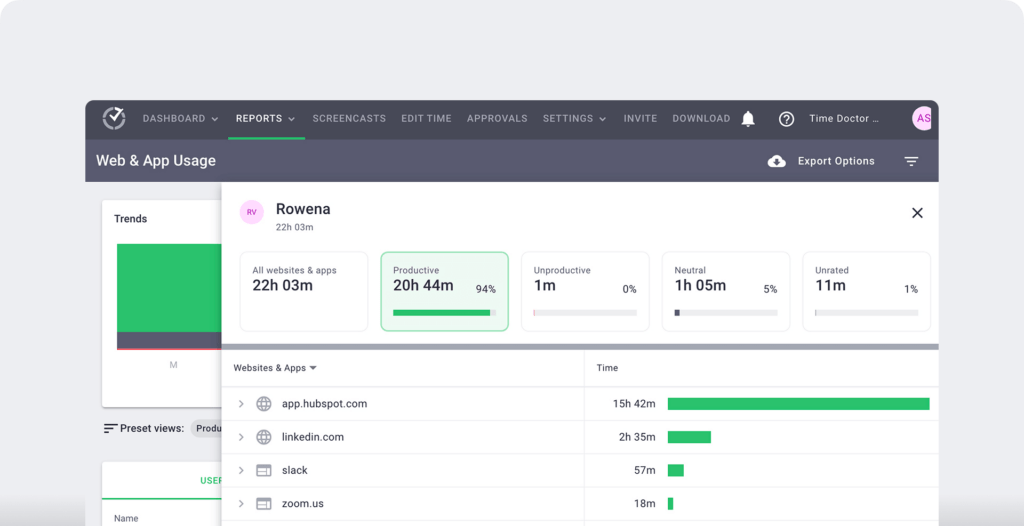
- Web and app usage report: View the time spent by an employee on each app and website during work hours.
E. Benchmark AI
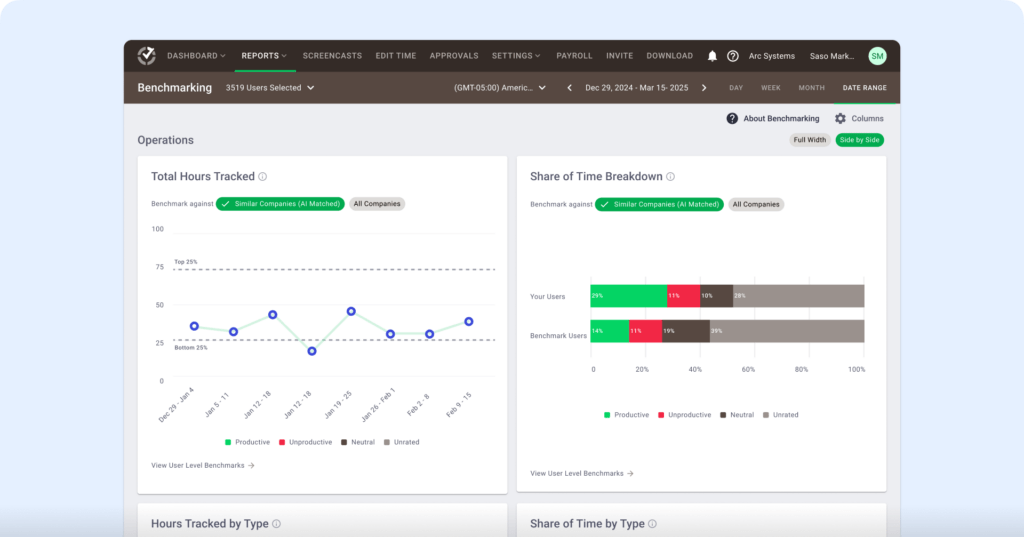
Benchmarks AI helps you understand your team’s performance by comparing their work patterns to similar roles and workflows across Time Doctor’s extensive behavior-based dataset.
- See how your team’s productivity, idle time, and tool usage compare to similar users across thousands of organizations.
- Identify whether shifts in productive time reflect healthy focus, rising workload pressure, or early signs of burnout.
- Spot unusual activity and changes in behavior before they affect performance or well-being.
- Give managers clearer context during coaching by showing where teams fall across percentile rankings and behavior groups.
- Make smarter decisions on resourcing, planning, and workload balancing using AI-matched comparisons instead of generic industry averages.
F. Meeting insight
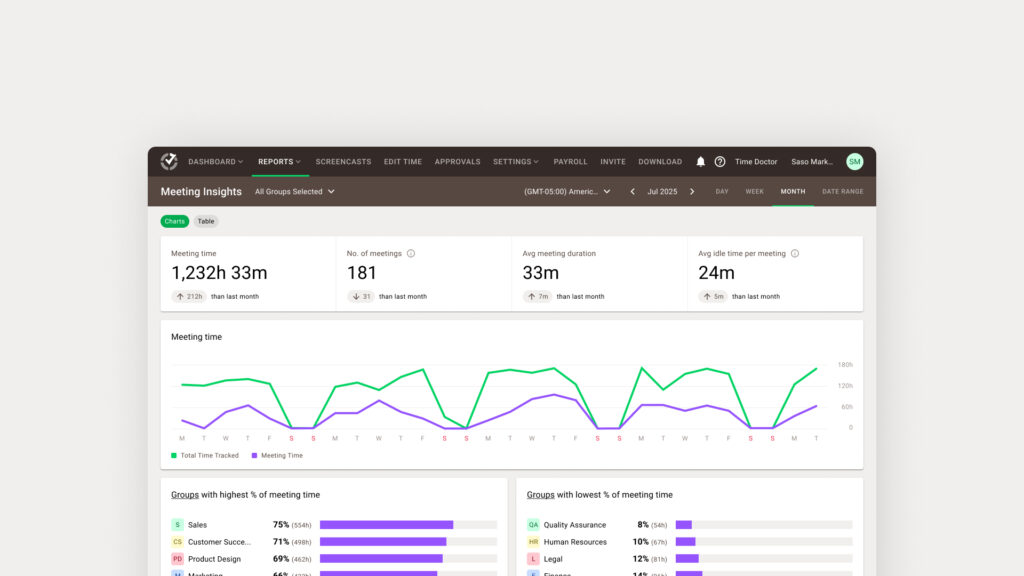
Meeting Insights helps you understand how meetings affect productivity, focus time, and engagement across your team.
- See total meeting hours, number of meetings, and which teams spend the highest or lowest percentage of their time in meetings.
- Measure meeting quality by tracking average duration, idle minutes per meeting, and idle time during meetings versus regular work hours.
- Identify low-value or ineffective meetings by spotting high idle time or unrelated app usage during calls.
- Compare meeting habits across groups to find overload, spot bottlenecks, or highlight teams that collaborate effectively.
- Decide which meetings to shorten, restructure, or move async using data instead of assumptions.
- Protect focus hours by understanding how recurring calls impact productive time and daily workflow.
- Support coaching and policy decisions with clear insights into meeting load, engagement patterns, and collaboration trends.
Pricing
Time Doctor gives users a 14-day free trial (no credit card details required). The tool’s basic plan starts as low as $6.70/user per month.
Customer ratings
- G2: 4.4/5 (420+ reviews)
- Capterra: 4.5/5 (540+ reviews)
2. QuickBooks Time

QuickBooks Time (formerly TSheets) is an employee time tracking app that allows users to clock in and out via text, tweet, web browser, or a simple dial-in.
Read this article to know everything about QuickBooks Time Tracking.
Key features
- Sends you notifications when employees don’t clock in or out as scheduled.
- Allows employees to attach photos to timesheets for in-depth reporting.
- Helps you assess which employee is closest to a job site or client’s location through the geofencing or GPS location tracking feature.
Pricing
QuickBooks Time tracking software offers paid plans starting at $25/user per month.
Customer ratings
- G2: 4.5/5 (1,400+ reviews)
- Capterra: 4.7/5 (5,540+ reviews)
3. Toggl Track
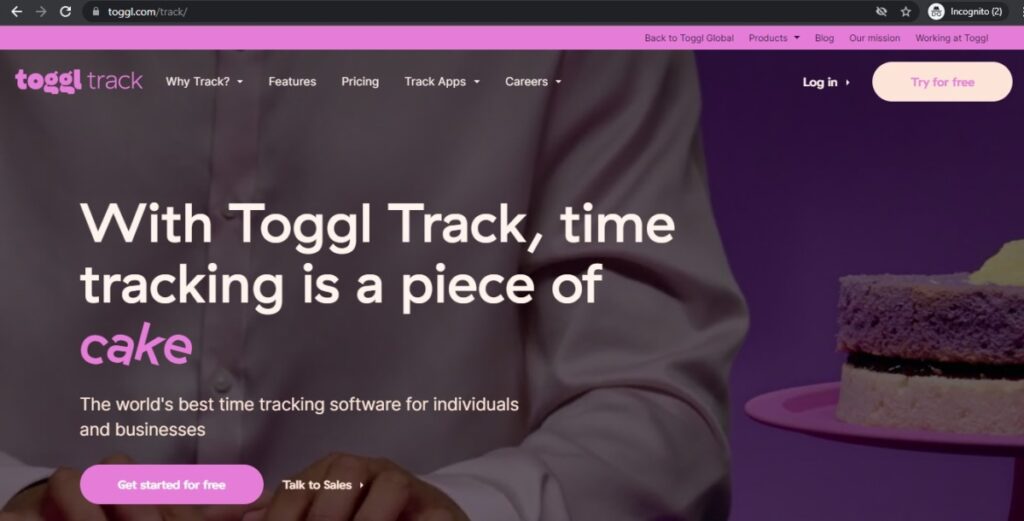
Toggl Track is an intuitive time tracking tool that helps you log work hours through their desktop app (Windows, Mac, Linux) and mobile app (iOS and Android).
Key features
- Lets you pin the most frequently used time entry (with task name) in its time tracking system.
- Helps with project management by forecasting timelines and tracking budgets.
- Integrates with 100+ apps (Google Calendar, Trello, Asana, etc.) via native integrations or Chrome browser extensions.
Pricing
Toggl Track has a free plan, and the paid plans start at $10/user per month.
Customer ratings
- G2: 4.6/5 (1,490+ reviews)
- Capterra: 4.7/5 (1,790+ reviews)
Check out the seven best Toggl Track alternatives.
4. DeskTime

DeskTime is a simple time tracking app that uses the Pomodoro technique, reminding employees to take a break at regular intervals to improve their productivity.
Key features
- Supports offline time tracking, so you stay aware of your employee’s work progress.
- Takes random screenshots of the team members’ monitors for effective employee monitoring.
- Helps with expense tracking, i.e., determines project costs based on the time spent and employees’ hourly rates.
Pricing
DeskTime offers a free plan, and the paid plans start at $7/user per month.
Customer ratings
- G2: 4.5/5 (140+ reviews)
- Capterra: 4.4/5 (230+ reviews)
Explore the five best DeskTime alternatives for your business.
5. Time Clock Wizard

Time Clock Wizard is attendance and time tracking software that makes it easy for any small business to track their employee’s clock in and clock out time.
Key features
- Allows you to view requests for paid time off (PTO), sick leave, etc., that employees send for approval.
- Helps you create employee timesheet reports that include their GPS tracking details.
- Lets you create daily, weekly, and monthly employee work schedules in the time clock app.
Pricing
Time Clock Wizard has a free plan, and the paid plans start at $24.95/month for unlimited users.
Customer ratings
- G2: 4.6/5 (50+ reviews)
- Capterra: 4.4/5 (80+ reviews)
6. Justworks Hours

Justworks Hours is a time tracking software suitable for any small business willing to track the work hours of their contractors as well as hourly employees.
Key features
- Lets you verify employee clock in and clock out locations with built-in GPS tracking functionality.
- Sets pre-built reminders nudging employees to take timely breaks from work.
- Helps you stick to the project management budget with overtime alerts and detailed reports.
Pricing
Justworks Hours offers paid plans starting at $5/user per month with an additional base fee of $20/month.
Customer ratings
- G2: 4.6/5 (160+ reviews)
- Capterra: 4.5/5 (520+ reviews)
7. Harvest
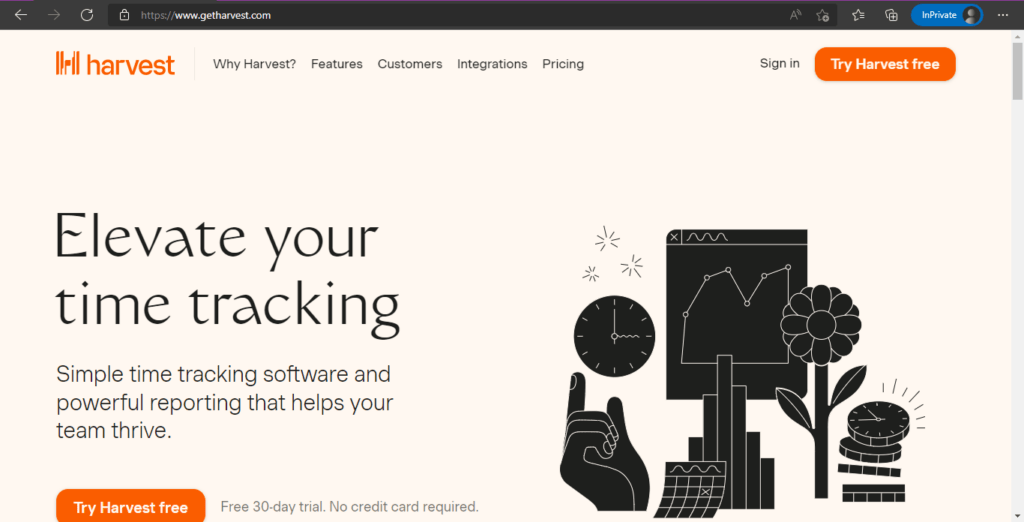
Harvest is a straightforward time tracking software that helps you accurately record a client’s billable hours and assess employee productivity.
Check out this in-depth article on Harvest vs. Toggl comparison.
Key features
- Uses real time analytics to tell you which projects and tasks are consuming maximum time.
- Offers the advanced feature of capacity reporting to highlight overworked or underutilized employees.
- Integrates with accounting software (QuickBooks Online, Xero, etc.) and payment apps (Stripe, PayPal).
Pricing
Harvest has a free plan, and the paid plans start at $12/seat per month.
Customer ratings
- G2: 4.3/5 (740+ reviews)
- Capterra: 4.5/5 (470+ reviews)
8. TimeCamp

TimeCamp is an online time tracker offering freelancers and small businesses the advanced feature for timesheet reporting and project management.
Key features
- Lets you add and delete any time entry in the employee timesheet.
- Sends automatic reminders for employee timesheet approval.
- Helps you customize billable hour rates for your team members, projects, and clients.
Pricing
TimeCamp has a free plan, and the paid plans start at $7/user per month.
Customer ratings
- G2: 4.6/5 (180+ reviews)
- Capterra: 4.7/5 (550+ reviews)
Discover the 11 best TimeCamp alternatives for your time tracking needs.
9. Hubstaff

Hubstaff provides time tracking for distributed, hybrid, and field teams, with productivity metrics, GPS-based location features, and payroll capabilities.
Key features
- Time tracking and online timesheets for projects and tasks.
- Screenshots while tracking time.
- Activity levels based on keyboard and mouse movement, with idle-time prompts and handling.
- GPS and geofenced time tracking through the mobile app.
- Payroll automation with manual or automatic payments.
- Cross-platform apps for Windows, Mac, Linux, iOS, Android, and a browser extension.
- Reports and filters for applications, URLs, activity, idle time, and work sessions.
Pricing
Hubstaff offers a free plan for a single user. Its paid plan starts from $4.99/user per month.
Customer ratings
- G2: 4.5/5 (1496+ reviews)
- Capterra: 4.6/ 5 (1580+ reviews)
Here are the seven best Hubstaff alternatives you should know of.
10. Clockify

Clockify is a helpful time tracking software for freelancers and small business owners, allowing you to track the working hours for unlimited projects.
Read this comprehensive Clockify review to learn more about the tool.
Key features
- Sends reminders for timesheets due at the end of the month.
- Lets you log time for events and meetings from Outlook or Google Calendar.
- Gives a visual breakdown of what your team members have worked on in the time clock app.
Pricing
Clockify offers paid plans starting at $4.99/seat per month.
Customer ratings
- G2: 4.7/5 (3,820+ reviews)
- Capterra: 4.5/5 (110+ reviews)
11. My Hours

My Hours is a time-tracking tool for teams and individuals. It helps you to monitor your team members, oversee their progress on tasks, and increase your business’s overall productivity.
Key features
- Log-setting on My Hours is hassle-free, as every team member can seamlessly add and edit custom logs.
- Allows users to track the time spent on projects and calculate profits
- Users can monitor their employees’ activities, know when they are active, and measure how many hours they work. This helps to improve the accuracy of the company’s payroll.
- My Hours allows users to integrate other software that promotes collaboration and productivity. Examples include Quickbooks, Zapier, Asana, etc.
Pricing
MyHours Time tracking software offers a free plan and a pro plan. Their pro plan is currently (as of January 2023) priced at $6 per user.
Customer ratings
- G2: 4.6/5 (200+ reviews)
- Capterra: 4.8/5 (800+ reviews)
Check out this article to explore a few other efficient time tracking apps.
Next, we’ll check out the top benefits of deploying a time tracking solution in your workplace.
4 major benefits of time tracking apps for a small business
Here are the top four advantages of using the best time tracking app for your business:
1. Helps record accurate time entry
A small business owner juggles many tasks and needs to make faster decisions every day. And using automated timesheet software eliminates the burden of entering time manually and invariably reduces the error rate during invoice processing.
However, if you or your employees have to meet critical deadlines and fill in timesheets manually, the chances of error can be way higher.
2. Gives access to real time data
The best time tracking software shows exactly when employees clock in and out and how much time they spend on particular tasks.
You can assess their most productive hours, speed of task completion, and get other business insights that can help you grow your business. The data also assists you with effective employee monitoring and proves invaluable during the appraisal processes.
3. Improves team management
Through easy access to the real time data, you get to know which employee is engaged in which task(s) and analyze every team member’s bandwidth accurately. Consequently, you don’t end up assigning an already overburdened employee with more duties.
Instead, you can delegate more team responsibilities to an employee whose average work time is lower than others. This way, you can manage your resources more efficiently and make the best use of your small team.
4. Eliminates buddy punching problems
Buddy punching is the unauthorized use of someone else’s time card to punch in or out for them. You can solve this problem by going for an automatic timesheet app.
Since every employee has to log in with their separate credentials online, there is zero risk of faulty attendance records. A digital time tracking solution ensures that the timesheets are not tampered with after recording the work time.
But before you decide to invest in a time tracker, you’ll need to consider a few things.
4 key considerations to pick the best time tracking software
Here are the four critical factors that can help you select the right time tracking software:
1. Usability
The best time tracking software should be easy to install and use. Your employee should be able to easily navigate the tool without spending too much time understanding the ins and outs of any time tracking app.
An easy way to assess the effectiveness and ease of use is to opt for the free trial plan before purchasing any software.
2. Price
As a small business owner, expense management can make or break your business. So you should compare the price of different time tracking apps to find the best deal.
This way, you’ll discover a tracking app offering the most advanced time tracking functionality for unlimited projects at a competitive price.
3. Multi-device support
The time tracking app you choose should be easily accessible on multiple devices such as desktops, laptops, tablets, or smartphones.
Being able to log hours through both the desktop and mobile app makes it incredibly convenient for employees to track time on the go.
4. Integrations
The basic time tracker you use to track employee hours should ideally integrate with project management apps and business accounting software that your team uses regularly.
It’ll help you keep tabs on employees’ time on other platforms and projects and streamline your work processes.
Wrapping up
All the tools covered in this article can help you with task management, effective scheduling, time management, and weekly planning. However, you need to select the timesheet software that perfectly aligns with the business needs of your startup or small business.
For instance, if you’re looking for a tool that can help you track employee productivity and excel at remote work management, you should go for Time Doctor!
To get started, why not sign up for Time Doctor’s 14-day free trial and conquer all your business management needs like a pro?

