PayPal is an online payment system that lets you make payments with your bank account, credit card, or debit card. It allows individuals to make or accept online payments and helps businesses streamline their client invoicing and employee payroll needs.
However, you still need a time tracker for creating accurate and professional invoices based on time entries.
Unfortunately, PayPal doesn’t have a native time tracking functionality.
Then, how do you track the time on PayPal?
In this article, we’ll highlight the 10 best third-party PayPal time tracking tools that you can use for time tracking as well as for accurate invoicing and payroll management.
We’ll also cover the key features of each time tracking app, along with the user ratings and pricing.
Table of Contents
- 10 best apps for PayPal time tracking
- 2. Monitask
- 3. TimeTracker by eBility
- 4. AccountSight
- 5. TimeCamp
- 6. Hubstaff Time
- 7. Toggl Track
- 8. Zoho Invoice
- 9. TaskBill
- 10. Harvest
Let’s get started!
10 best apps for PayPal time tracking
Having PayPal’s business account is the easiest and the most cost-efficient way for any small business or enterprise to make and receive payments.
However, this tool is still dependent on third-party apps to generate accurate PayPal invoices based on tracked hours. And if you bill your clients by the hour, you need a system to justify the work hours you’re billing them for.
One efficient way of doing that is by using a time tracking software solution that supports PayPal transactions.
Here’s a list of handpicked PayPal time tracking apps you can use for accurate payroll processing and PayPal invoicing.
1. Time Doctor

Time Doctor is a workforce analytics platform that empowers managers with the visibility to lead with trust, not control. Mid-market companies and growing SMBs use it to gain real-time visibility into work, support employee well-being, and continuously improve productivity across remote, hybrid, and in-office teams.
This app can help you track employee time manually or automatically and generate a verified timesheet ready for payment processing in PayPal.
How PayPal works with Time Doctor
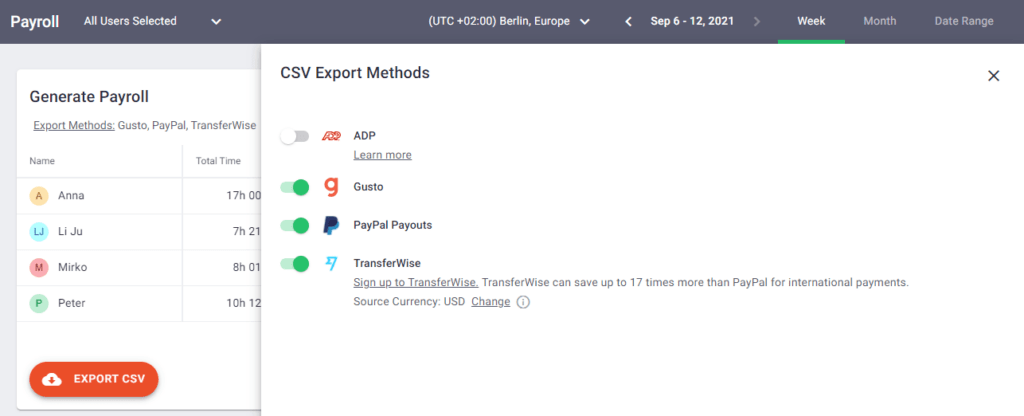
The Time Doctor app allows you to generate payroll at any time for any employee and export it as a CSV file. You can then import this file into PayPal to make the payment.
But, first, you need to enable payroll in the Time Doctor app.
Here’s how:
Step 1: Enable payroll settings
First, enable payroll in your Company Settings if you haven’t done it already. Toggle on Use payroll in the Configuration section.

However, only business owners can access payrolls or give permissions to other users. You can provide them access from the Who can access payroll drop-down menu below the Use payroll option.
Once done, you’ll see a Payroll option at the top of your apps’ window. Go to that tab to configure and generate payroll.
Note: The payroll option isn’t available for Time Doctor’s automatic app.
Step 2: Configure payroll
On the Payroll page, you can:
- Select the employees you need to include in the payroll.
- Define a date range.
- Set the payment currency for global employees.
- Enter the payment rate for each employee.
- Enable PayPal as the payment method.

Next, export your payroll as a CSV file and upload it to PayPal.
Note: Time Doctor will remember the currencies, pay rates, and payment methods for your next transaction.
However, to be able to use the payroll functionality, you first need to conduct thorough time tracking. Only then can your payroll accurately reflect the hours put in by your employees for which they’ll be compensated.
Here’s how the Time Doctor app can help you track time and help your employees manage their productivity.
Other key features
A. Time tracking
Time Doctor is a workforce analytics platform that gives you flexible time tracking so employees can record their hours in a way that fits how they work. The platform captures work activity in real time and transforms it into clear visibility for teams, helping leaders understand how work happens while keeping the experience simple for employees.
In manual/interactive mode, employees simply open the app, select their current task, and start the timer. Time Doctor runs in the background and tracks the apps and websites used during work. When they’re finished or want to take a break, they can stop the timer with a single click.

In automatic mode, Time Doctor can start tracking time when employees turn on or log into their work devices. This mode helps improve accuracy and reduces the need for manual edits or forgotten time entries.
Both modes are designed to provide clear visibility for managers and employees while minimizing disruption to the workday.
B. Payroll management
Time Doctor’s verified timesheet and customizable payroll options make employee payouts a hassle-free process.
This time tracking software allows you to:
- Set up payroll for salaried and hourly employees.
- Customize pay periods, pay rates, and currencies.
- Automate timesheets and upload them for batch payments and bulk billing.
- Manually approve timesheets or enable automatic approval.
- Upload timesheets on payment apps like PayPal, Gusto, etc.
C. Productivity reports
Time Doctor tracks several data points related to employees activity. You can access a wide range of reports generated in real-time.
Here’s a quick look at these reports :
- Activity summary report: See active seconds, minutes, unproductive, manual, and mobile time for each employee over a selected time period.
- Attendance report: See if an employee is present, absent, partially absent, or late in real-time.
- Hours tracked report: View the total number of hours tracked by employees for any date range.
- Projects & tasks report: See the time spent on projects as well as individual tasks.
- Timeline report: Look at the time spent on tasks and breaks in a day or the whole week.
- Custom export report: Customize the fields you’d like to include in one single report.
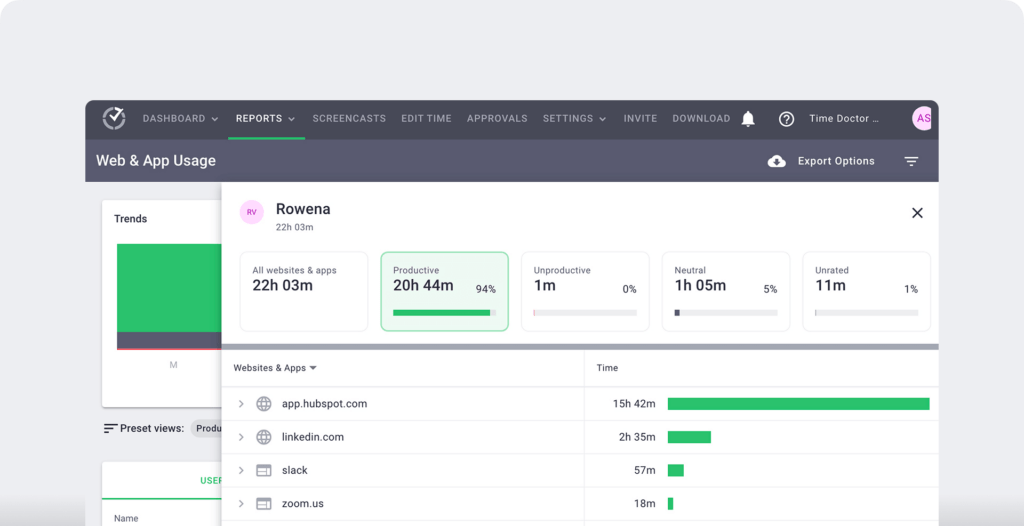
- Web and app usage report: View the time spent by an employee on each app and website during work hours.
D. Screencasts (Optional)
This time tracking app’s screencasts feature lets you take screenshots of your employees’ work screens to monitor their activity.
You can also:
- Download the (selected) screencasts.
- View only the screencasts with low or no activity.
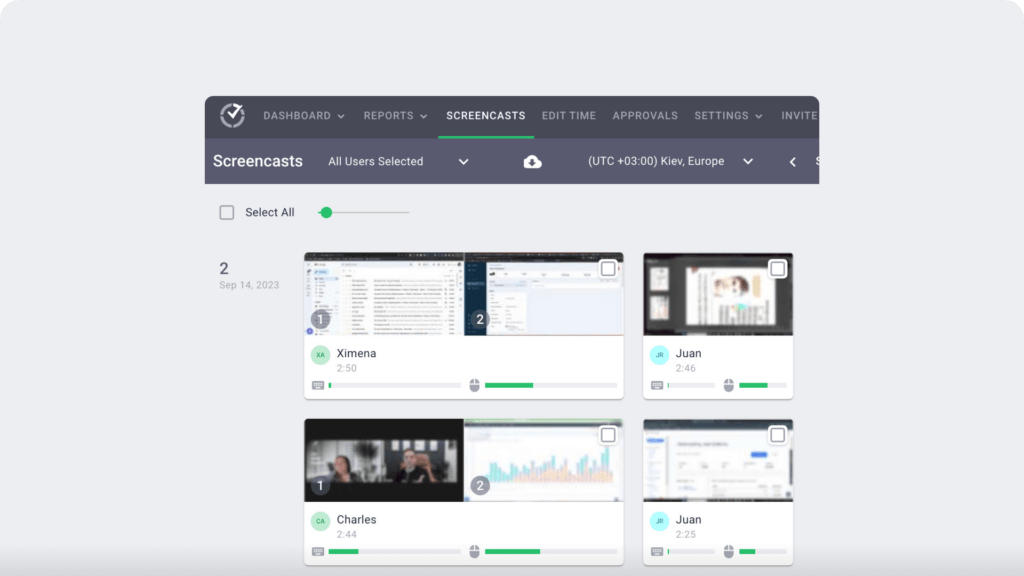
Note: Time Doctor allows you to blur or delete screenshots with sensitive information to protect employee privacy.
E. Chrome extension and integrations
Time Doctor’s powerful Chrome Extension integrates with 60+ tools that include project management, helpdesk, accounting software, and more.
For example, Time Doctor integrates easily with tools like Asana and Jira.
You can even add time tracking to tasks you’ve created on tools like ClickUp. As a result, you can help your team avoid wasting time and work more efficiently.
Pricing
Time Doctor offers a 14-day free trial. Its basic plan starts at $6.70/user per month.
Customer ratings
- G2: 4.4/5 (420+ reviews)
- Capterra: 4.5/5 (540+ reviews)
2. Monitask
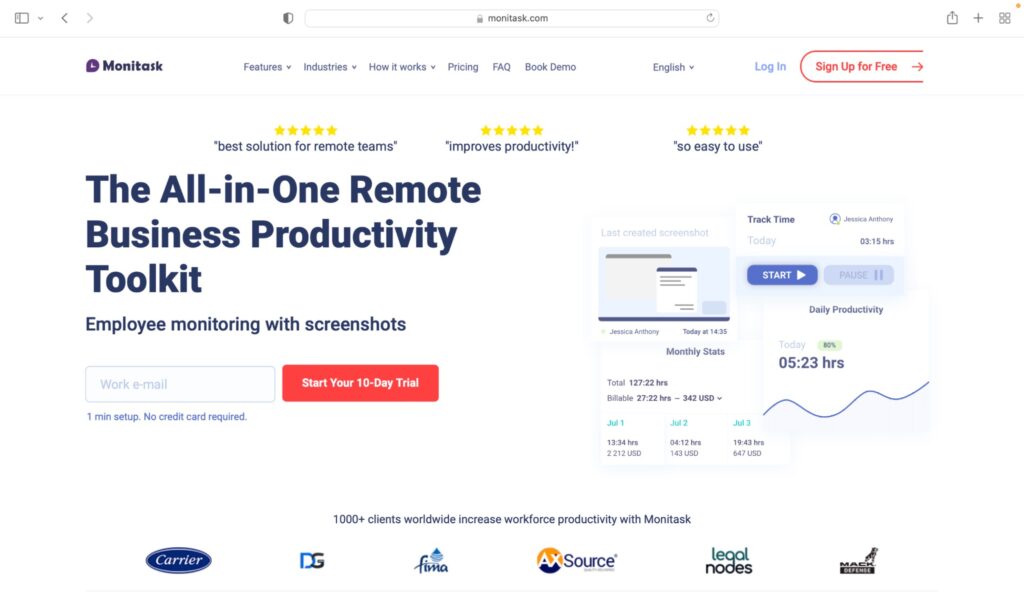
Monitask is a hassle-free time tracking and invoicing software for freelancers and small businesses. It helps you to track billable hours for generating invoices.
Key features
- Allows manual and automatic time entries.
- Lets you track work hours by task, project, and employees for accurate invoicing.
- Creates timesheets that include tasks tracked, flagged tasks, or tasks manually added to the timesheet.
- Integrates with PayPal Business via Zapier to take care of client billing.
Pricing
Monitask offers a free trial. Its paid plans start at $5.99/user per month.
Customer ratings
- Capterra: 4.8/5 (85+ reviews)
- G2: 4.4/5 (10 reviews)
3. TimeTracker by eBility
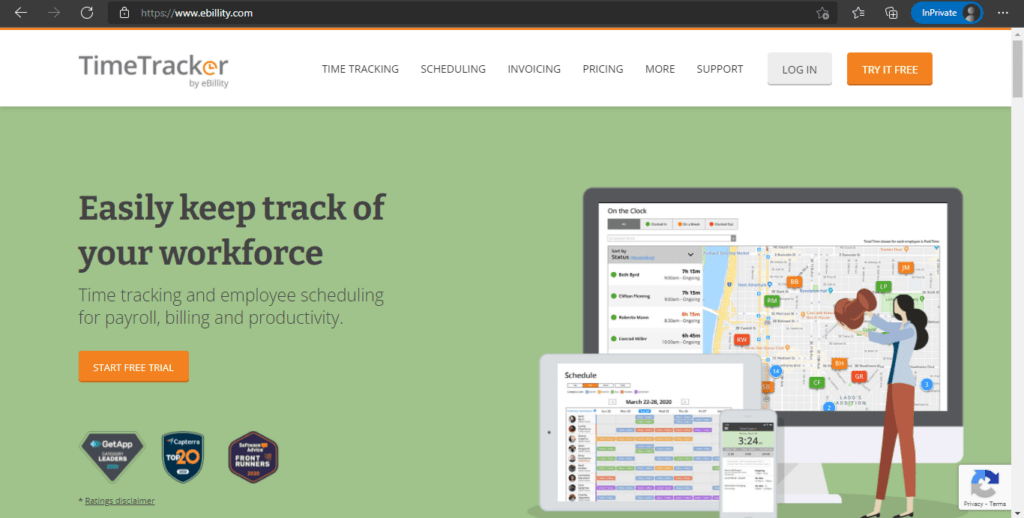
eBility’s TimeTracker app offers you customizable settings and flexible add-ons for payroll, invoicing, and productivity management.
Key features
- Allows rounding up of time entries to reduce data editing.
- Enables managers to accept or reject time entries before uploading a timesheet on payroll software.
- Supports GPS tracking by adding a geofence radius to employees’ time entries.
- Connects to PayPal via Zapier to share the payroll data for direct online payment.
Pricing
eBility’s TimeTracker provides a free trial. Paid plans start from $7.5/user per month, plus a base fee of $12.5 per month.
Customer ratings
- Capterra: 4.3/5 (2420+ reviews)
- G2: 4.3/5 (335+ reviews)
4. AccountSight

AccountSight is a cloud-based expense tracking and billing app. It allows companies to maintain a weekly timesheet for employees and manage project management requirements.
Key features
- Allows Excel integration for time and expense bulk uploads.
- Sets automatic workflow notifications for timesheets and expense approvals.
- Lets you create a manual or recurring invoice.
- Offers PayPal support to let clients pay invoices directly from the app.
Pricing
AccountSight offers a free plan with unlimited invoices. Paid plans start at $10/user per month.
Customer ratings
- Capterra: 4.9/5 (45+ reviews)
- G2: 4.8/5 (30+ reviews)
5. TimeCamp

TimeCamp is a cloud-based tracking app that enables team members to collaborate on projects, track billable work hours, and create client invoices.
Key features
- Keyword-based tracking lets you track time for different tasks and projects without switching between tasks manually.
- Allows you to select the project you want to bill for and group time by employees, tasks, time entries, etc.
- Lets you track time on the web, desktop, mobile app (play store and app store), or within a business tool.
- Creates time-based invoices and lets clients pay directly via the PayPal gateway.
Pricing
TimeCamp has a free plan. The paid plans start at $7/user per month.
Customer ratings
- Capterra: 4.7/5 (540+ reviews)
- G2: 4.7/5 (175+ reviews)
6. Hubstaff Time

Hubstaff provides time tracking for distributed, hybrid, and field teams, with productivity metrics, GPS-based location features, and payroll capabilities.
Key features
- Time tracking and online timesheets for projects and tasks.
- Screenshots while tracking time.
- Activity levels based on keyboard and mouse movement, with idle-time prompts and handling.
- GPS and geofenced time tracking.
- Payroll automation with manual or automatic payments.
- Integrations with 30-plus tools.
- Cross-platform apps for Windows, Mac, Linux, iOS, Android, and a browser extension.
- Reports and filters for applications, URLs, activity, idle time, and work sessions.
Pricing
Hubstaff Time has a free plan. The paid plans start at $4.99/user per month.
Customer ratings
- G2: 4.5/5 (1496+ reviews)
- Capterra: 4.6/5 (1580+ reviews)
7. Toggl Track
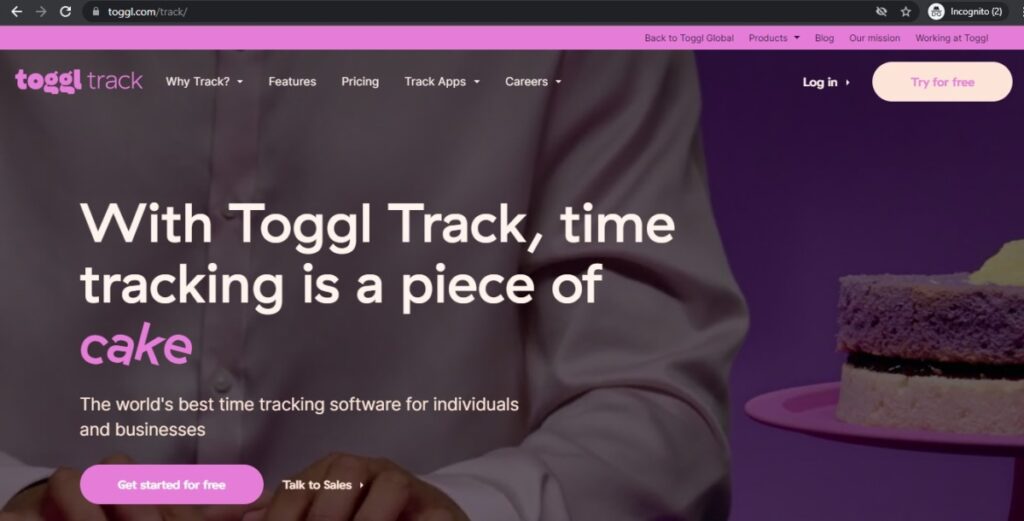
Toggl Track is an intuitive time tracking app. It integrates time data from all projects and employees into a single comprehensive dashboard.
Key features
- Tracks time via web, desktop, or mobile app and automatically syncs data to create accurate invoices.
- The autotracker triggers time entry suggestions based on the app an employee is using.
- Integrates with Outlook and Google Calendar to let you create time entries based on events.
- Allows you to pay directly with your PayPal account via Zapier; no code required.
Pricing
Toggl Track has a free plan. Its paid plans start at $10/user per month.
Customer ratings
- Capterra: 4.7/5 (1770+ reviews)
- G2: 4.6/5 (1490+ reviews)
8. Zoho Invoice

Zoho Invoice app allows you to track time spent by employees on tasks, create accurate invoices for clients, and manage project pipelines effortlessly.
Key features
- Lets you track time from the desktop or mobile app.
- Automatically adds unbilled hours and billable expenses to an invoice.
- Allows you set up a recurring invoice and recurring billing profiles for regular clients.
- Supports PayPal standard and PayPal business accounts.
Pricing
Zoho Invoice is available for free.
Customer ratings
- Capterra: 4.6/5 (315+ reviews)
- G2: 4.6/5 (160+ reviews)
9. TaskBill

TaskBill easily integrates with your project management software to track your team’s time and calculate costs accurately. Once the invoice based on the tracking info is ready, you can make a quick online payment via PayPal payment.
Key features
- Let’s you track time directly from your project management app via its browser extension.
- Enables you to set and track each employee’s cost and billable rates for quick PayPal transactions.
- Automatically rounds of a time entry to the nearest minute or hour.
- Allows you to enter offline invoice payments and add additional line items.
Pricing
TaskBill has a free plan, and the paid plans start at $5/user per month.
Customer ratings
- Capterra: NA
- G2: NA
10. Harvest
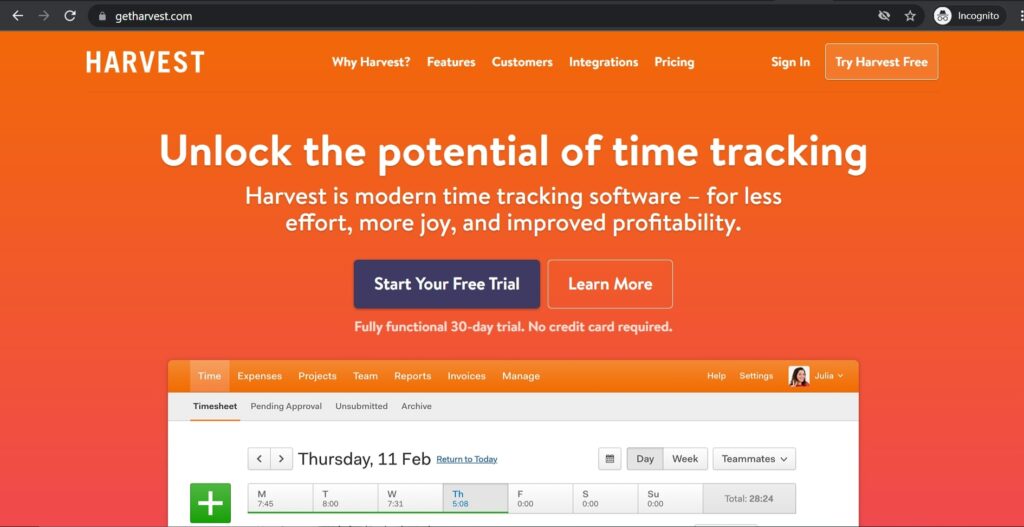
Harvest is a lightweight time tracking app for any small business or freelancer who wants to bill their clients based on work hours.
Key features
- Integrates an automatic timer and lets you fill a timesheet at the end of the day.
- Marks invoices as paid once you receive the corresponding PayPal payment.
- Automatically generates invoices based on the tracked time and expenses.
- Lets your clients pay a recurring invoice automatically with a PayPal account or Stripe credit card payment.
Pricing
Harvest offers a free plan and a 30-days free trial. The paid plan costs $12/user per month.
Customer ratings
- Capterra: 4.5/5 (460+ reviews)
- G2: 4.3/5 (735+ reviews)
Wrapping up
Sure, having a PayPal account is an excellent and hassle-free payment option that doesn’t require you to share your debit card or credit card details online.
However, PayPal still lacks a native time tracker and other crucial features offered by time tracking apps for easy online invoicing and payroll.
In this article, we have provided several time tracking tools that you can use to track work hours and accordingly make payments via your PayPal account.
But, if you’re looking for an all-in-one time tracking solution with powerful and intuitive features, look no further than Time Doctor.
Sign up for Time Doctor’s free 14-day trial and experience the app yourself.

