With so many time tracking and workforce tools available, it can feel like they all promise the same thing. ActivTrak and Hubstaff are two well-known options, and while both help teams track activity and productivity, they take very different approaches to monitoring and workforce management.
This article breaks down their features side by side so you can see where each one is strong and where the trade-offs come in.
We’ll also highlight another option for leaders who want real-time visibility, actionable productivity insights, and built-in support for coaching and payroll.
What we’ll cover
- ActivTrak vs Hubstaff: An overview
- ActivTrak vs Hubstaff: Detailed comparison
- Limitations of ActivTrak and Hubstaff
- A powerful employee monitoring alternative: Time Doctor
Let’s get started!
ActivTrak vs Hubstaff: An overview
Before we get to the details, here’s a quick overview of the features offered by both software.
| Feature | ActivTrak | Hubstaff |
| Time tracking | Automatic time tracking with daily metrics, schedule adherence, configurable schedules, offline meeting tracking, and an HRIS add-on that syncs approved time-off data for visibility in dashboards. | Automatic and manual time tracking, idle timeout, custom idle timeout, timesheets, and approvals |
| Screenshot monitoring | Screenshots and live screen view via Screen Details add-on; optional and plan-dependent. | Up to 3 screenshots every 10 minutes, configurable by plan settings.with options to blur, disable, or delete. |
| Website and application usage | Tracks website and app usage with customizable categories (productive/unproductive / custom), with insights available by plan. | Tracks websites and app usage to show which tools are used |
| Reporting | Activity summaries, logs, trend analysis, productivity signals, workload balance, and BI dashboards via ActivConnect | Attendance, productivity, budget, scheduling, and project-related reports |
| Invoicing / Payroll | Connects time data to external financial systems for billing through ActivConnect. | Client invoices, team invoices, payments & payroll (varies by plan) |
| Scheduling | Configurable schedules, schedule adherence, and approved time-off sync from connected HRIS systems (add-on) | Scheduling & attendance, daily & weekly limits, time off & holidays, overtime, work breaks |
| Integrations | Microsoft Entra ID, SCIM, HRIS (add-on), calendar, and APIs via ActivConnect, with HRIS sync focused on bringing approved time-off data into dashboards. | Integrations included (varies by plan), with options to connect project management, payroll, and CRM tools; public API available. |
| Pricing | ActivTrak’s paid plans start at $10 per user/month (billed annually), and a Free plan is available for up to three users. For the most current pricing and plan details, visit ActivTrak’s website. | Hubstaff’s paid plans start at $4.99 per user/month (billed annually), with Starter, Grow, Team, and Enterprise tiers available. A Free plan is also offered for one user. For the most current pricing and plan details, visit Hubstaff’s website. |
Let’s explore these features in detail.
ActivTrak vs Hubstaff: Detailed comparison
Here’s a detailed look at what each software has to offer:
1. Tool overview
Before we compare Activtrak and Hubstaff features in detail, here’s a quick rundown of the software:
A. ActivTrak
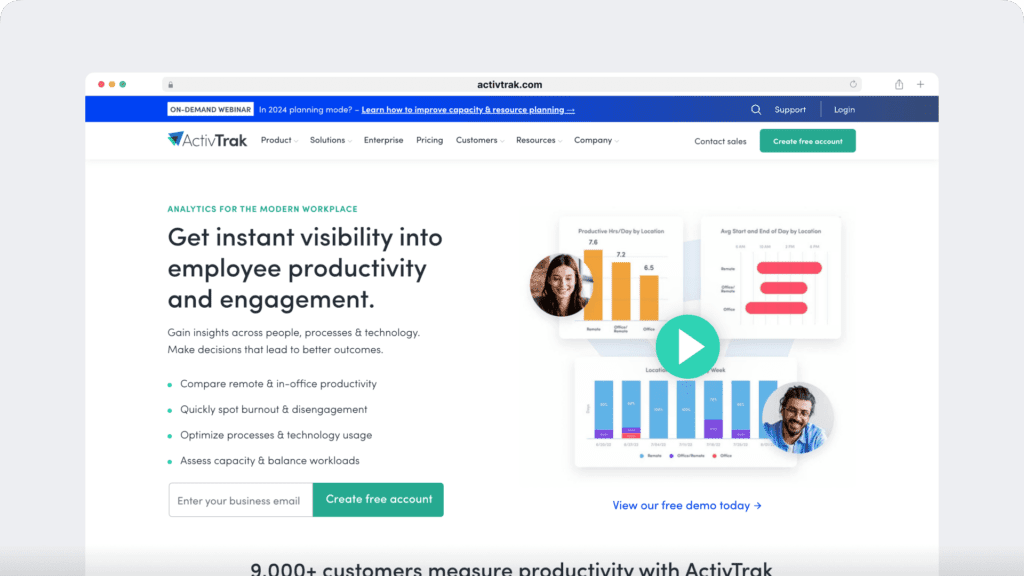
ActivTrak is a workforce analytics platform that provides organizations with visibility into productivity and activity patterns. Core features include:
- Automatic time tracking
- Activity summaries and logs
- Website and application usage tracking
- Productivity trend analysis
Higher-tier plans add advanced insights such as:
- Focus and collaboration metrics
- Workload balance reporting
- AI-powered coaching opportunities
- Engagement and burnout detection
- Customizable BI dashboards and reporting (via ActivConnect)
Because the software is cloud-based, ActivTrak runs on Windows and Mac devices and supports silent deployment to reduce disruption. It also includes role-based access controls and compliance support, including SOC 2 Type II and HIPAA, making it suitable for organizations that need stronger governance and security.
B. Hubstaff
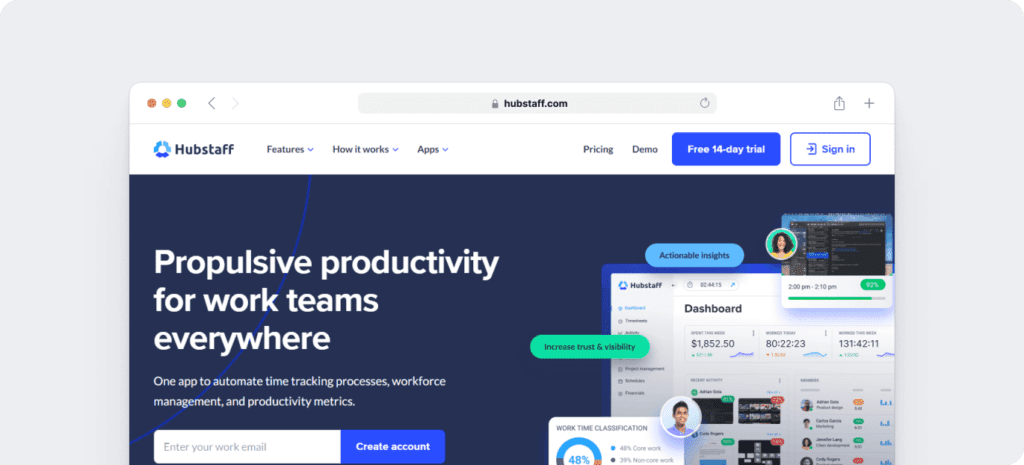
Hubstaff is a workforce management and time tracking platform that combines time logging with payroll, invoicing, scheduling, and productivity tracking. Its core features include:
- Automatic and manual time tracking, with idle timeout and custom idle settings
- Timesheets and approvals to manage recorded work hours
- Screenshots during tracked time (limits vary by plan)
- Website and application usage monitoring to show which tools are being used
- Activity levels based on keyboard and mouse movement
In addition to time tracking, Hubstaff supports workforce and project management through:
- Scheduling and attendance tracking, with support for overtime, breaks, holidays, and time-off management
- Client and team invoicing, expense tracking, and limited payroll and payments
- Project and client budgets, tasks, and work orders (availability varies by plan)
Hubstaff is available on Windows, Mac, Linux, iOS, and Android devices, and also offers a Chrome extension. Security and compliance options include HIPAA (Enterprise plan), SOC 2 Type II, SSO, SCIM provisioning, and two-factor authentication.
Support resources range from a help center and chat to VIP support add-ons, with response times depending on the plan selected.
Now, let’s look at ActivTrak vs Hubstaff features in detail.
2. Time tracking
Here’s how the time tracking feature works in both software.
A. ActivTrak
ActivTrak includes automatic time tracking across its plans, capturing activity in the background once the agent is installed.
The platform records daily work metrics and compares them against defined schedules to monitor adherence.
Depending on the plan, it can also track meeting time offline, support configurable schedules, and sync approved time-off data from connected HRIS systems as an add-on for visibility in dashboards.
In addition to standard installation, ActivTrak also supports silent and remote deployment options, making it easier for larger organizations to roll out the solution at scale.
All tracked activity can be categorized as productive, unproductive, or custom-defined, giving managers a clearer picture of how time is spent.
B. Hubstaff
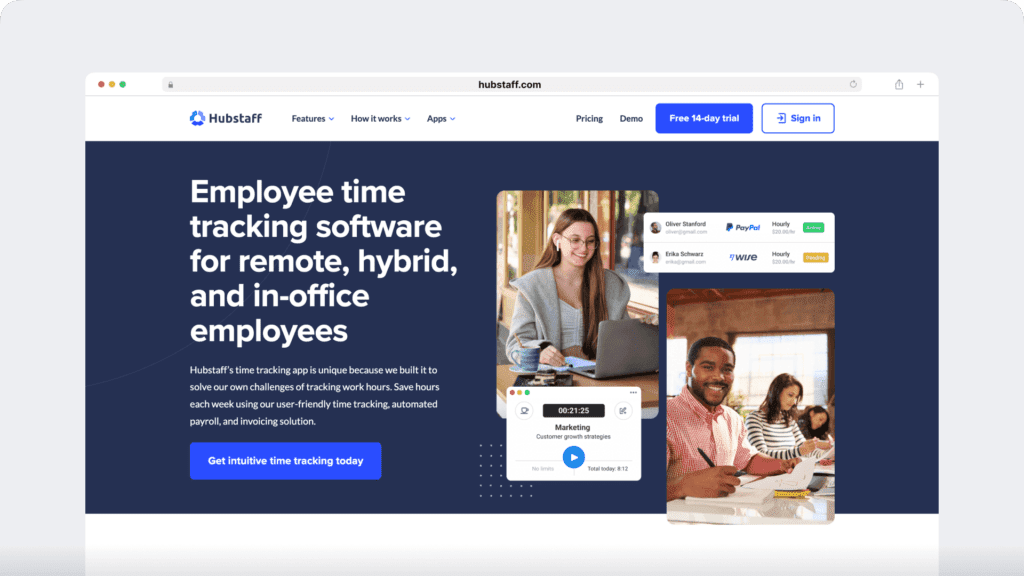
Hubstaff supports both automatic and manual time tracking, so employees can either log hours as they work or add offline time later.
In practice, this means teams have the flexibility to capture work in real time or fill in details after the fact. Tracking can be started and stopped with a simple button, and managers can also set an idle timeout or custom idle rules to ensure that only active work is recorded.
Once time is tracked, all hours flow into digital timesheets that can be viewed daily, weekly, or monthly, giving managers and employees a clear picture of work across different timeframes.
Before submitting, employees can edit their timesheets to correct or add information, and managers can then review and approve them directly in the platform.
These core time tracking features are consistent across Hubstaff’s plans, while higher tiers extend the workflow with scheduling, invoicing, and payroll integration.
3. Screenshot Monitoring
Here’s how both software monitor employee activity through screenshots,
A. ActivTrak
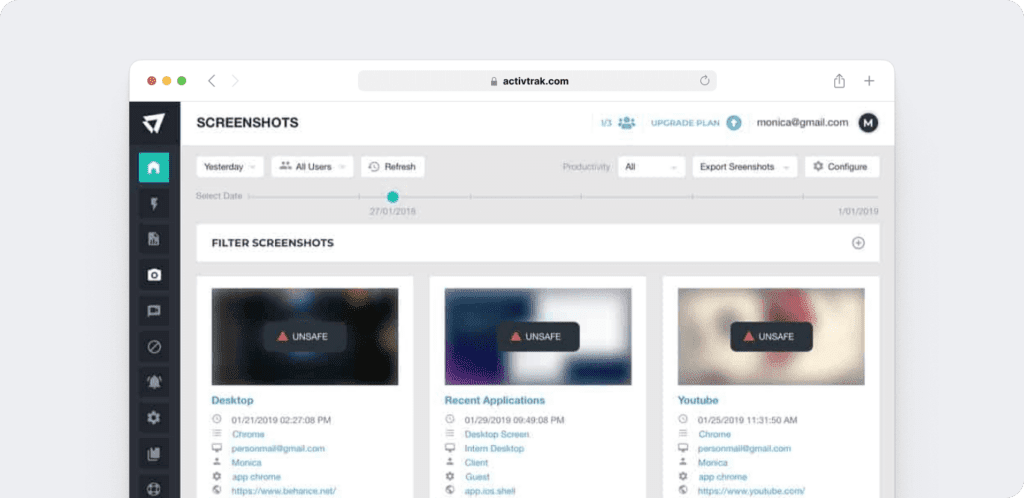
ActivTrak offers screenshots and live screen views through its Screen Details add-on in eligible plans.
These options are not enabled by default; organizations can choose to activate them based on their policy and compliance requirements.
When enabled, Screen Details also provides additional context such as full URL and title-bar visibility, along with the ability to terminate applications if necessary.
Together, these functions add visual evidence to the activity data already captured by the platform.
B. Hubstaff
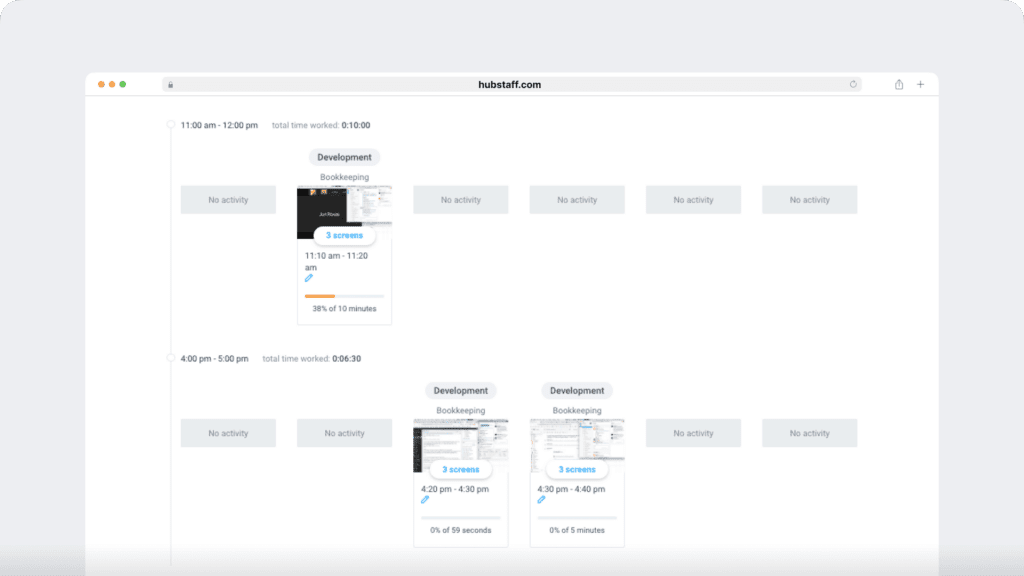
Hubstaff includes screenshot capture as part of its productivity tracking in eligible plans. When time is being tracked, screenshots can be taken, and the number available depends on the plan level.
For example, some tiers include 500 screenshots per seat per month, while others include 1,500. Organizations that need more capacity can increase their limits through an add-on.
Since the feature is optional, each company can decide whether to enable screenshot capture based on its own policies and requirements. In addition to screenshots, Hubstaff also reports activity levels that come from keyboard and mouse movement, and it tracks the apps and websites employees use during recorded time.
4. Website and application usage
Here’s how the software monitors employee web and application usage.
A. ActivTrak
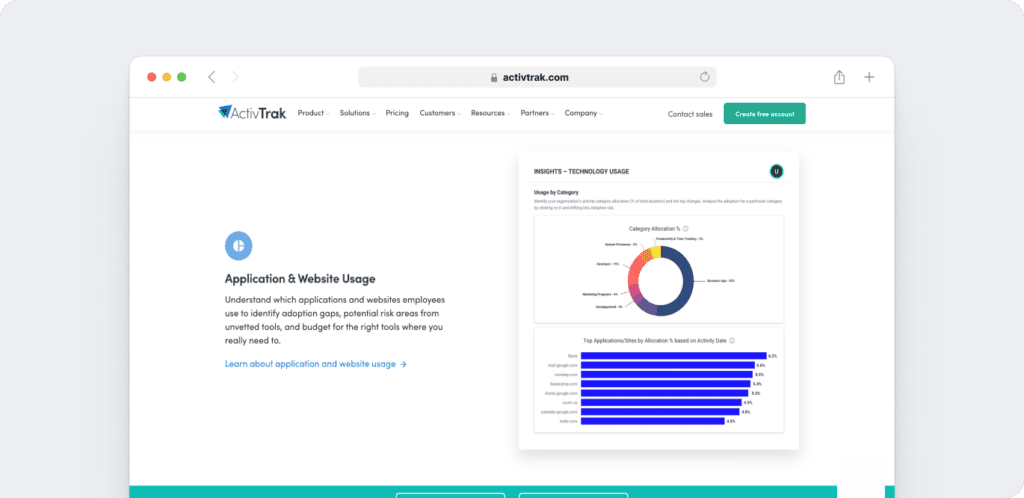
ActivTrak records which websites and applications employees use and classifies them into categories such as productive, unproductive, or custom-defined.
This data is presented through activity summaries, logs, and trend analysis, which provide managers with visibility into how time is being spent.
In higher-tier plans, these reporting capabilities expand into more advanced analytics, including focus and collaboration patterns, workload balance, and engagement or burnout signals.
ActivTrak also incorporates AI-powered coaching opportunities, giving leaders additional context to guide performance conversations and identify areas for support.
B. Hubstaff
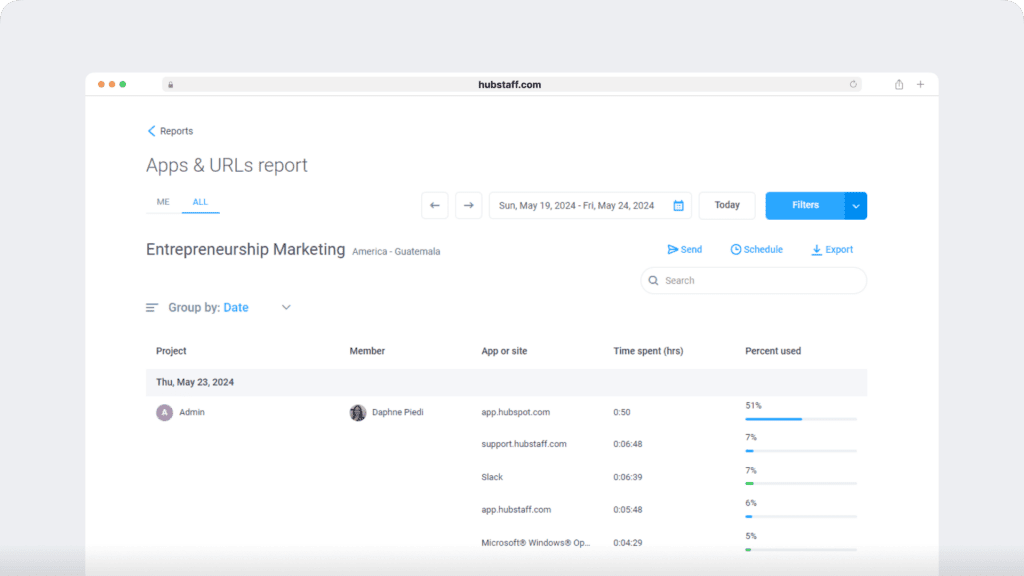
Hubstaff monitors the websites and applications employees use while time is being tracked, and the reports show how much time is spent on specific tools.
In addition, the platform displays activity levels based on keyboard and mouse movement so managers can review usage patterns alongside productivity signals.
When the Insights add-on is enabled, teams can also see categorized work time, as well as focus and meeting hours and behavioral highlights, which adds more context to the usage data.
5. Reporting
Here are the detailed reports generated by both software.
A. ActivTrak
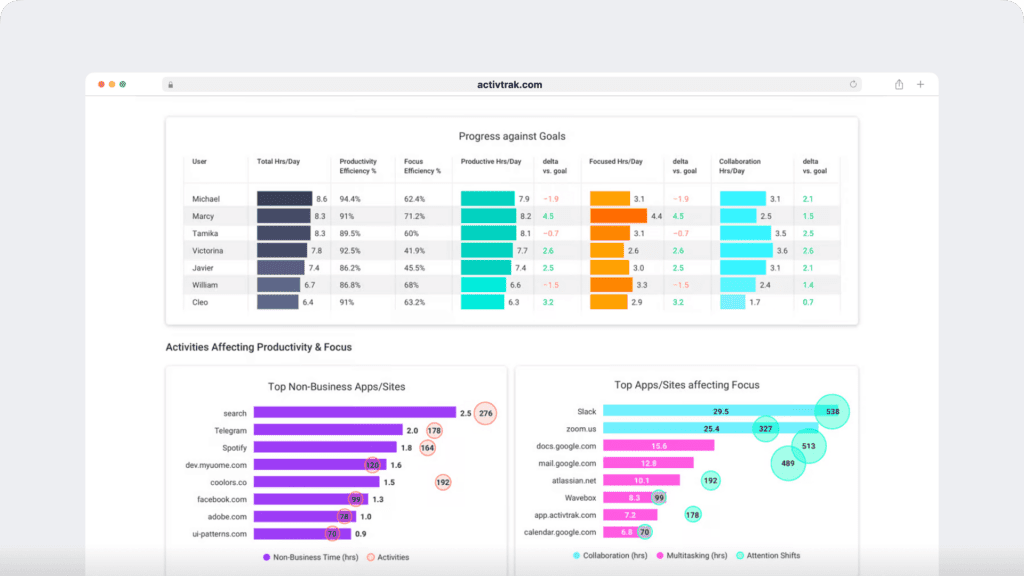
ActivTrak provides reporting that clearly surfaces both individual and team activity. You can view activity summaries, logs, and trend analysis, and you can also review top applications, websites, categories, and working hours.
As plans scale, reporting expands into advanced workforce analytics, which includes focus and collaboration patterns, workload balance, engagement or burnout signals, and AI-powered coaching opportunities.
In addition, some plans support goal-setting and team performance management, and ActivConnect enables customizable BI dashboards and data access.

B. Hubstaff
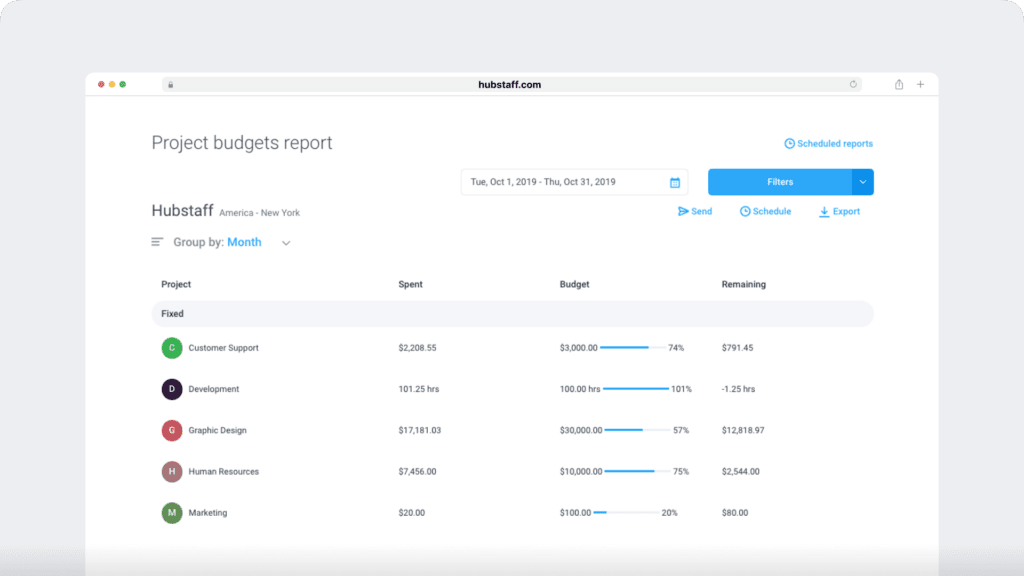
Hubstaff generates reports that focus on time, attendance, and projects. Tracked hours are recorded in digital timesheets that can be viewed daily, weekly, or monthly, and these timesheets can then be submitted for approval.
Reports also cover attendance, productivity, budgets, and scheduling, which helps managers connect hours with project and client requirements.
Activity levels and billable hours are available in relevant reports, providing more detail about how time is spent.
When the Insights add-on is enabled, Hubstaff enhances reporting with categorized work time, focus and meeting hours, and behavioral highlights, providing managers with additional context for team performance.
6. Invoicing
Here’s how the software helps with invoicing.
A. ActivTrak
ActivTrak does not offer built-in invoicing. Instead, it provides contractor billing reconciliation via ActivConnect, which links recorded time with external financial systems.
B. Hubstaff
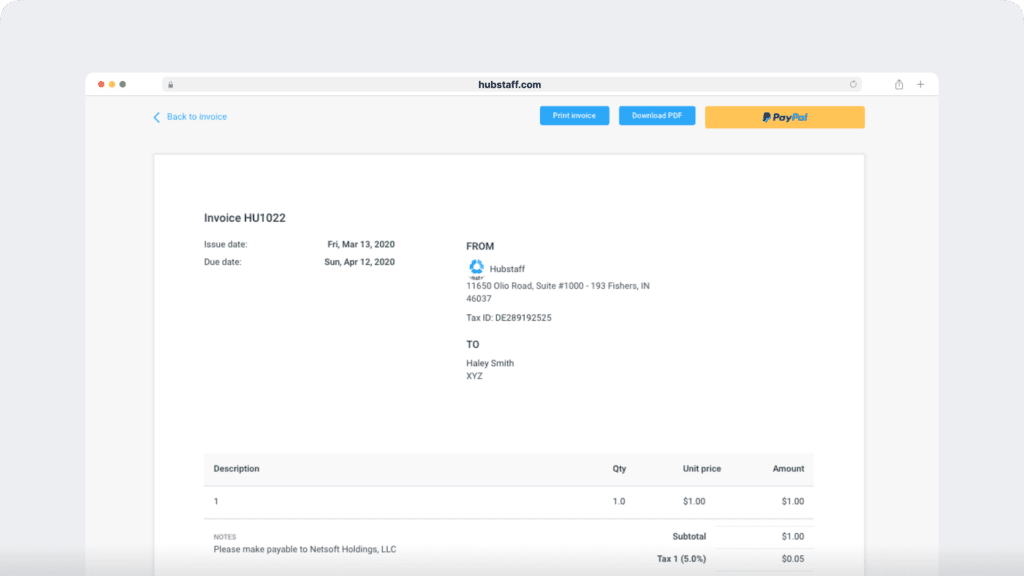
Hubstaff includes invoicing features that let teams generate both client and team invoices from recorded work hours.
Tracked time, along with any manual time entries, can be used to prepare invoices that can then be shared or exported for recordkeeping.
Hubstaff also connects with other accounting and bookkeeping software, which helps centralize time and payment data in one place.
7. Scheduling
Here’s how you can set up and manage employee schedules in ActivTrak and Hubstaff.
A. ActivTrak
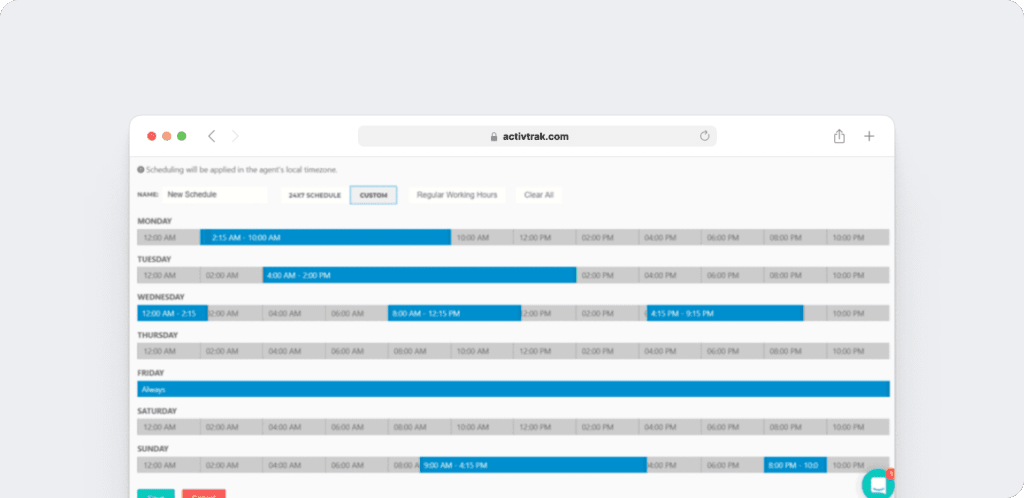
ActivTrak supports configurable work schedules and schedule adherence so teams can compare daily work metrics to assigned schedules.
The number of schedules increases by plan, moving from ad-hoc only in the Free tier to 3, 20, and 50 schedules in higher tiers.
- Depending on the plan, ActivTrak can also track meeting time offline and sync approved time-off from connected HRIS systems as an add-on. This sync is geared toward visibility into availability rather than detailed PTO workflow management.
B. Hubstaff
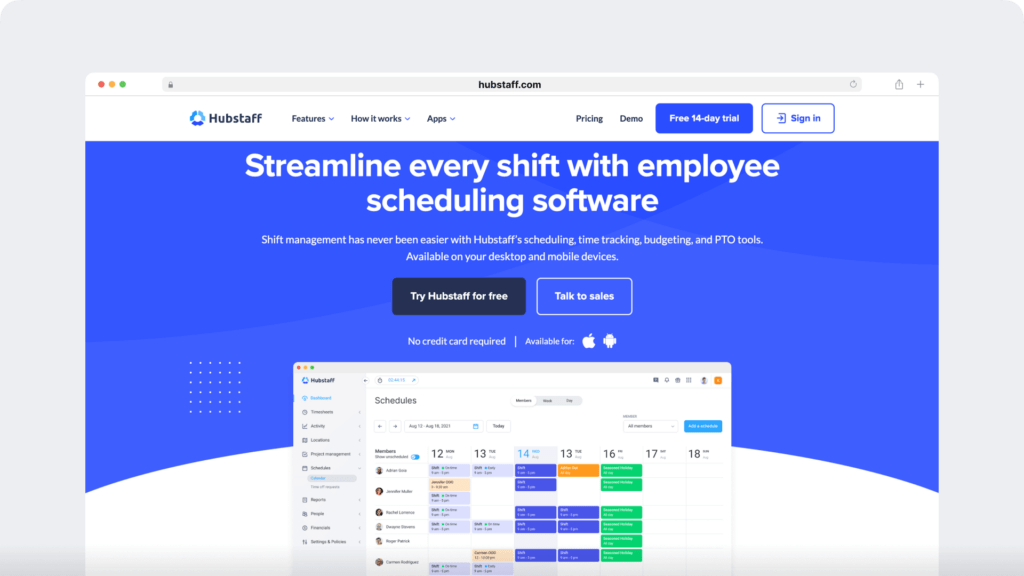
Hubstaff provides shift scheduling and attendance tracking alongside its time tracking features. Managers can also set daily and weekly limits, manage time off and holidays, and account for overtime and work breaks.
- These controls work together with Hubstaff’s timesheets and reports so teams can plan shifts, record hours, and review attendance within the same workflow.
8. Integrations
Here are some of the integrations offered by both software.
A. ActivTrak
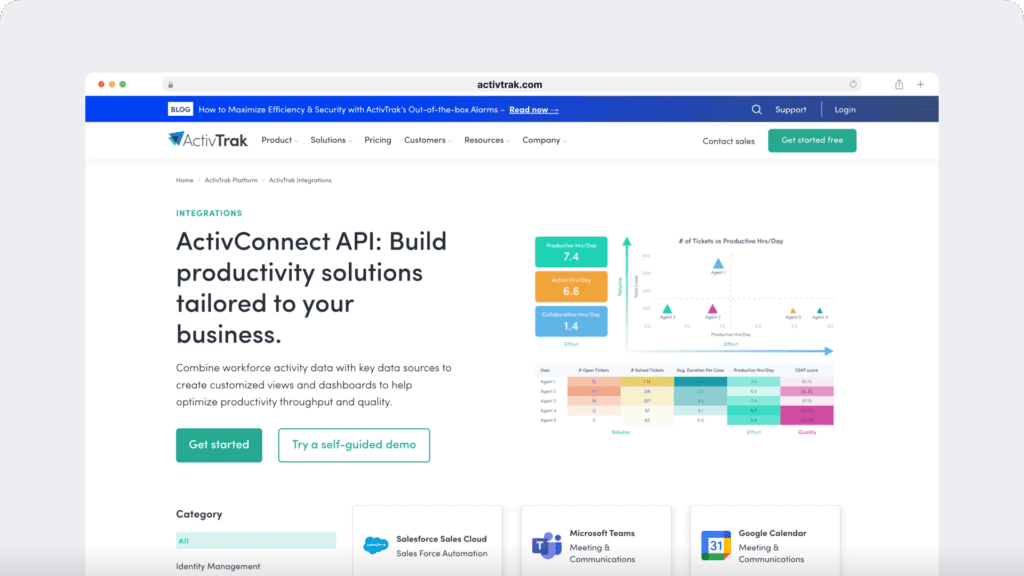
ActivTrak connects to other systems through ActivConnect and its APIs. In eligible plans, organizations can enable options such as Microsoft Entra ID (Azure AD) and SCIM for user management, webhooks for messaging, and calendar or HRIS connections. Its HRIS integration is centered on syncing approved time-off data into dashboards so teams can see availability alongside productivity trends.
According to the HRIS PTO integration comparison, this sync is designed primarily for PTO visibility in productivity dashboards rather than broader workforce synchronization.
- As plans scale, ActivConnect also provides access to BI dashboards and SQL, and it supports third-party business app integrations.
B. Hubstaff
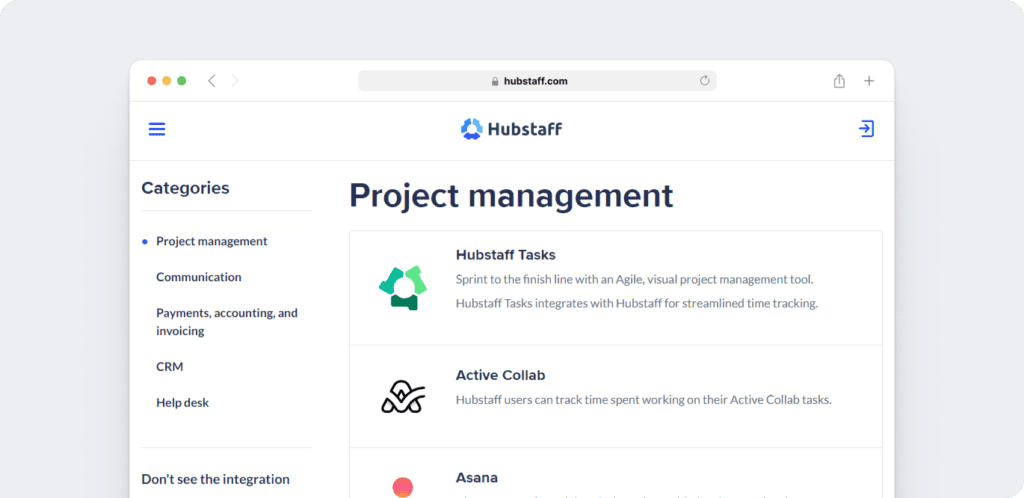
- Hubstaff includes integrations that vary by plan, and it also offers a public API. In addition, teams can extend the platform with add-ons such as Insights, Tasks, Locations, and a Silent app.
9. Pricing
Here’s a look at the ActivTrak and Hubstaff price plans.
A. ActivTrak
ActivTrak offers a Free plan for up to three users. Paid plans start at $10 per user/month (billed annually). For the most current pricing and plan details, visit ActivTrak’s website.
B. Hubstaff
Hubstaff offers a Free plan for one user, with paid plans starting at $4.99 per seat/month (billed annually, two-seat minimum). A 14-day free trial is also available. For the most current pricing and plan details, visit Hubstaff’s website.
However, before you decide, it’s helpful to consider the trade-offs. Both ActivTrak and Hubstaff include useful features for tracking and reporting, yet each is designed around a different workflow. In ActivTrak’s case, some functions such as contractor billing reconciliation or approved time-off sync are handled through ActivConnect and add-ons rather than as part of one unified workflow.
These limitations highlight why some teams explore alternatives that combine time tracking, workforce insights, and employee experience in one platform.
Limitations of ActivTrak and Hubstaff
While both software offer multiple employee and productivity monitoring features, they have their set of limitations too.
ActivTrak
- ActivTrak does not have a built-in invoicing feature. Instead, contractor billing reconciliation is available through ActivConnect.
- When it comes to payroll, ActivTrak does not include built-in payroll management in its plans and instead connects time data to external systems through ActivConnect.
- For attendance, ActivTrak supports schedule adherence and configurable schedules. It does not include a clock-in or clock-out attendance module, and its HRIS add-on syncs approved time-off data for dashboard visibility rather than detailed PTO workflow handling.
Hubstaff
- Hubstaff offers invoicing, GPS/location tracking, and payroll, but availability depends on the plan. The platform uses idle timeout rules and does not include real-time focus nudges.
- Hubstaff tracks activity levels, apps, and websites, and adds focus metrics with the Insights add-on. However, advanced features such as AI coaching, burnout or engagement signals, and BI dashboards are not part of its reporting.
- Hubstaff monitors website and app usage, but it does not provide built-in blocking controls.

A powerful employee monitoring alternative: Time Doctor
Time Doctor is a workforce analytics and employee monitoring software designed to give teams visibility into how work is done.
It helps organisations improve productivity with accurate time data, detailed reports, and actionable insights rather than relying on guesswork or micromanagement.
Here are some of Time Doctor’s features:
- Track time both automatically and manually, giving teams flexibility to log work without micromanagement.
- Detect idle time and send gentle pop-up reminders so employees can stay focused without constant oversight.
- Generate automated reports, including timesheets and activity summaries, to turn work data into clear productivity insights.
- Monitor website and app usage with classifications that help distinguish productive versus distracting activity.
- Use optional screenshots with privacy settings, offering visibility while maintaining trust and employee choice.
- Connect with 60+ tools, including project management, payroll, and communication apps, so time tracking data can flow into day-to-day operational workflows.
This is especially useful for teams that want PTO, attendance, and time tracking data to support operational workflows beyond dashboard visibility.

Check out all the features of Time Doctor to learn more about the tool.
Wondering how much this tool costs?
The Basic plan starts at $6.70 per user/month. It covers the essentials like automatic time tracking, projects and tasks, timeline reports, screenshots, and online/offline tracking.
The Standard plan starts at $11.70 per user/month. It adds scheduling, attendance, time approvals, productivity ratings, web and app usage reporting, real-time notifications, and 60+ integrations.
The Premium plan starts at $16.70 per user/month. It includes everything in Standard plus advanced tools like Benchmarks AI, Office vs. Remote reporting, unusual activity detection, internet connectivity tracking, and executive dashboards.
For large organizations, there is also a Custom plan with private cloud deployment, customizable dashboards, and tailored support.
You can also add extra features to Basic and Standard through optional add-ons such as Benchmarks AI, unusual activity reports, video screen recording, automated user provisioning, and BigQuery access.
Every plan includes a 14-day free trial, no credit card needed.
All features and pricing mentioned are based on information available from each provider’s website as of September 17, 2025.
Final thoughts
ActivTrak and Hubstaff are effective time tracking and employee monitoring tools that boost your team’s productivity.
While Hubstaff takes a broader approach to team and productivity management, ActivTrak focuses more on workforce analytics and dashboard-based visibility.
Time Doctor takes a different approach. In addition to time tracking, it provides workforce analytics that connect hours worked with productivity patterns and outcomes. The platform gives both leaders and employees visibility they can trust — supporting accountability, well-being, and smarter decisions without leaning on surveillance.
For teams comparing HRIS-connected workflows, that difference matters most when time-off data needs to support daily operations, not just visibility in dashboards.
Get a demo today to see how Time Doctor helps teams track time, uncover meaningful productivity data, and build a healthier, high-performing workforce.

