With so many employee monitoring tools on the market, it’s easy to feel like they all do the same thing. ActivTrak and Teramind are two popular options, but while both track activity and productivity, the way they approach monitoring and data security is quite different.
This article walks through a side-by-side comparison so you can see where each tool excels and where the trade-offs matter. We’ll also share an alternative worth considering if your focus is on balancing productivity insights with employee experience.
What we’ll cover
- What is ActivTrak?
- What is Teramind?
- ActivTrak vs Teramind comparison
- Quick recap
- An alternative approach to managing productivity
- Final thoughts
Let’s get started.
What is ActivTrak?
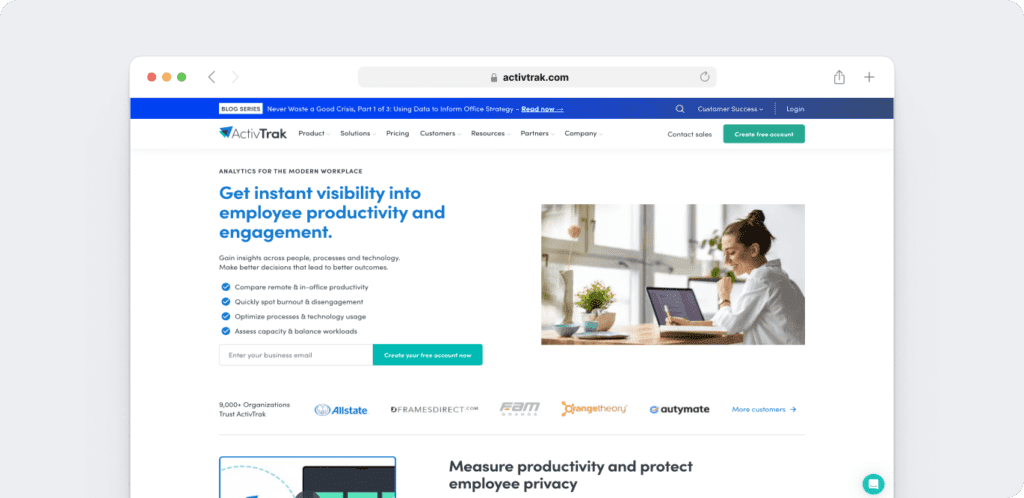
ActivTrak is a workforce analytics platform that gives organizations visibility into employee activity and productivity. It combines monitoring with analytics to help managers understand focus, collaboration, and engagement across teams.
The platform also supports schedule adherence, workforce planning, and technology usage, making it easier to see how time is spent and how tools are adopted. ActivTrak works on Windows and Mac and offers browser extensions for Chrome and Firefox.
What is Teramind?
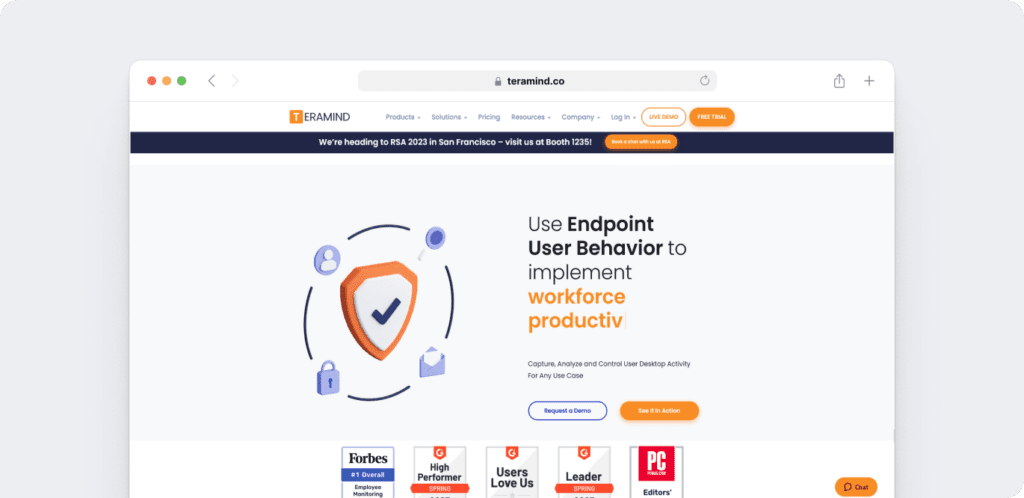
Teramind is a workforce analytics, insider risk management, user activity monitoring (UAM), and data loss prevention (DLP) platform. It combines workforce visibility, behavioral analytics, security monitoring, and compliance controls to help organizations reduce insider risk while improving operational performance.
Beyond security, Teramind provides workforce analytics, productivity intelligence, behavioral analytics, and customizable reporting that help organizations understand work patterns, identify operational inefficiencies, and improve workforce performance. This mix of compliance and performance tools makes it a fit for organizations that need visibility into daily activity while also keeping data safe.
ActivTrak vs Teramind comparison
Let’s explore how these tools stack up in this comprehensive Activtrak and Teramind review.
Here’s a summary table for easy comparison. A more detailed comparison follows.
| Feature | ActivTrak | Teramind |
| Time tracking | Automatic time tracking with daily work metrics, schedule adherence, configurable work schedules, offline meeting tracking, location policy adherence, approved time-off sync from HRIS systems (add-on), and contractor billing reconciliation via ActivConnect. | Automatic time tracking with session, work, and idle time data, plus productivity classifications. Supports shift scheduling, PTO management, and timesheet and cost reporting |
| Productivity management | Provides productivity reporting with activity summaries, trend analysis, and visual charts that highlight both daily and longer-term patterns. Availability of specific reports may vary by plan. | Productivity reports with classifications of productive, unproductive, active, and idle time, plus correlation with wages. Also supports task and project tracking with timesheet and cost reporting |
| Employee monitoring | Provides real-time visibility, activity summaries by user, team, apps, sites, and categories, activity logs, and website blocking. Includes optional screen details with features like screenshots (with redaction), live screen view, and app termination. | Provides real-time desktop monitoring with live screen view and recordings, plus tracking of applications, websites, files, emails, messages, and keystrokes. Also supports audio recording and monitoring of online activity for compliance and risk detection. |
| Compliance and security | Offers compliance-focused security features such as activity alarms, web and app usage tracking, IT forensics, and support for major industry compliance standards. Provides detailed visibility into user activity to help maintain compliance | Provides user and entity behavior analytics (UEBA), remote desktop control, and monitoring of files, messages, and communications. Includes OCR for sensitive data detection, two-factor authentication, and data loss prevention tools such as USB/device controls and cloud storage monitoring |
| Reporting | Provides a wide range of reports and dashboards, including productivity trends, application and website usage, alarm and audit logs, focus and workload balance, and options for deeper analysis through BI connectors | Offers multiple report types including monitoring, risk, productivity, and business intelligence reports, with options for customization and deeper analysis |
| Pricing | Free plan available for very small teams. Paid plans start at $10 per user/month (billed annually), with Essentials, Essentials Plus, and Professional tiers offering additional features | Teramind offers multiple pricing tiers based on workforce analytics, user activity monitoring (UAM), data loss prevention (DLP), and enterprise requirements. Visit Teramind’s website for the latest pricing information. |
1. Time tracking
Here’s how these tools help you keep track of employee time:
A. ActivTrak
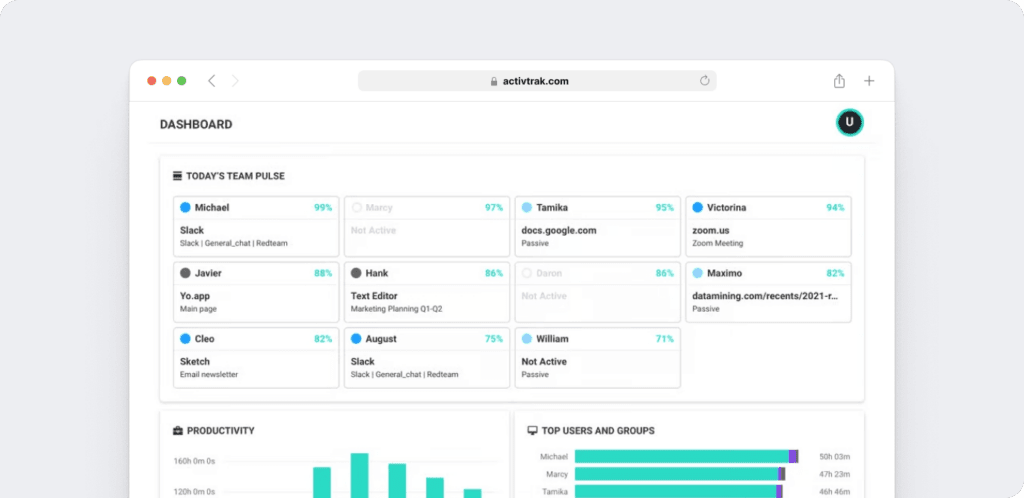
You can use ActivTrak to automatically track time in the background, giving you visibility into daily work metrics and overall activity.
You can keep your teams aligned with schedule adherence features and set up configurable work schedules for different groups or departments.
To get a better view of how time is used, you can track offline meetings, enforce location policies, and sync approved time-off data from HRIS systems. If you manage contractors, you can reconcile billing through ActivConnect. In ActivTrak, this HRIS connection is designed to bring approved time-off data into dashboards so teams can view availability alongside productivity insights. The data you collect flows into dashboards and activity logs, where you can review time worked, activity trends, and the tools your teams use.
2. Productivity management
Let’s look at how these two solutions can streamline workflow, increase employee engagement and improve employee performance:
A. ActivTrak
ActivTrak’s workforce productivity dashboards and reports offer activity tracking features that help manage productivity:
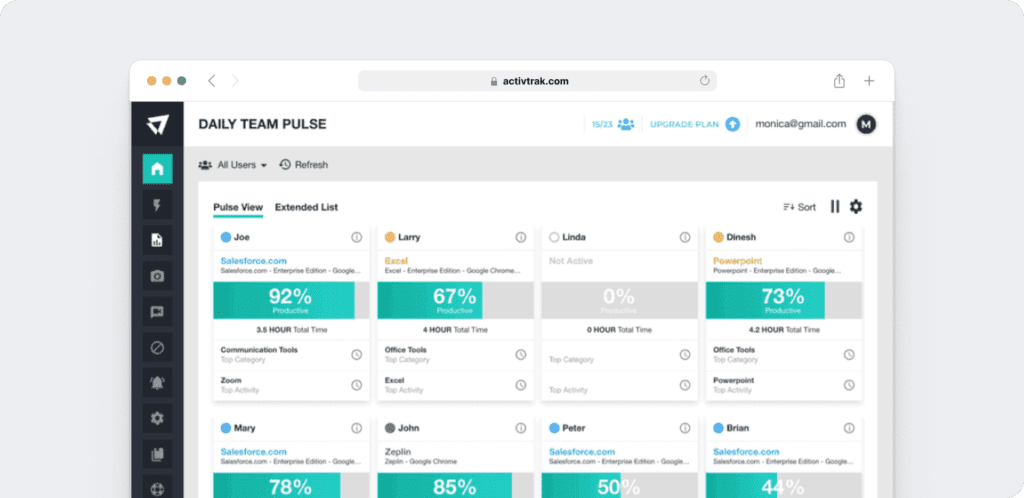
1) Daily team pulse
The Team Pulse dashboard includes real-time insights into individual and team productivity trends, including active time, top activities, and availability status. This feature is available in select plans, and your access depends on your current subscription tier.
2) Productivity reports
Productivity reports track trends across individuals and teams, with visualizations of active and idle time, categorized activities, and longer-term efficiency patterns. You can view reports by day, week, month, or custom timeframes and access additional dashboards that provide other workforce insights.

B. Teramind
Teramind’s productivity features include reports and analytics that help you understand how time is spent across employees and teams:
1) Productivity reports
You can categorize employee hours into productive, unproductive, active, and idle periods. These reports let you see how work time is being distributed and where attention is going.
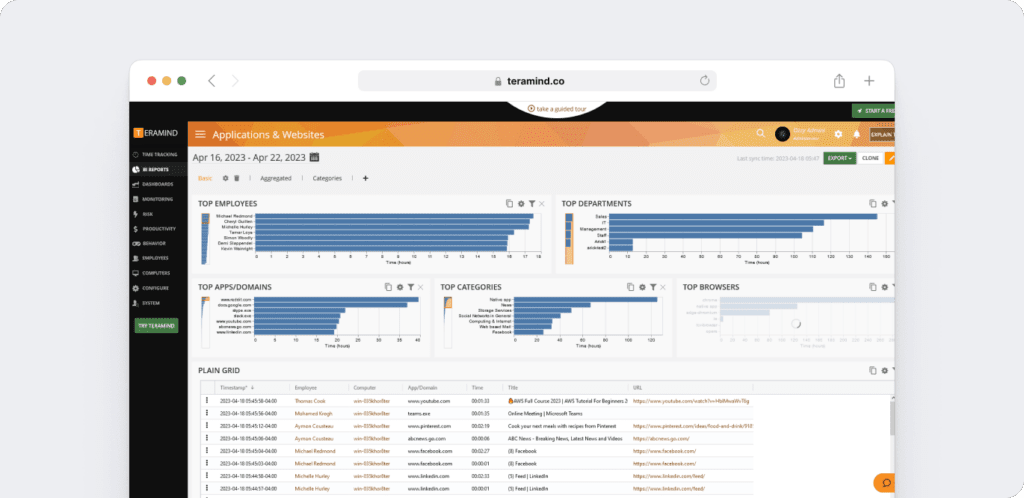
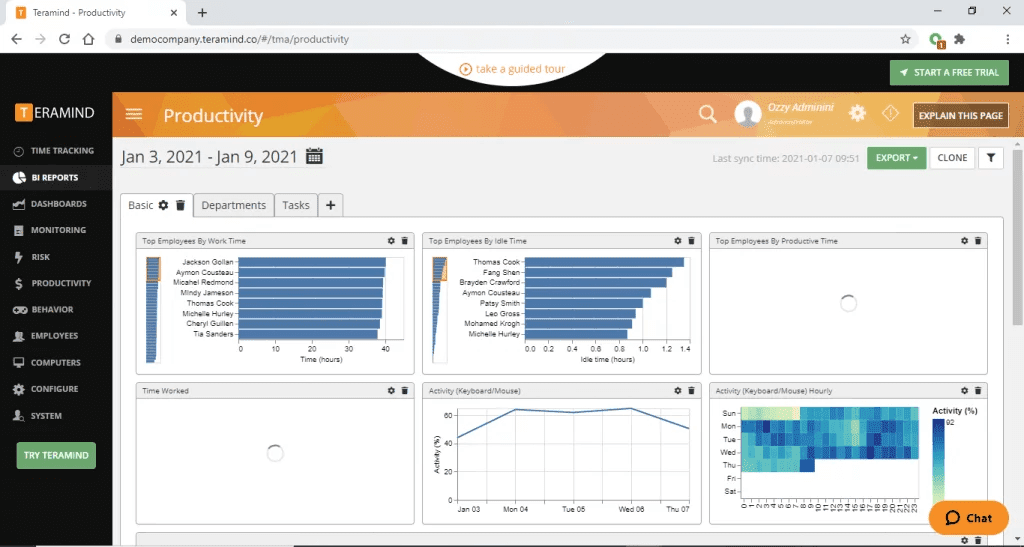
2) Business intelligence analytics
You can access dashboards and reports that connect activity data to projects, tasks, and efficiency trends. These insights let you examine workload distribution, identify activity patterns, and review how processes are functioning.
3. Employee monitoring
Both platforms include features that give visibility into employee activity and help teams stay productive.
Here are a few of the ways these solutions help you monitor your team:
A. ActivTrak
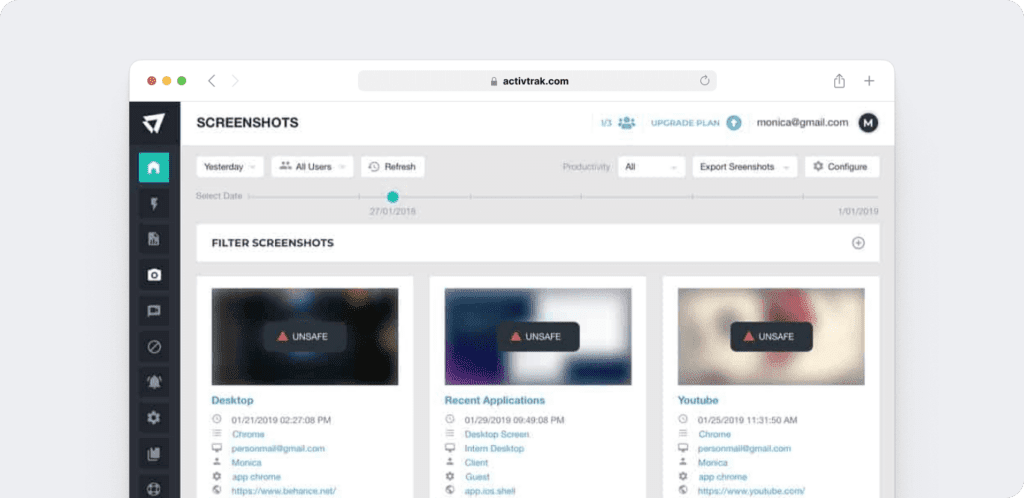
ActivTrak’s employee monitoring reveals which apps and websites your teams spend time on, along with activity summaries and detailed logs. You can also enable screen features, including screenshots with redaction, live screen view, and app termination. In addition, ActivTrak can flag activity that may create compliance risks based on configured policies and alerts.
B. Teramind
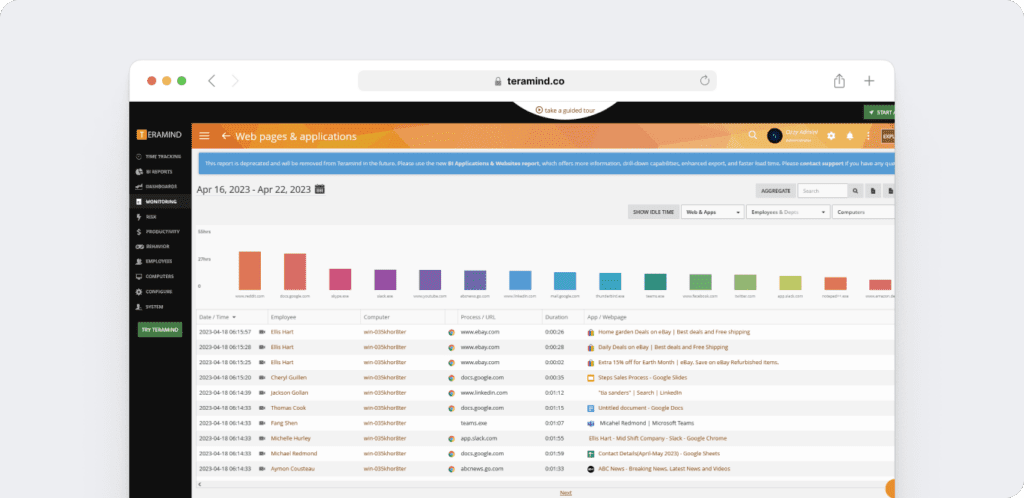
With Teramind’s user activity monitoring (UAM), you can choose to notify employees that monitoring is active or run monitoring in the background, depending on your organization’s policies.
You can view desktops in real time, access past screen recordings, and capture audio from devices when enabled.
You can also track online activity across websites, apps, emails, messages, file transfers, online meetings, keystrokes, and social media.
- These insights combine into workforce analytics that support security, compliance, and insider threat detection.
4. Compliance and security
Both solutions include features related to compliance, Data Loss Prevention (DLP), and insider threat detection, leveraging user behavior analytics as part of their approach to protecting company information.
Here’s how each one addresses compliance and security:
A. ActivTrak
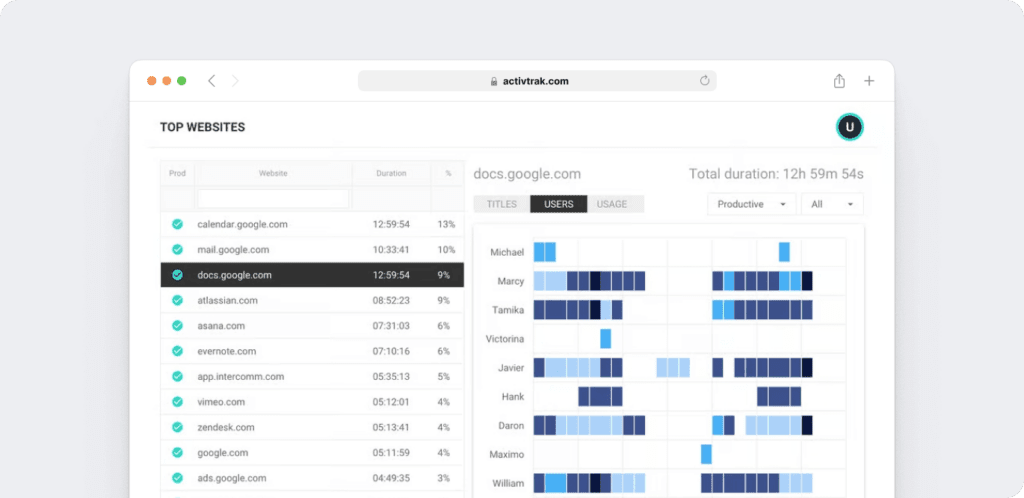
With ActivTrak, you can review the websites and apps your teams use, with the option to block certain sites or applications and identify tools that are underused. You can also set up customizable Activity Alarms to fit your policies, such as limiting social media use, receiving alerts about USB activity, or assigning risk scores to detect behaviors that don’t meet company requirements. The platform also keeps records of activity patterns and policy-related events, giving teams more visibility into compliance and potential risk signals.
B. Teramind
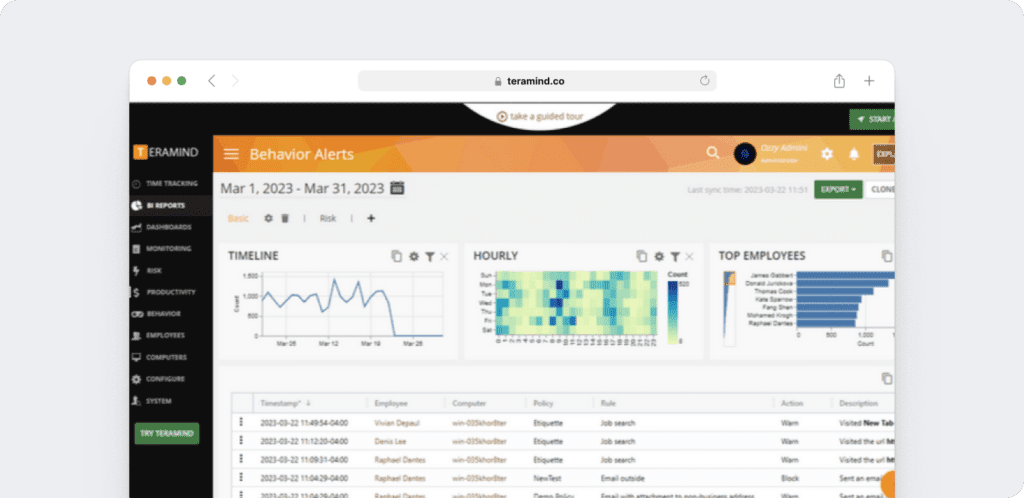
With Teramind’s data loss prevention features, you can use user and entity behavior analytics to receive alerts when employees, contractors, or other users engage in activities that appear unusual or risky.
The platform allows administrators to take control of a desktop remotely to stop unauthorized file activity, in addition to blocking read or write access to certain folders on USB or local drives. You can also track files, messages, printing, and emails to monitor creation, deletion, access, or transfers, and receive alerts when data is uploaded to cloud storage services like Google Drive, Dropbox, or OneDrive.
Teramind’s OCR (Optical Character Recognition) capability allows you to detect sensitive data, such as credit card numbers or passwords, that appear in images or documents. Two-factor authentication is also supported, combining a password with a PIN at log-in.
5. Reporting
Both platforms provide reporting features to summarize activity and productivity data. Here’s how their reporting compares:
A. ActivTrak
ActivTrak offers several types of reports and dashboards. Time reports show productivity across different periods, including daily activity and idle or passive time. Security reports track alarms and audit logs, capturing log-ins, rule triggers, and account changes.
- Web and app usage reports list the tools employees use, the amount of time spent in them, and activity patterns throughout the day. Other dashboards cover areas such as productivity trends, workload balance, workforce activity, and availability visibility in supported HRIS-connected setups.
B. Teramind
Teramind offers a variety of reports to understand activity and risk across the organization. Monitoring reports show details on employee activity, including file transfers, emails, keystrokes, and other interactions.
Risk reports identify users, rules, or applications flagged as potential concerns. Productivity reports categorize time into productive, unproductive, active, and idle periods, providing an overview of work patterns.
- Business intelligence reports include data on online activity, tasks, and projects, with customizable dashboards available for examining specific trends.
6. Pricing
Here’s how much these two tools cost:
A. ActivTrak
ActivTrak’s paid plans start at $10 per user/month (billed annually), and a Free plan is available for small teams. For the most current pricing and plan details, visit ActivTrak’s website.
B. Teramind
Teramind offers multiple pricing tiers based on workforce analytics, user activity monitoring (UAM), data loss prevention (DLP), and enterprise requirements. Visit Teramind’s website for the latest pricing information.
Quick recap
ActivTrak and Teramind take different approaches to workforce visibility. ActivTrak emphasizes analytics, productivity data, and dashboard-based visibility into how teams work. Teramind focuses on workforce analytics, compliance, security, insider risk management, user activity monitoring (UAM), and data loss prevention (DLP), making it a strong fit for organizations with security and compliance requirements.
Both provide dashboards, reports, and activity tracking. The decision often comes down to whether an organization is more concerned with productivity metrics or with tools that address compliance and risk controls.
An alternative approach to managing productivity
You’ve seen how ActivTrak and Teramind compare across time tracking, productivity management, user activity monitoring, compliance, and reporting.
Another option to consider is Time Doctor, which extends beyond basic time tracking with features that link work hours to outcomes and provide visibility into team performance.
What is Time Doctor?

Time Doctor is a workforce analytics platform built for leaders who want visibility without micromanagement. It gives you clear, actionable insights into how work gets done so you can make faster, smarter decisions across your team.
With Time Doctor, you can:
- Track time in the background or through a simple timer, giving you flexibility across different workflows.
- Turn raw activity into meaningful reports that reveal patterns in productivity, focus, and workload balance.
- Use optional screenshots and blurred views when needed, balancing visibility with employee trust.
- Connect time data to payroll, attendance, and 60+ integrations, helping teams link time tracking with day-to-day operational workflows. This is especially useful for organizations that want time-off, attendance, and time tracking data to support operations beyond dashboard visibility.
Because Time Doctor is designed around transparency, you can use the data it provides to understand how work is done and guide your teams with more clarity.
Onboarding is kept simple, and multilingual support is available at all times to make adoption easier.
The platform offers information you can use to review activity, encourage accountability, and support employee well-being without adding extra steps.
Time Doctor pricing
Time Doctor offers four flexible plans designed to fit different team needs:
- Basic – $6.67 per user/month (billed annually) or $8 month-to-month. Includes core features like automatic tracking, projects and tasks, timeline reports, optional screenshots, and offline tracking.
- Standard – $11.70 per user/month (billed annually) or $14 month-to-month. Adds schedules, attendance, time approvals, web and app usage reporting, productivity ratings, work-life balance metrics, integrations, and more.
- Premium – $16.70 per user/month (billed annually) or $20 month-to-month. Includes everything in Standard, plus Benchmarks AI, unusual activity reporting, video screen recording, client login access, SSO, and advanced analytics.
- Enterprise – Custom pricing. Offers private cloud deployment, customizable dashboards, professional services, and tailored onboarding.
Every plan comes with a 14-day free trial and does not require a credit card.
Final thoughts
ActivTrak and Teramind emphasize different priorities. ActivTrak focuses on productivity metrics, while Teramind is more centered on compliance and security. Time Doctor takes a different approach as a workforce analytics platform designed to help managers make better decisions and give employees more clarity into how their time is spent.
For organizations that want dashboard-based visibility into productivity patterns and workforce trends, ActivTrak may be a good fit. This is especially relevant for teams that want approved time-off data visible in dashboards as part of broader workforce analytics.
For those who need stricter compliance controls, Teramind may align more closely. For teams looking for visibility into how work really gets done, with features designed to support trust and connect time data with operational workflows, Time Doctor supports both performance and employee experience.
All features and pricing mentioned are based on information available from each provider’s website as of September 20, 2025.
View a demo with Time Doctor to explore how time tracking connects to performance and trust.

