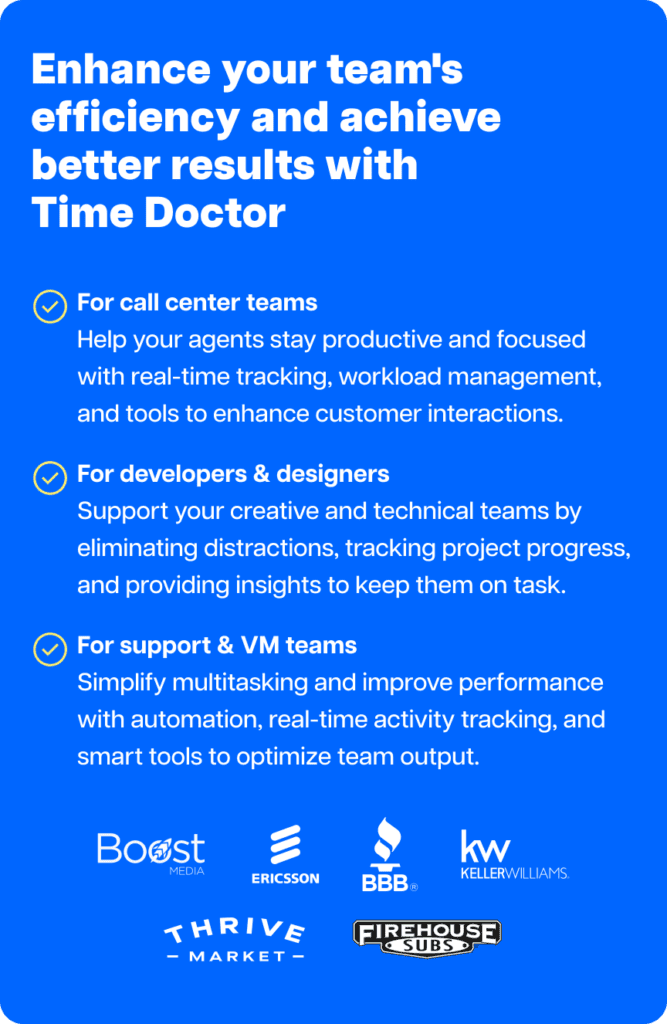
Do you know how much of your team’s day goes toward meaningful work versus distractions?
Are your employees getting the most out of the web and workplace tools they rely on each day?
How do you help your team stay focused without constant distractions?
Understanding employee work patterns has become essential for organizations of all sizes, especially as remote and hybrid work expands..
Studies show most U.S. businesses now use tools to understand how employees spend time online. This trend is even more common among remote, hybrid, and distributed teams such as BPOs.
The workforce analytics market, valued at around $200 million today, is projected to more than double within the next four years.
And it’s not only about productivity. It’s also about visibility tools, which also play a role in protecting organizations from risks such as data breaches or malware attacks
Want to know how projects, tasks, and tools are being used across your team?
You could explore workforce analytics platforms to gain that visibility
There are many tools available today, each with different strengths for tracking and analyzing activity.
In this article, we’ll review ActivTrak’s pros and cons and explore where it shines and where it may fall short.
In this article, we’ll review ActivTrak’s pros and cons and explore where it shines and where it may fall short.
What we’ll cover
- What is ActivTrak?
- ActivTrak features
- Considerations with ActivTrak
- What ActivTrak implementation looks like
- ActivTrak plans and pricing
- What to look for in an alternative
- Why many teams choose Time Doctor
- Final thoughts
What is ActivTrak?
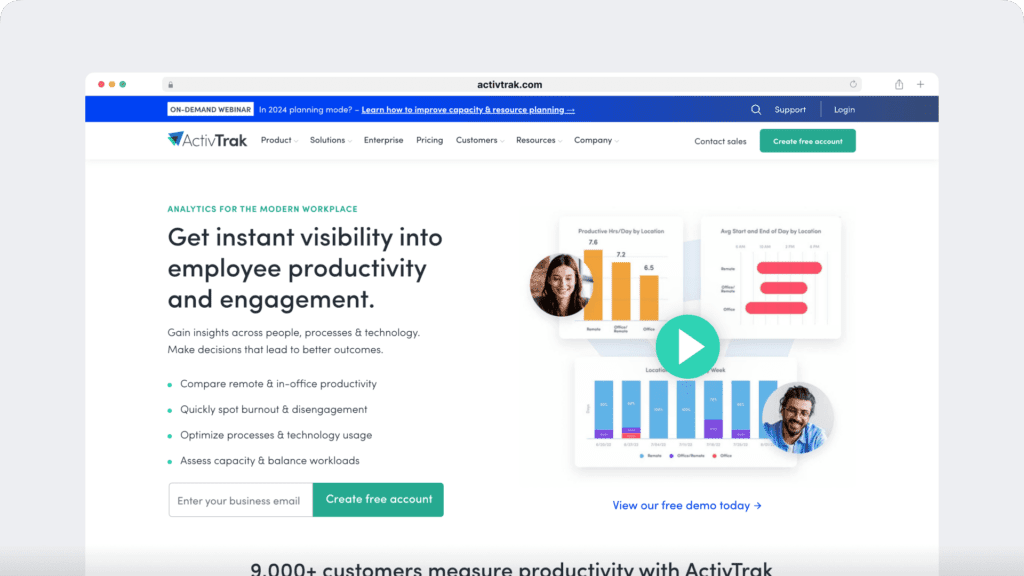
ActivTrak is a cloud-based platform for workforce analytics and monitoring. It helps companies see which websites and applications employees use and provides reports on how time is spent at work.
To run, ActivTrak requires the installation of a tracking agent on each device. This can be done manually by downloading the agent or remotely through IT tools such as MDM, GPO, or command-line deployment.
Once installed, the agent collects activity data in the background and sends it to a central dashboard. Organizations can choose how and when to inform employees about monitoring, and many share this openly to maintain trust.
On paid plans, ActivTrak can also capture screenshots of user activity. Because screenshots may include sensitive information, features like screenshot redaction (DLP) are available to help mask private details.
ActivTrak reports in real time on app and website usage. Administrators can set alerts, block certain websites, or send pop-up messages if flagged activity occurs.
The platform also allows managers to classify websites and apps as either productive or unproductive, providing context for how work hours are spent.
These insights help leaders understand patterns in tool usage, track idle time through keyboard and mouse activity, and guide conversations about productivity and performance.
ActivTrak features
Here are some of the advantages ActivTrak offers:
1. Screenshot capture on paid plans
ActivTrak can take screenshots of user activity on paid tiers. Screenshots can be scheduled or triggered by certain actions, and administrators can delete them individually if needed. Paid plans also offer screenshot redaction (DLP) to help protect private information.
2. Productive vs. unproductive categorization
Managers can tag websites and apps as “productive” or “unproductive.” ActivTrak also provides predefined categories that can be customized. This helps leaders understand how time is divided between focused work and distractions
3. Website and application usage reports
The platform tracks which websites and apps employees use, how long they use them, and when idle time occurs. Reports can be viewed across custom date ranges, not just one day at a time
4. Real-time dashboards and insights
ActivTrak’s reports update in real time and include charts, activity logs, and category breakdowns. This makes it easier to spot trends or anomalies quickly.
5. Website blocking and custom alerts
Administrators can block websites for specific users or teams and set up alerts or pop-ups when flagged activity occurs. This can help enforce policies on high-bandwidth or non-work sites
6. Keyboard and mouse activity tracking
ActivTrak uses keyboard and mouse movement to calculate productive time and identify idle periods. This metric is a core part of its “Productive Time” reporting
7. Custom monitoring schedules
Monitoring can be limited to working hours, which is useful for remote or flexible teams. This keeps reports focused on actual work time while protecting employee privacy outside of work.
8. Automatic time capture
ActivTrak automatically records activity in real time with timestamps. Reports can include website URLs, dates, and durations, giving managers a clear picture of how work hours are spent.
Considerations with ActivTrak
While ActivTrak offers strong monitoring and analytics features, there are a few limitations worth considering:
1. No built-in payroll or billing
ActivTrak integrates with external payroll tools, but it does not include built-in payroll or contractor payment features as part of its platform. Organizations that want time, productivity, and pay data in a single system may look to alternatives that include payroll and billing options.
2. Privacy tradeoffs
Screenshots in ActivTrak show the entire screen unless redaction is applied on paid plans. Administrators can use screenshot redaction (DLP) to mask sensitive information, though features like blurring are not listed as default options.
Teams that prioritize employee privacy may prefer alternatives, which includes privacy-first options such as screenshot blurring, optional screenshot capture, and role-based access to limit who can view captured data.
3. Limited flexibility in time tracking
ActivTrak focuses on automatic tracking and does not highlight built-in options for manual time entry or start/stop timers. This can make it harder to capture offline work such as calls, client visits, or strategy sessions.
Some platforms combine passive tracking with interactive timers and manual entry, giving employees more flexibility in how they capture both online and offline work.
4. No dedicated well-being features
ActivTrak emphasizes monitoring and productivity analytics, but it does not promote dedicated well-being metrics as part of its core platform.
Companies that want to track work-life balance trends or spot early signs of burnout may prefer platforms that include features such as work-life balance reports and burnout risk indicators to help managers support healthier, more sustainable performance.
5. Business-hours-only customer support
ActivTrak provides live human support by phone or chat during standard business hours (Monday–Friday, 8 am–5 pm CST).
For organizations with distributed teams working across time zones, this limited window can make it harder to get timely help, especially compared to platforms that emphasize 24/7 multilingual support.
6. Enforcement-first design
ActivTrak includes strict control options such as website blocking, app termination, and live screen streaming. These can be valuable for IT or compliance teams that want strong oversight, but some organizations may find them too rigid when trying to balance visibility with employee autonomy.
Other platforms offer a different emphasis, combining monitoring features with tools such as distraction alerts, idle pop-ups, and work-life balance reporting. This approach is designed to provide visibility and coaching without leaning too heavily on enforcement.
7. Higher reliance on IT resources
ActivTrak’s advanced features, such as SQL access, BI dashboards, and workforce planning packs, deliver value for organizations with strong IT and analytics teams. For smaller businesses, the higher reliance on IT resources can make adoption slower and more costly.
By contrast, some platforms emphasize easier rollout, with intuitive dashboards, low IT lift, and global support that help teams see value quickly without heavy technical setup.
8. No client access and audit trails
ActivTrak does not advertise features such as client logins or tamper-resistant digital audit trails in its product materials. For companies that need to securely share data with clients or maintain compliance-ready records, the absence of these listed functions may be a limitation.
What ActivTrak implementation looks like
With ActivTrak, you’ll install an agent on each device. You can do this manually or roll it out remotely with IT tools like MDM, GPO, or command-line. Once it’s installed, the agent updates automatically and quietly collects activity data in the background.
As part of the setup, you’ll also decide how and when to tell your team about monitoring. Many companies choose to share this openly to build trust and make sure employees understand how the data is being used.
In terms of employee awareness, the ActivTrak agent runs quietly in the background and doesn’t show up in standard program lists. It’s up to you to decide how and when to let your team know about monitoring.
Many companies choose to be transparent from the start, as clear policies and honest communication help employees understand how their data is used and why it matters.
ActivTrak plans and pricing
ActivTrak offers a free plan with limited coverage, plus paid tiers that unlock features such as unlimited data history, integrations, and screenshot redaction. Exact pricing and plan details vary, and the most accurate source is ActivTrak’s official website.
For buyers, the key consideration is how different features are bundled across tiers. Some capabilities, such as privacy controls or advanced reporting, are only available on higher plans. That means understanding what’s included at each level is just as important as the headline price.
What to look for in an alternative
If you’re considering a workforce analytics platform, the decision usually comes down to more than activity tracking.
Many teams want tools that balance visibility with employee trust, include flexible ways to record work, and connect productivity data with payroll or performance insights.
This is where alternatives to ActivTrak come in. Some platforms emphasize stricter oversight, while others focus on coaching, engagement, or well-being. The right choice depends on what your organization values most.
Time Doctor is one example. It offers:
- flexible time tracking (automatic, manual, and timer-based),
- built-in payroll and invoicing,
- well-being metrics,
- and privacy-first monitoring options.
It’s designed for companies that want the benefits of workforce analytics while maintaining trust and supporting distributed teams.
Why many teams choose Time Doctor
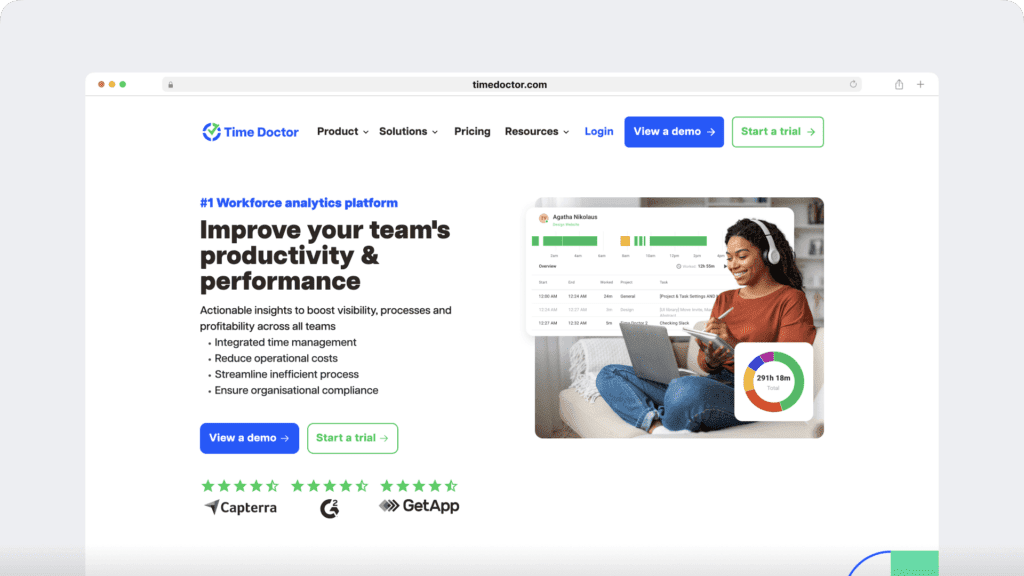
For teams that want more than monitoring, Time Doctor offers a different approach to workforce analytics. The platform is built to balance visibility with trust, combining productivity insights with flexible time tracking and employee well-being metrics.
1. Privacy-first design
Time Doctor equips managers with employee monitoring tools that focus on transparency and trust. Optional screenshot blurring, role-based access, and screen monitoring features help leaders stay informed while maintaining employee confidence.
2. Flexible ways to track work
With Time Doctor, you can combine automatic tracking, an interactive timer, and manual entry to capture every type of work, from project tasks to client calls. This makes time management seamless across both online and offline activities.
3. Actionable productivity and workforce insights
Built-in benchmarking and productivity analytics surface performance patterns, highlight bottlenecks, and provide unusual activity reports when something is outside the norm. Detailed workforce analytics also show how time is spent by task, project, or client, helping leaders spot inefficiencies, balance workloads, and coach employees with real-time data. Together, these insights make it easier to improve workflows without micromanagement.
4. Support for healthier performance
Time Doctor includes work-life balance reports and burnout risk indicators that support healthier performance. By combining visibility with well-being insights, managers can prevent burnout before it begins.
5. Payroll, attendance, and compliance-ready data
Time Doctor links tracked hours directly to payroll and contractor payments, while attendance tracking helps confirm work hours across global teams. A digital audit trail makes compliance simpler for organizations in regulated industries.
6. Seamless integrations
Time Doctor connects with over 60 tools, including project management, communication, and payroll systems. These integrations make it easy to fit into existing workflows and scale with growing teams.
7. Simple rollout, global support, transparent pricing
The platform is designed for quick adoption with intuitive dashboards and a low IT lift. 24/7 multilingual support ensures global teams always have help when they need it. Time Doctor also offers straightforward pricing, so organizations know exactly what they’re getting without hidden costs.
Final thoughts
Every workforce analytics platform comes with tradeoffs. ActivTrak’s strengths lie in real-time monitoring and compliance controls, while its limitations show up in areas like flexible tracking, privacy settings, and well-being insights.
The best choice depends on your team’s culture and goals. If you’re looking for a platform that balances accountability with trust, connects productivity data to payroll, and supports managers in coaching for healthier performance, Time Doctor is worth a closer look.
Ready to see if Time Doctor is the right fit for your team? Book a demo today and explore how it helps balance accountability, trust, and performance while supporting remote, hybrid, and in-office workforces.